
LinkedIn Document Ads: eight real examples and a plan for your first one
A LinkedIn Document Ad lets someone page through your PDF or presentation inside a sponsored post. You can let them read it freely, or offer a few preview pages before a Lead Gen Form. Your cover needs a clear promise. The next page needs to start keeping it.
The eight ads below show different ways to do that. You can inspect their pages, see why each sequence works as an explanation, then borrow the structure for a different business. Each example includes proposed page copy you can adapt.
If you already have a long report, start with the Snowflake and Workday examples. If you need to make a short document from scratch, start with ActivTrak, Siemens, or the completed example and blank template.
We saved three preview pages from each original ad and inspected KPMG's complete six-page sequence in the live viewer. The other full documents, gate choices, delivery flows and campaign results are not established by these captures. Treat figures inside the ads as the advertisers' claims, not evidence of ad performance.
LinkedIn Document Ad examples you can inspect
KPMG: turn a report into one finding per page
View the original KPMG ad. Captured September 23, 2026. The ad asks whether an organization is equipped to turn technology investment into value and points to KPMG's Global Tech Report. It addresses technology leaders who have budget decisions to make.
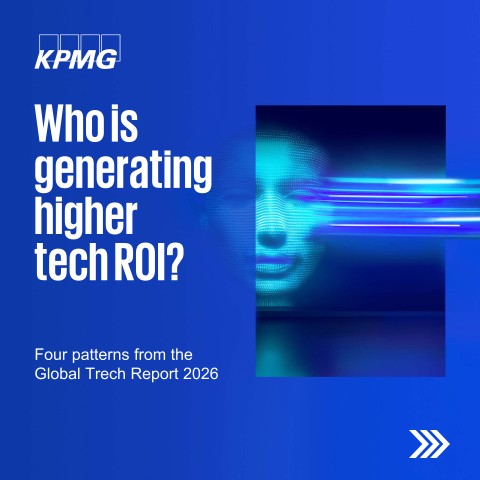
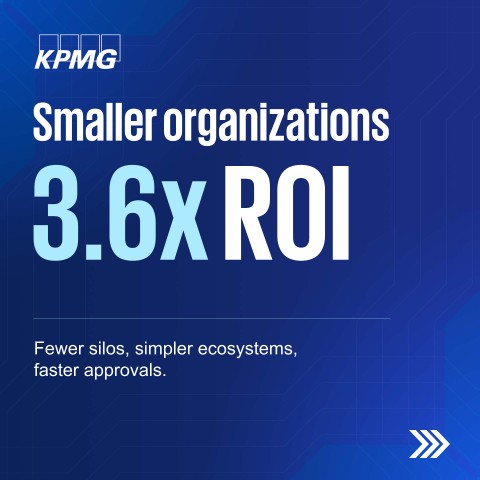
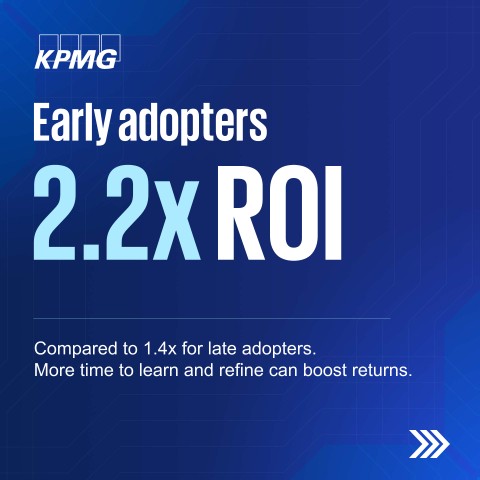
Three archived preview images shown here. The live KPMG viewer also allows all six pages to be previewed. Original LinkedIn ad.
The cover asks, “Who is generating higher tech ROI?” and promises four patterns. Page 2 gives smaller organizations a large 3.6x figure and a short explanation about silos, ecosystems and approvals. Page 3 compares early and late adopters: 2.2x against 1.4x.
The live ad continues the same rhythm. Page 4 shows 2.6x ROI for organizations facing fewer cost pressures. Page 5 shows 3.2x for transformation-focused organizations and says they put 50% or more of tech budgets toward transformation. Page 6 points to the full Global Tech Report 2026. Each finding gets its own page, a comparison and a short explanation. The numbers are KPMG report claims; check the report before using them as facts elsewhere.
Borrow this structure when you have several distinct, sourced findings. Without the research, use a process diagram or checklist instead of a decorative statistic.
Worked adaptation, hypothetical: An inventory planning software company has an approved analysis of forecast changes. Its first three pages could read:
- “Where do replenishment plans break? Three patterns from our 2026 inventory review.”
- “Late supplier updates reach planners after the purchase order is set.” Show a timeline: supplier update, planner review, purchase order. Use a large figure only if the analysis supports one.
- “One owner checks exceptions before the order runs.” Show the process before and after an exception owner is assigned.
Put the sample, dates and definition of “late” beside any finding. The KPMG adaptation prompt writes the remaining pages from your own evidence.
Research findings from a real report
Replace the bracketed inputs with your business facts. This prompt includes its reference, so you can use it outside this article.
You are writing an original LinkedIn Document Ad for a B2B company. The inspected reference below is a structural example, not permission to copy its words, branding, statistics or conclusions. Work from the user inputs and label every assumption.

REFERENCE INSPECTED
KPMG native Document Ad, LinkedIn Ad Library 1583754176, captured 2026-09-23. Its cover asks who generates higher technology ROI and promises four patterns from a Global Tech Report. Preview page 2 centers a 3.6x figure about smaller organizations with a short explanation; page 3 compares 2.2x and 1.4x for early and late adopters. Three archive pages were saved. The live ad viewer was also inspected through page 6: page 4 shows 2.6x ROI for organizations facing fewer cost pressures; page 5 shows 3.2x ROI for transformation-focused organizations and says 50% or more of their tech budgets go to transformation; page 6 directs readers to the full Global Tech Report 2026. These are KPMG report claims. Gate and ad results are unknown. Borrow the one-finding-per-page structure, not the figures.

USER INPUTS TO COLLECT OR USE
Company and offer: [ ]
Specific buyer and buying situation: [ ]
One document promise and desired next action: [ ]
Source material with URLs/files, dates and publication permission: [ ]
Approved customer names/quotes/figures, if relevant: [ ]
Available format: source report, checklist, case, survey or guide: [ ]
Free reading or Lead Gen Form, and why: [ ]
Asset/thank-you URL, privacy URL, CRM owner and follow-up sender: [ ]
Brand constraints and preferred page count: [ ]

SPECIFIC ASSIGNMENT
Make a research-led document in which each page states one verified finding, its comparison and what the reader can do with it. Preserve sample, date, denominator and source. Do not infer cause from correlation. If there are fewer than three findings, build around the available findings instead of inventing more.

WORKED PATTERN, CLEARLY HYPOTHETICAL
Hypothetical inventory-planning company: cover “Where do replenishment plans break? Three patterns from our 2026 inventory review.” Page 2 shows a supplier-update timeline instead of a fabricated percentage. Page 3 shows an exception owner checking changes before purchase orders run. A number is added only after the underlying analysis is supplied.

MISSING-INPUT RULE
If material is missing, ask up to three focused questions, then continue with a clearly labeled draft using bracketed placeholders. Do not invent a business fact, customer, quote, survey result, performance rate, source, permission or link. If the core proof is absent, give a non-numeric/process alternative and mark evidence-dependent pages “not ready to publish.” Do not claim the inspected advertiser used a gate or achieved a result.

OUTPUT CONTRACT
1. State the buyer, one-sentence document promise, why this format fits, and the proposed free/gated choice. Separate what is known from assumptions.
2. Give a complete 6–8-page document. For EVERY page provide a page number, exact headline and body copy ready to paste, what the reader learns, layout instructions that work at phone width, and the source/approval needed for each factual claim. Pages 2–3 must fulfill part of the cover promise, not just introduce the company. Mark the proposed preview boundary and show what remains after it. Do not fill pages with slogans or generic benefits.
3. Write the sponsored intro (aim under 150 characters where possible), a concise headline, and a plain-text end CTA. Make their promises match the document.
4. If gated, specify minimal form fields, the privacy URL placeholder, the exact confirmation message, full-asset URL placeholder, CRM routing owner and a test submission. If free, explain how a reader gets the PDF and what next action is offered. Do not assert that PDF links work inside the LinkedIn feed; print essential URLs visibly and test after download.
5. Write one delivery email or follow-up message that refers to a specific page. Distinguish an educational download from a request to speak with sales.
6. Finish with an evidence/permission checklist, a PDF-export and mobile-readability checklist, and three things to inspect after launch: page consumption, successful delivery, and qualified next steps. No invented benchmarks.
Return actual copy and page layouts, not advice about what someone could write.
Zendesk: let a customer fact carry the story
View the original Zendesk ad. Captured September 23, 2026. Its post promotes a story about Lucid Software's support operation. The cover places both company names beside a large “+90% AI accuracy” claim.

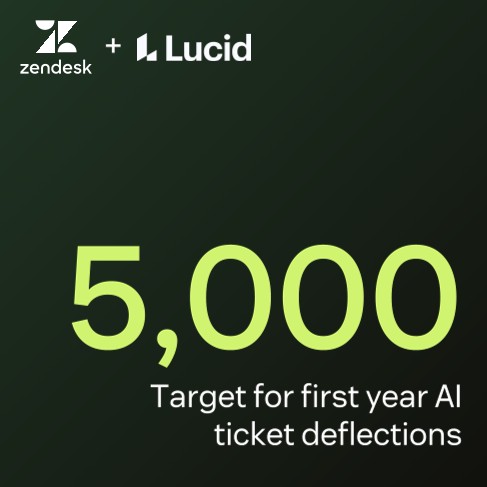
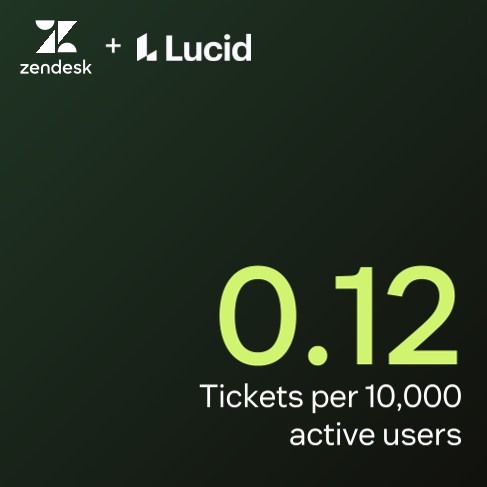
Three archived preview pages. The full document and form settings are not shown in this capture. Original LinkedIn ad.
Page 2 shows 5,000 as a target for first-year AI ticket deflections. Page 3 shows 0.12 tickets per 10,000 active users. The sequence moves from customer to goal to operating measure. It also shows why labels matter: a target is different from a result, and “0.12 tickets” is meaningless without the denominator. The ad does not show how that measure was calculated.
Use a customer-story document when the customer has approved the names, figures and context. If all you have is an anonymous compliment, use a process guide instead.
Worked adaptation, hypothetical: A logistics software provider has an approved customer account. It could build this opening:
- “How Northstar Parts handles the daily shipment exception queue.” Show approved logos and an operations-team photo.
- “The team's target: review every delayed order before the 10 a.m. carrier handoff.” Label this as a target beside a sample workflow.
- “What changed: one queue, one owner, one escalation rule.” Draw the three-step flow.
Page 4 can show a measured result only after the customer approves the figure, its time period and its denominator. The Zendesk adaptation prompt keeps goals and outcomes separate.
Approved customer story
Replace the bracketed inputs with your business facts. This prompt includes its reference, so you can use it outside this article.
You are writing an original LinkedIn Document Ad for a B2B company. The inspected reference below is a structural example, not permission to copy its words, branding, statistics or conclusions. Work from the user inputs and label every assumption.

REFERENCE INSPECTED
Zendesk native Document Ad, LinkedIn Ad Library 1589705486, captured 2026-09-23. Its cover pairs Zendesk and Lucid logos with “+90% AI accuracy.” Preview page 2 labels 5,000 first-year ticket deflections as a TARGET. Page 3 states 0.12 tickets per 10,000 active users. These are advertiser claims, not independently verified results. Only three pages were inspected; full case, gate, and ad performance are unknown. Borrow the customer-goal-measure sequence while keeping targets separate from achieved results.

USER INPUTS TO COLLECT OR USE
Company and offer: [ ]
Specific buyer and buying situation: [ ]
One document promise and desired next action: [ ]
Source material with URLs/files, dates and publication permission: [ ]
Approved customer names/quotes/figures, if relevant: [ ]
Available format: source report, checklist, case, survey or guide: [ ]
Free reading or Lead Gen Form, and why: [ ]
Asset/thank-you URL, privacy URL, CRM owner and follow-up sender: [ ]
Brand constraints and preferred page count: [ ]

SPECIFIC ASSIGNMENT
Make a customer story only from approved names, quotes and measurements. Put context and denominator next to a number; explain how the result was measured. If customer approval or a source is missing, use an anonymized, explicitly hypothetical process illustration without naming a customer or claiming a result.

WORKED PATTERN, CLEARLY HYPOTHETICAL
Hypothetical logistics software case: cover “How Northstar Parts handles daily shipment exceptions,” with logos only if approved. Page 2 states a target to review delays before the carrier handoff and labels it TARGET. Page 3 diagrams one queue, one owner and one escalation rule. Page 4 holds an outcome placeholder until validated.

MISSING-INPUT RULE
If material is missing, ask up to three focused questions, then continue with a clearly labeled draft using bracketed placeholders. Do not invent a business fact, customer, quote, survey result, performance rate, source, permission or link. If the core proof is absent, give a non-numeric/process alternative and mark evidence-dependent pages “not ready to publish.” Do not claim the inspected advertiser used a gate or achieved a result.

OUTPUT CONTRACT
1. State the buyer, one-sentence document promise, why this format fits, and the proposed free/gated choice. Separate what is known from assumptions.
2. Give a complete 6–8-page document. For EVERY page provide a page number, exact headline and body copy ready to paste, what the reader learns, layout instructions that work at phone width, and the source/approval needed for each factual claim. Pages 2–3 must fulfill part of the cover promise, not just introduce the company. Mark the proposed preview boundary and show what remains after it. Do not fill pages with slogans or generic benefits.
3. Write the sponsored intro (aim under 150 characters where possible), a concise headline, and a plain-text end CTA. Make their promises match the document.
4. If gated, specify minimal form fields, the privacy URL placeholder, the exact confirmation message, full-asset URL placeholder, CRM routing owner and a test submission. If free, explain how a reader gets the PDF and what next action is offered. Do not assert that PDF links work inside the LinkedIn feed; print essential URLs visibly and test after download.
5. Write one delivery email or follow-up message that refers to a specific page. Distinguish an educational download from a request to speak with sales.
6. Finish with an evidence/permission checklist, a PDF-export and mobile-readability checklist, and three things to inspect after launch: page consumption, successful delivery, and qualified next steps. No invented benchmarks.
Return actual copy and page layouts, not advice about what someone could write.
ActivTrak: make the reader place themselves on a map
View the original ActivTrak ad. Captured September 23, 2026. ActivTrak sells workforce analytics software; the ad offers an AI Adoption Maturity Model. Its post asks which of five stages a team's AI use has reached.
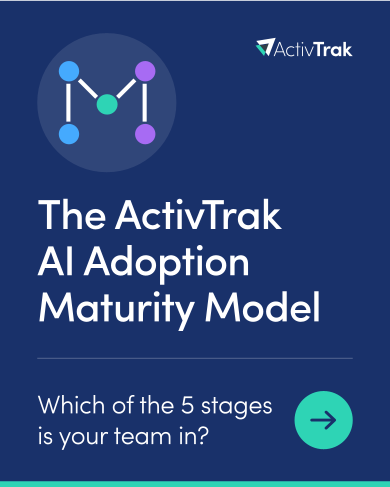
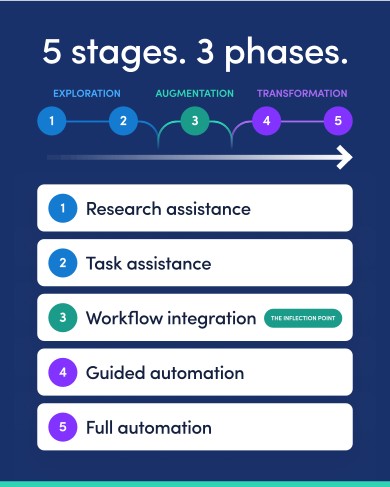
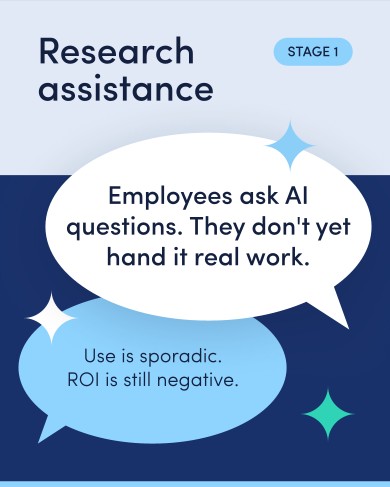
Three archived preview pages. The full document and form settings are not shown in this capture. Original LinkedIn ad.
The cover repeats the “which stage?” question and points toward the next page. Page 2 gives the whole five-stage map across three phases. Page 3 defines the first stage, research assistance, in ordinary language inside a speech bubble. The reader can begin to place their team on the map before seeing the rest.
Borrow the question-map-definition order when the buyer recognizes a progression but has trouble naming their current state. Avoid treating a maturity ladder as proof that every company must reach the last stage.
Worked adaptation, hypothetical: A B2B service team could help readers assess its lead handoff:
- Ask “Which lead follow-up stage is your team in?” above a five-step arrow.
- Name the stages: inbox, assigned owner, timed handoff, qualification rules and measured improvements. Put one observable behavior under each.
- Define “inbox”: “Leads arrive in one mailbox. Nobody owns the next action until someone notices the message.” Then ask where a new lead lands and who is named to reply.
The ActivTrak adaptation prompt writes the other stages and a fair self-check.
Self-assessment maturity model
Replace the bracketed inputs with your business facts. This prompt includes its reference, so you can use it outside this article.
You are writing an original LinkedIn Document Ad for a B2B company. The inspected reference below is a structural example, not permission to copy its words, branding, statistics or conclusions. Work from the user inputs and label every assumption.

REFERENCE INSPECTED
ActivTrak native Document Ad, LinkedIn Ad Library 1616212906, captured 2026-09-23. The cover asks which of five AI adoption stages a team is in. Page 2 maps five stages across three phases and marks workflow integration as a turning point. Page 3 defines early research assistance in a speech bubble. Only three preview pages were inspected; later definitions, gate and ad results are unknown. Borrow question, full map, first recognizable behavior. Do not present the final stage as a universal requirement.

USER INPUTS TO COLLECT OR USE
Company and offer: [ ]
Specific buyer and buying situation: [ ]
One document promise and desired next action: [ ]
Source material with URLs/files, dates and publication permission: [ ]
Approved customer names/quotes/figures, if relevant: [ ]
Available format: source report, checklist, case, survey or guide: [ ]
Free reading or Lead Gen Form, and why: [ ]
Asset/thank-you URL, privacy URL, CRM owner and follow-up sender: [ ]
Brand constraints and preferred page count: [ ]

SPECIFIC ASSIGNMENT
Write stages using observable behaviors, a fair self-check and a specific action appropriate to each stage. Avoid flattering level names or a maturity score with no validation. The answer should help a reader place themselves without a sales call.

WORKED PATTERN, CLEARLY HYPOTHETICAL
Hypothetical lead-follow-up service: cover “Which lead follow-up stage is your team in?” Page 2 maps inbox, assigned owner, timed handoff, qualification rules and measured improvements. Page 3 defines inbox: “Leads arrive in one mailbox. Nobody owns the next action until someone notices the message.” Ask where a lead lands and who replies.

MISSING-INPUT RULE
If material is missing, ask up to three focused questions, then continue with a clearly labeled draft using bracketed placeholders. Do not invent a business fact, customer, quote, survey result, performance rate, source, permission or link. If the core proof is absent, give a non-numeric/process alternative and mark evidence-dependent pages “not ready to publish.” Do not claim the inspected advertiser used a gate or achieved a result.

OUTPUT CONTRACT
1. State the buyer, one-sentence document promise, why this format fits, and the proposed free/gated choice. Separate what is known from assumptions.
2. Give a complete 6–8-page document. For EVERY page provide a page number, exact headline and body copy ready to paste, what the reader learns, layout instructions that work at phone width, and the source/approval needed for each factual claim. Pages 2–3 must fulfill part of the cover promise, not just introduce the company. Mark the proposed preview boundary and show what remains after it. Do not fill pages with slogans or generic benefits.
3. Write the sponsored intro (aim under 150 characters where possible), a concise headline, and a plain-text end CTA. Make their promises match the document.
4. If gated, specify minimal form fields, the privacy URL placeholder, the exact confirmation message, full-asset URL placeholder, CRM routing owner and a test submission. If free, explain how a reader gets the PDF and what next action is offered. Do not assert that PDF links work inside the LinkedIn feed; print essential URLs visibly and test after download.
5. Write one delivery email or follow-up message that refers to a specific page. Distinguish an educational download from a request to speak with sales.
6. Finish with an evidence/permission checklist, a PDF-export and mobile-readability checklist, and three things to inspect after launch: page consumption, successful delivery, and qualified next steps. No invented benchmarks.
Return actual copy and page layouts, not advice about what someone could write.
Siemens: teach a complex idea one part at a time
View the original Siemens Digital Industries Software ad. Captured September 23, 2026. Its post speaks to factory managers and planners facing demand shifts, material shortages and capacity limits. The cover asks what three pillars of a supply-chain control tower accomplish.
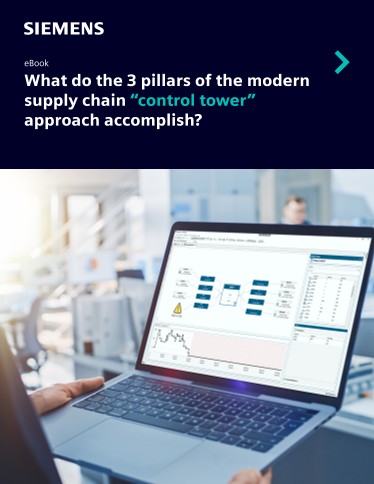
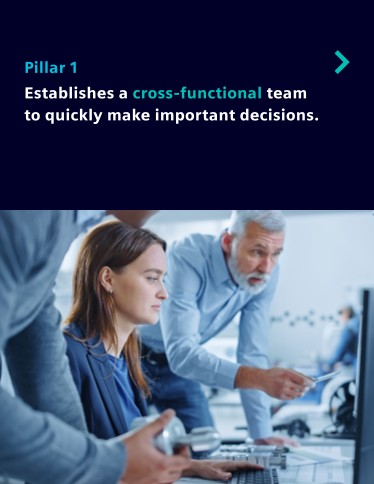
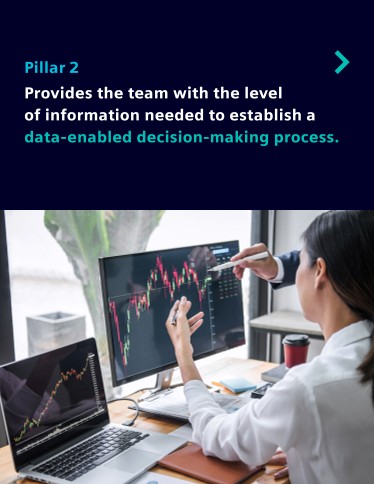
Three archived preview pages. The full document and form settings are not shown in this capture. Original LinkedIn ad.
Page 2 introduces pillar one: a cross-functional team making decisions. Its people photo helps explain that a control tower involves people, not only a dashboard. Page 3 introduces pillar two, the information those people use, with dashboard imagery. The third pillar is outside the saved preview. One component per page gives each part room to make sense.
Use this format when your offer has a small number of parts that do different jobs. Avoid a “three pillars” document if you cannot say what someone actually does in each part.
Worked adaptation, hypothetical: A managed IT provider could explain a security incident handoff:
- Ask “What makes a security incident handoff work?” above three plain icons.
- Say “One person owns the incident.” A small responsibility diagram names who can decide on containment.
- Say “Everyone sees the same event record.” Show four fields: time, affected system, current action and next owner.
- Explain when the owner escalates. This is a new page for the example, not a claim about Siemens's unseen third pillar.
The Siemens adaptation prompt turns each component into a task and a page.
Three-part method explained one page at a time
Replace the bracketed inputs with your business facts. This prompt includes its reference, so you can use it outside this article.
You are writing an original LinkedIn Document Ad for a B2B company. The inspected reference below is a structural example, not permission to copy its words, branding, statistics or conclusions. Work from the user inputs and label every assumption.

REFERENCE INSPECTED
Siemens Digital Industries Software native Document Ad, LinkedIn Ad Library 1507900333, captured 2026-09-23. Cover asks what three pillars of a supply-chain control tower accomplish. Page 2 names a cross-functional decision team; page 3 names information for data-enabled decisions. The third pillar, gate and ad results are outside the three-page preview. Borrow the one-building-block-per-page explanation and translate specialist terms into actions.

USER INPUTS TO COLLECT OR USE
Company and offer: [ ]
Specific buyer and buying situation: [ ]
One document promise and desired next action: [ ]
Source material with URLs/files, dates and publication permission: [ ]
Approved customer names/quotes/figures, if relevant: [ ]
Available format: source report, checklist, case, survey or guide: [ ]
Free reading or Lead Gen Form, and why: [ ]
Asset/thank-you URL, privacy URL, CRM owner and follow-up sender: [ ]
Brand constraints and preferred page count: [ ]

SPECIFIC ASSIGNMENT
Explain each component by naming its owner, input, decision and output. Use three components only if the business really has three; otherwise use the actual number. The reader should understand what changes in their work after each component.

WORKED PATTERN, CLEARLY HYPOTHETICAL
Hypothetical managed IT company: cover “What makes a security incident handoff work?” Page 2: “One person owns the incident,” beside a small responsibility diagram. Page 3: “Everyone sees the same event record,” beside four fields: time, system, action and next owner. An original page 4 explains an escalation rule; it is not a claim about Siemens’s unseen third pillar.

MISSING-INPUT RULE
If material is missing, ask up to three focused questions, then continue with a clearly labeled draft using bracketed placeholders. Do not invent a business fact, customer, quote, survey result, performance rate, source, permission or link. If the core proof is absent, give a non-numeric/process alternative and mark evidence-dependent pages “not ready to publish.” Do not claim the inspected advertiser used a gate or achieved a result.

OUTPUT CONTRACT
1. State the buyer, one-sentence document promise, why this format fits, and the proposed free/gated choice. Separate what is known from assumptions.
2. Give a complete 6–8-page document. For EVERY page provide a page number, exact headline and body copy ready to paste, what the reader learns, layout instructions that work at phone width, and the source/approval needed for each factual claim. Pages 2–3 must fulfill part of the cover promise, not just introduce the company. Mark the proposed preview boundary and show what remains after it. Do not fill pages with slogans or generic benefits.
3. Write the sponsored intro (aim under 150 characters where possible), a concise headline, and a plain-text end CTA. Make their promises match the document.
4. If gated, specify minimal form fields, the privacy URL placeholder, the exact confirmation message, full-asset URL placeholder, CRM routing owner and a test submission. If free, explain how a reader gets the PDF and what next action is offered. Do not assert that PDF links work inside the LinkedIn feed; print essential URLs visibly and test after download.
5. Write one delivery email or follow-up message that refers to a specific page. Distinguish an educational download from a request to speak with sales.
6. Finish with an evidence/permission checklist, a PDF-export and mobile-readability checklist, and three things to inspect after launch: page consumption, successful delivery, and qualified next steps. No invented benchmarks.
Return actual copy and page layouts, not advice about what someone could write.
Vena: put the survey question beside the chart
View the original Vena Solutions ad. Captured September 23, 2026. Vena's post promotes a 2026 FP&A report based, according to the ad, on a survey of more than 400 finance leaders. The cover promises seven trends.
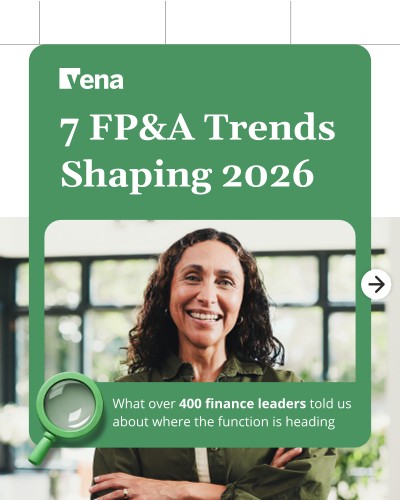
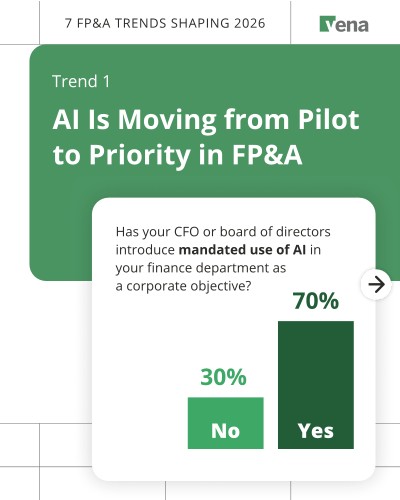
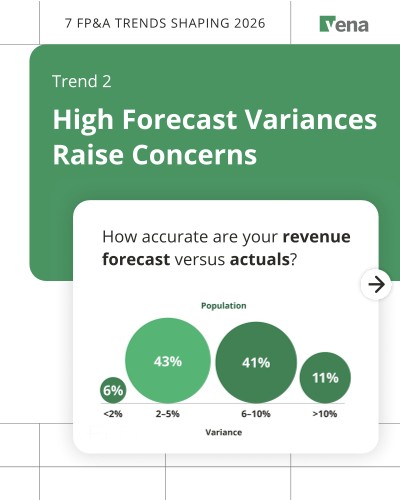
Three archived preview pages. The full document and form settings are not shown in this capture. Original LinkedIn ad.
Page 2 starts with AI moving from pilot to priority. Its chart shows the question about mandated AI use, then 70% yes and 30% no. Page 3 moves to forecast variance and again prints the question above the chart. A reader can tell what each percentage measures. The saved preview shows two of the seven promised trends.
Borrow the question-plus-chart layout for a real survey. It is a poor choice when the sample is tiny, the question wording is ambiguous, or the chart would need a paragraph of caveats to make sense.
Worked adaptation, hypothetical: A procurement consultancy has an approved client survey. It could build:
- A cover that promises “Three bottlenecks in vendor onboarding.”
- “Which approval step delays new vendors most often?” directly above a bar chart. Put the respondent count, field dates and answer options below.
- “How many teams can see the current approval owner?” above a chart with the same source details.
If the survey has not been run, replace the charts with a qualitative checklist. The Vena adaptation prompt will not generate percentages without data.
Survey chart with the question in view
Replace the bracketed inputs with your business facts. This prompt includes its reference, so you can use it outside this article.
You are writing an original LinkedIn Document Ad for a B2B company. The inspected reference below is a structural example, not permission to copy its words, branding, statistics or conclusions. Work from the user inputs and label every assumption.

REFERENCE INSPECTED
Vena Solutions native Document Ad, LinkedIn Ad Library 1542216153, captured 2026-09-23. Cover promises seven FP&A trends from a survey that its ad says includes more than 400 finance leaders. Page 2 shows a question about mandated AI use with 70% yes and 30% no. Page 3 begins a trend on forecast variance with a question about revenue forecast versus actuals. The figures are advertiser claims. Only three pages were inspected; gate and ad results are unknown. Borrow the survey-question-plus-chart pattern.

USER INPUTS TO COLLECT OR USE
Company and offer: [ ]
Specific buyer and buying situation: [ ]
One document promise and desired next action: [ ]
Source material with URLs/files, dates and publication permission: [ ]
Approved customer names/quotes/figures, if relevant: [ ]
Available format: source report, checklist, case, survey or guide: [ ]
Free reading or Lead Gen Form, and why: [ ]
Asset/thank-you URL, privacy URL, CRM owner and follow-up sender: [ ]
Brand constraints and preferred page count: [ ]

SPECIFIC ASSIGNMENT
Make each chart state the exact survey question, answer options, base, field dates and source. Explain whether the numbers are respondents, companies or something else. Do not invent percentages or call a convenience sample representative. If the survey has not been run, create a qualitative checklist instead.

WORKED PATTERN, CLEARLY HYPOTHETICAL
Hypothetical procurement consultancy: cover “Three bottlenecks in vendor onboarding.” Page 2 asks “Which approval step delays new vendors most often?” above a simple bar-chart placeholder with respondent count and dates pending. Page 3 asks whether teams can see the current approval owner. No percentages appear until survey data are supplied.

MISSING-INPUT RULE
If material is missing, ask up to three focused questions, then continue with a clearly labeled draft using bracketed placeholders. Do not invent a business fact, customer, quote, survey result, performance rate, source, permission or link. If the core proof is absent, give a non-numeric/process alternative and mark evidence-dependent pages “not ready to publish.” Do not claim the inspected advertiser used a gate or achieved a result.

OUTPUT CONTRACT
1. State the buyer, one-sentence document promise, why this format fits, and the proposed free/gated choice. Separate what is known from assumptions.
2. Give a complete 6–8-page document. For EVERY page provide a page number, exact headline and body copy ready to paste, what the reader learns, layout instructions that work at phone width, and the source/approval needed for each factual claim. Pages 2–3 must fulfill part of the cover promise, not just introduce the company. Mark the proposed preview boundary and show what remains after it. Do not fill pages with slogans or generic benefits.
3. Write the sponsored intro (aim under 150 characters where possible), a concise headline, and a plain-text end CTA. Make their promises match the document.
4. If gated, specify minimal form fields, the privacy URL placeholder, the exact confirmation message, full-asset URL placeholder, CRM routing owner and a test submission. If free, explain how a reader gets the PDF and what next action is offered. Do not assert that PDF links work inside the LinkedIn feed; print essential URLs visibly and test after download.
5. Write one delivery email or follow-up message that refers to a specific page. Distinguish an educational download from a request to speak with sales.
6. Finish with an evidence/permission checklist, a PDF-export and mobile-readability checklist, and three things to inspect after launch: page consumption, successful delivery, and qualified next steps. No invented benchmarks.
Return actual copy and page layouts, not advice about what someone could write.
Atlassian: rescue a dense technical guide for the feed
View the original Atlassian ad. Captured September 23, 2026. The post promises a practical start to DevSecOps, from first commit to production deployment. Its document is a DZone and Atlassian reference card.
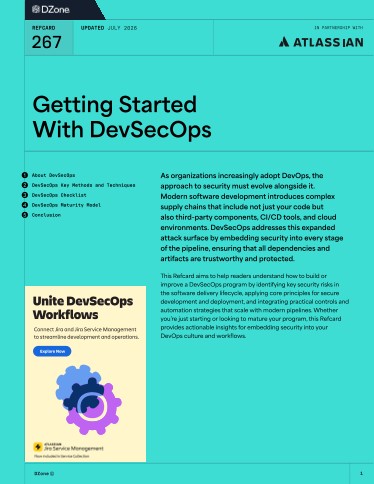
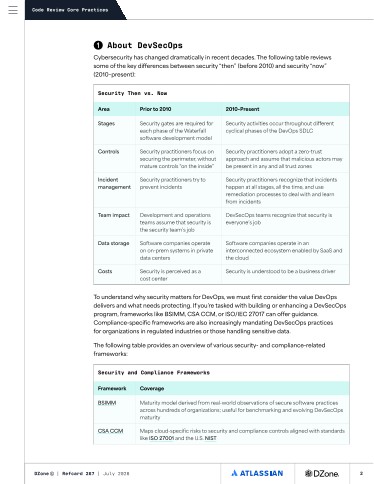
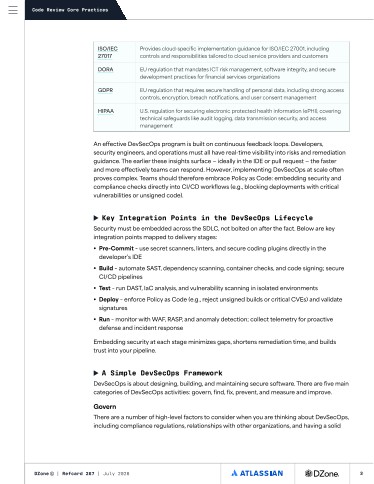
Three archived preview pages. The full document and form settings are not shown in this capture. Original LinkedIn ad.
The cover lists topics and carries a dense introduction. Page 2 uses a “Security Then vs. Now” table; page 3 continues with frameworks and development-lifecycle integration points. The comparison can teach a complex change, but the small type is hard to read in the feed. We inspected the layout and headings, not every line of the fine print.
Keep the depth in the downloadable guide, but prepare a separate, readable preview. This approach fits technical buyers who need both a fast explanation and a reference they can return to. It does not fit a page that simply shrinks the complete white paper into tiny slides.
Worked adaptation, hypothetical: A cloud security team could make a short feed edition of a longer guide:
- Cover: “Secrets handling: before and after,” with one key icon.
- Two columns: “Before: credential pasted into a ticket” and “After: short-lived access issued from a vault.” Use one sentence under each.
- A four-step lifecycle: request, approve, issue, revoke.
Keep framework references and configuration details in the full guide. The Atlassian adaptation prompt produces both the feed summary and that guide's outline.
Readable technical before-and-after preview
Replace the bracketed inputs with your business facts. This prompt includes its reference, so you can use it outside this article.
You are writing an original LinkedIn Document Ad for a B2B company. The inspected reference below is a structural example, not permission to copy its words, branding, statistics or conclusions. Work from the user inputs and label every assumption.

REFERENCE INSPECTED
Atlassian and DZone native Document Ad, LinkedIn Ad Library 1580985156, captured 2026-09-23. Its Getting Started With DevSecOps reference card opens with a dense contents/introduction, then a Security Then vs. Now table and framework references. Page 3 continues framework rows and lifecycle integration points. Fine body text was not transcribed. Only three preview pages were inspected; gate and ad results are unknown. Borrow the comparison idea, but do not shrink dense reference-card pages into a feed preview.

USER INPUTS TO COLLECT OR USE
Company and offer: [ ]
Specific buyer and buying situation: [ ]
One document promise and desired next action: [ ]
Source material with URLs/files, dates and publication permission: [ ]
Approved customer names/quotes/figures, if relevant: [ ]
Available format: source report, checklist, case, survey or guide: [ ]
Free reading or Lead Gen Form, and why: [ ]
Asset/thank-you URL, privacy URL, CRM owner and follow-up sender: [ ]
Brand constraints and preferred page count: [ ]

SPECIFIC ASSIGNMENT
Create a short feed edition and a separate full-guide outline. Give one before/after contrast per preview page, a simple lifecycle diagram and a task the reader can try. Put framework citations and configuration detail in the full guide. Use the buyer’s terminology accurately; never invent a compliance guarantee.

WORKED PATTERN, CLEARLY HYPOTHETICAL
Hypothetical cloud security team: cover “Secrets handling: before and after.” Page 2 contrasts “Credential pasted into a ticket” with “Short-lived access issued from a vault.” Page 3 shows request, approve, issue, revoke. A longer guide would hold implementation details and cited framework references.

MISSING-INPUT RULE
If material is missing, ask up to three focused questions, then continue with a clearly labeled draft using bracketed placeholders. Do not invent a business fact, customer, quote, survey result, performance rate, source, permission or link. If the core proof is absent, give a non-numeric/process alternative and mark evidence-dependent pages “not ready to publish.” Do not claim the inspected advertiser used a gate or achieved a result.

OUTPUT CONTRACT
1. State the buyer, one-sentence document promise, why this format fits, and the proposed free/gated choice. Separate what is known from assumptions.
2. Give a complete 6–8-page document. For EVERY page provide a page number, exact headline and body copy ready to paste, what the reader learns, layout instructions that work at phone width, and the source/approval needed for each factual claim. Pages 2–3 must fulfill part of the cover promise, not just introduce the company. Mark the proposed preview boundary and show what remains after it. Do not fill pages with slogans or generic benefits.
3. Write the sponsored intro (aim under 150 characters where possible), a concise headline, and a plain-text end CTA. Make their promises match the document.
4. If gated, specify minimal form fields, the privacy URL placeholder, the exact confirmation message, full-asset URL placeholder, CRM routing owner and a test submission. If free, explain how a reader gets the PDF and what next action is offered. Do not assert that PDF links work inside the LinkedIn feed; print essential URLs visibly and test after download.
5. Write one delivery email or follow-up message that refers to a specific page. Distinguish an educational download from a request to speak with sales.
6. Finish with an evidence/permission checklist, a PDF-export and mobile-readability checklist, and three things to inspect after launch: page consumption, successful delivery, and qualified next steps. No invented benchmarks.
Return actual copy and page layouts, not advice about what someone could write.
Workday: organize a broad report around specific jobs
View the original Workday ad. Captured September 23, 2026. Its post presents finance automation and audit-request time savings as reasons to read a report about AI in finance. Those percentages are Workday's promotional claims; we did not verify their basis.

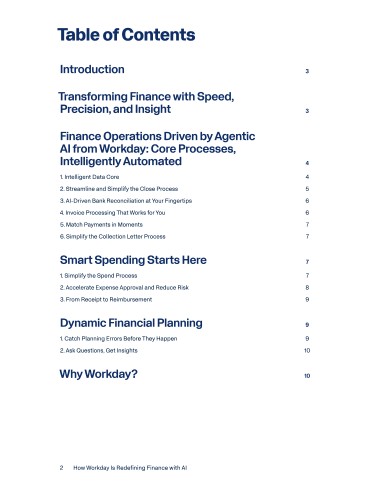
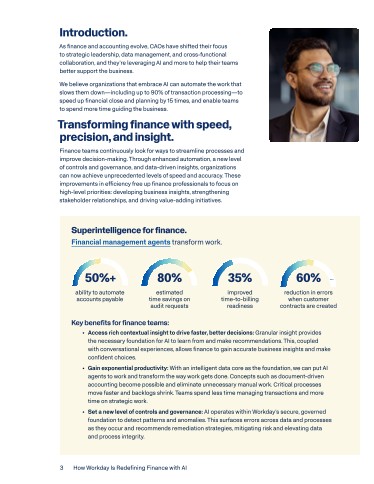
Three archived preview pages. The full document and form settings are not shown in this capture. Original LinkedIn ad.
The cover says “How Workday Is Redefining Finance with AI.” Page 2 divides that broad theme into named finance jobs and points to their places in the report. Page 3 begins the introduction and a finance section with numeric benefit callouts in fine text. The contents page helps someone navigate the full report, but a short feed edition could move a practical scenario to page 2.
Borrow the job-based organization when a report spans distinct workflows. For a short document, avoid a contents page that leaves the reader waiting for the first example.
Worked adaptation, hypothetical: A financial close software company could make a shorter version of its broad report:
- Cover: “Three close tasks worth automating first.”
- “Task 1: collect missing account explanations,” beside a two-column manual/assisted flow.
- “Task 2: assign unreconciled items to an owner,” beside an example queue. A small strip says “Next: review exceptions.”
The complete guide can carry the detailed contents page. The Workday adaptation prompt restructures a report without making up savings figures.
Job-based short edition of a broad report
Replace the bracketed inputs with your business facts. This prompt includes its reference, so you can use it outside this article.
You are writing an original LinkedIn Document Ad for a B2B company. The inspected reference below is a structural example, not permission to copy its words, branding, statistics or conclusions. Work from the user inputs and label every assumption.

REFERENCE INSPECTED
Workday native Document Ad, LinkedIn Ad Library 1435145553, captured 2026-09-23. Cover says How Workday Is Redefining Finance with AI. Page 2 is a contents page organizing operational finance topics. Page 3 opens an introduction/finance section with numeric benefit callouts and fine text. Its ad text asserts automation and audit time-saving percentages; these were not verified. Only three pages were inspected; gate and ad results are unknown. Borrow job-based organization and move one practical scenario into the opening preview.

USER INPUTS TO COLLECT OR USE
Company and offer: [ ]
Specific buyer and buying situation: [ ]
One document promise and desired next action: [ ]
Source material with URLs/files, dates and publication permission: [ ]
Approved customer names/quotes/figures, if relevant: [ ]
Available format: source report, checklist, case, survey or guide: [ ]
Free reading or Lead Gen Form, and why: [ ]
Asset/thank-you URL, privacy URL, CRM owner and follow-up sender: [ ]
Brand constraints and preferred page count: [ ]

SPECIFIC ASSIGNMENT
Divide a broad report into actual buyer tasks. Write a short feed edition that teaches the first task on page 2 rather than making the reader wait through a contents page. Preserve source page references for facts; do not manufacture time saved or automation rates.

WORKED PATTERN, CLEARLY HYPOTHETICAL
Hypothetical financial close software company: cover “Three close tasks worth automating first.” Page 2 compares manual and assisted collection of missing account explanations. Page 3 shows a queue that assigns unreconciled items to an owner. A one-line strip names the next task; the full guide can have detailed contents.

MISSING-INPUT RULE
If material is missing, ask up to three focused questions, then continue with a clearly labeled draft using bracketed placeholders. Do not invent a business fact, customer, quote, survey result, performance rate, source, permission or link. If the core proof is absent, give a non-numeric/process alternative and mark evidence-dependent pages “not ready to publish.” Do not claim the inspected advertiser used a gate or achieved a result.

OUTPUT CONTRACT
1. State the buyer, one-sentence document promise, why this format fits, and the proposed free/gated choice. Separate what is known from assumptions.
2. Give a complete 6–8-page document. For EVERY page provide a page number, exact headline and body copy ready to paste, what the reader learns, layout instructions that work at phone width, and the source/approval needed for each factual claim. Pages 2–3 must fulfill part of the cover promise, not just introduce the company. Mark the proposed preview boundary and show what remains after it. Do not fill pages with slogans or generic benefits.
3. Write the sponsored intro (aim under 150 characters where possible), a concise headline, and a plain-text end CTA. Make their promises match the document.
4. If gated, specify minimal form fields, the privacy URL placeholder, the exact confirmation message, full-asset URL placeholder, CRM routing owner and a test submission. If free, explain how a reader gets the PDF and what next action is offered. Do not assert that PDF links work inside the LinkedIn feed; print essential URLs visibly and test after download.
5. Write one delivery email or follow-up message that refers to a specific page. Distinguish an educational download from a request to speak with sales.
6. Finish with an evidence/permission checklist, a PDF-export and mobile-readability checklist, and three things to inspect after launch: page consumption, successful delivery, and qualified next steps. No invented benchmarks.
Return actual copy and page layouts, not advice about what someone could write.
Snowflake: lead with report authority, then test a faster route to the finding
View the original Snowflake ad. Captured September 23, 2026. The sponsored text introduces a report on AI's effect on data engineering. The document is titled Redefining data engineering in the age of AI and identifies MIT Technology Review Insights with Snowflake.
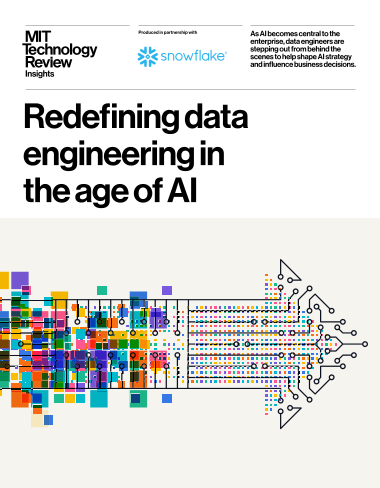
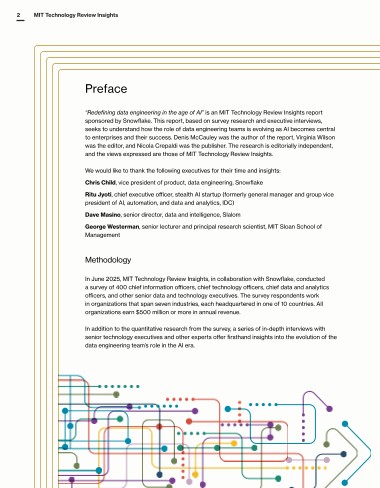
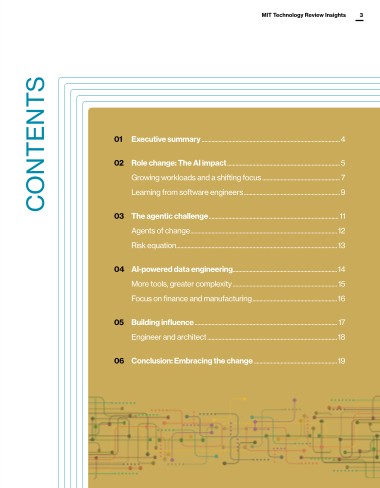
Three archived preview pages. The full document and form settings are not shown in this capture. Original LinkedIn ad.
The cover gives the research title and publisher identity. Page 2 is a preface with named contributors and methodology. Page 3 is a contents page; the executive summary begins on page 4. That sequence may suit someone checking the report's provenance. Someone skimming the feed has not yet seen a finding. A different preview is worth testing; we have no evidence that Snowflake's version performed poorly. Four archived IDs use the same creative, so it appears here once.
Borrow the clear research identity when the publisher and method matter to the buyer. If you need to earn attention quickly, make an original feed edition that shows one real report finding before the methodology. Do not fabricate a “top finding” from the title alone.
Worked adaptation, hypothetical: A data platform has a verified annual report. Its feed edition could open this way:
- “What changed in data pipeline maintenance?” with the publisher and year.
- One actual report finding as the headline, with sample and method beside it.
- A simple ETL flow that highlights one operational handoff explained by that finding.
- The complete method for readers who want to assess the research.
Without a sourced finding, page 2 remains “[Insert verified finding]” and the ad stays a draft. The Snowflake adaptation prompt handles that missing-evidence case.
Research-report preview with an early finding
Replace the bracketed inputs with your business facts. This prompt includes its reference, so you can use it outside this article.
You are writing an original LinkedIn Document Ad for a B2B company. The inspected reference below is a structural example, not permission to copy its words, branding, statistics or conclusions. Work from the user inputs and label every assumption.

REFERENCE INSPECTED
Snowflake native Document Ad, LinkedIn Ad Library 1556453506, captured 2026-09-23. Its MIT Technology Review Insights report cover reads Redefining data engineering in the age of AI. Page 2 is a preface with contributors and methodology; page 3 is contents, with the executive summary beginning on page 4. Four archived IDs share this creative and count once. Only three pages were inspected; gate and ad results are unknown. Borrow publisher/method identity while testing a preview that puts a sourced finding earlier.

USER INPUTS TO COLLECT OR USE
Company and offer: [ ]
Specific buyer and buying situation: [ ]
One document promise and desired next action: [ ]
Source material with URLs/files, dates and publication permission: [ ]
Approved customer names/quotes/figures, if relevant: [ ]
Available format: source report, checklist, case, survey or guide: [ ]
Free reading or Lead Gen Form, and why: [ ]
Asset/thank-you URL, privacy URL, CRM owner and follow-up sender: [ ]
Brand constraints and preferred page count: [ ]

SPECIFIC ASSIGNMENT
Read the actual report before writing a new introduction. Put one sourced, important finding on page 2, one practical implication on page 3, and retain method/publisher context. If no report text or finding is supplied, leave a visible evidence placeholder and say the ad cannot be finalized; never invent a finding.

WORKED PATTERN, CLEARLY HYPOTHETICAL
Hypothetical data platform: cover “What changed in data pipeline maintenance?” with publisher and year. Page 2 holds “[Insert verified report finding]” plus method and sample. Page 3 diagrams one operational ETL handoff. Until the finding is sourced, this is a draft layout, not publishable ad copy.

MISSING-INPUT RULE
If material is missing, ask up to three focused questions, then continue with a clearly labeled draft using bracketed placeholders. Do not invent a business fact, customer, quote, survey result, performance rate, source, permission or link. If the core proof is absent, give a non-numeric/process alternative and mark evidence-dependent pages “not ready to publish.” Do not claim the inspected advertiser used a gate or achieved a result.

OUTPUT CONTRACT
1. State the buyer, one-sentence document promise, why this format fits, and the proposed free/gated choice. Separate what is known from assumptions.
2. Give a complete 6–8-page document. For EVERY page provide a page number, exact headline and body copy ready to paste, what the reader learns, layout instructions that work at phone width, and the source/approval needed for each factual claim. Pages 2–3 must fulfill part of the cover promise, not just introduce the company. Mark the proposed preview boundary and show what remains after it. Do not fill pages with slogans or generic benefits.
3. Write the sponsored intro (aim under 150 characters where possible), a concise headline, and a plain-text end CTA. Make their promises match the document.
4. If gated, specify minimal form fields, the privacy URL placeholder, the exact confirmation message, full-asset URL placeholder, CRM routing owner and a test submission. If free, explain how a reader gets the PDF and what next action is offered. Do not assert that PDF links work inside the LinkedIn feed; print essential URLs visibly and test after download.
5. Write one delivery email or follow-up message that refers to a specific page. Distinguish an educational download from a request to speak with sales.
6. Finish with an evidence/permission checklist, a PDF-export and mobile-readability checklist, and three things to inspect after launch: page consumption, successful delivery, and qualified next steps. No invented benchmarks.
Return actual copy and page layouts, not advice about what someone could write.
Decide what the document is for before you design it
Pick the document's job before designing pages. A cold audience might need a self-check or one solved problem. A buyer comparing vendors might want a detailed criteria list. A customer story helps when the reader wants proof from an organization like theirs, provided the customer approves the story and its figures.
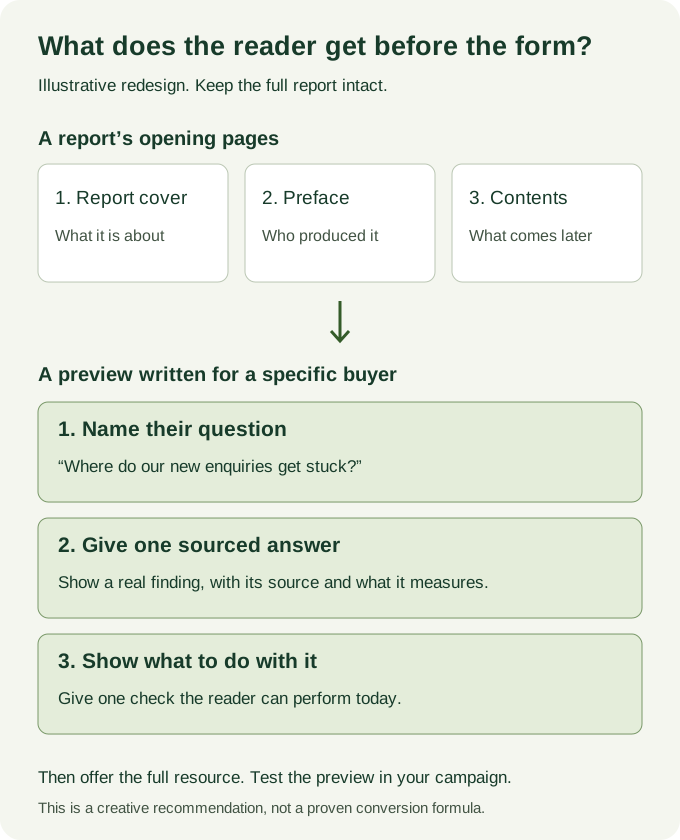
The diagram shows an original way to adapt a long report. Keep its method in the full file, but try showing one sourced finding and its practical implication in the preview. That could help when the early report pages mostly establish context, as in the Snowflake example. If the buyer needs to assess research credibility first, give the method page priority instead.
Give the cover one specific promise. On page 2, start fulfilling it with a finding, diagnostic step or example. On page 3, show how to use that information. LinkedIn's best-practices guide recommends three to four preview pages for lead-generation campaigns. Start there, then look at the actual document in the feed before setting the gate.
BlueMelon Design's document-ad scenarios, beginning at 6:20, suggest reading a global report and then adding two or three opening pages for a particular region, industry or buyer. A procurement report could lead with a verified finding relevant to manufacturing buyers and point them to the corresponding section. The new opening must stay within what the report actually studied. The 2023 video teaches the editing method, while LinkedIn's current Help Center governs setup.
Watch the report-adaptation explanation at 6:20. Published October 2023; the interface shown is an older version.
AJ Wilcox of B2Linked makes a related creative recommendation at 1:42: pull key points and statistics from a dense ebook onto separate, swipeable slides. In the Atlassian-style adaptation, that means one before/after comparison per page. Keep the full reference card for readers who need the detail. His square-slide suggestion is a design choice, not a required dimension.
Watch the creative recommendation at 1:42. Published December 2024; use the written setup section for current platform requirements.
Choose free reading or a Lead Gen Form
| Choice | What the reader experiences | What you gain | What to prepare |
|---|---|---|---|
| Free document | The person reads and downloads without a form. | Document engagement and download signals, but no contact details from the document alone. | A next step in the document and a way to measure any later visit or inquiry. |
| Gated document | The person sees selected preview pages and must complete a Lead Gen Form to continue. | Submitted contact details and document engagement signals. A submission is an inquiry, not proof of sales fit. | A preview that gives value, a short form with privacy link, a working full document, confirmation, routing and follow-up. |
Choose free reading when broad reach is the goal or the asset is a short introduction. Choose a gate when the full resource earns the extra step and someone owns delivery and response. Give readers a real answer in the preview either way.
LinkedIn's current help says a Lead Generation Document Ad needs a PDF with at least two pages. The advertiser chooses how many pages appear before the Lead Gen Form. Check the specifications when you build the ad. The eight examples above do not establish which gate setting each advertiser chose.
Make your own document
Start with the completed PowerPoint example or read its PDF. It follows Cedarfield Systems, a fictional B2B company, through one lead-follow-up test. The example is a teaching tool, not a customer result.
Make your version in the blank editable PowerPoint. The planning worksheet has a filled campaign plan and a blank copy. Follow the edit and PDF export instructions when your pages are ready.
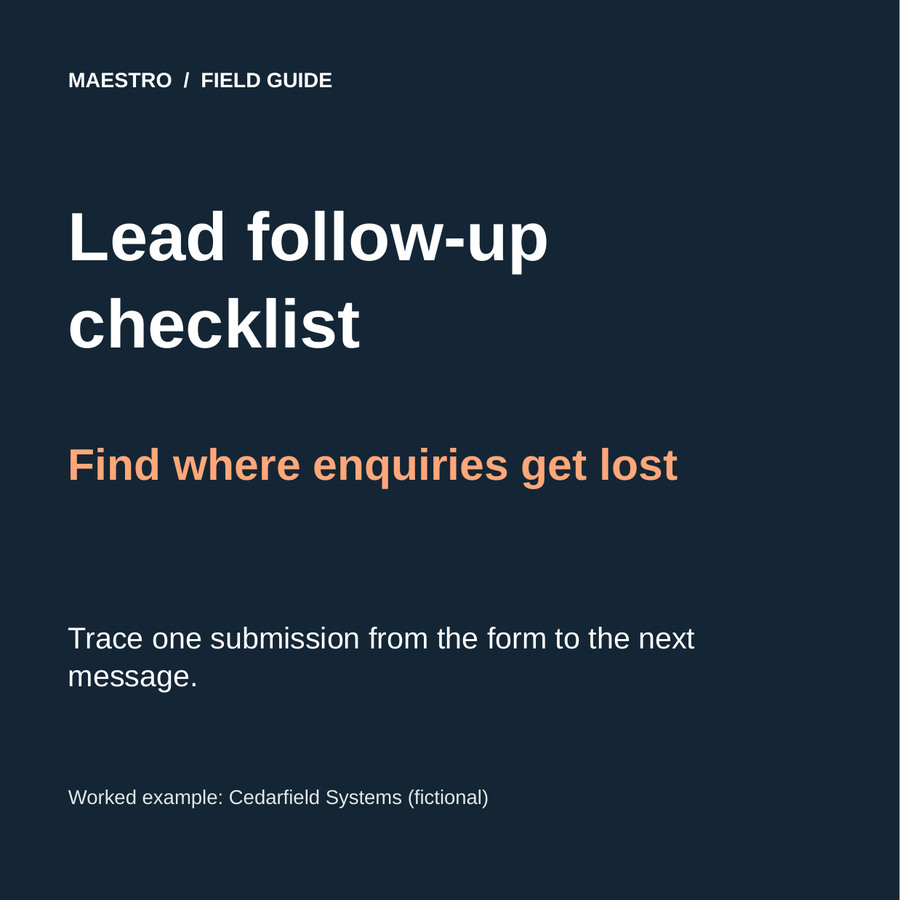
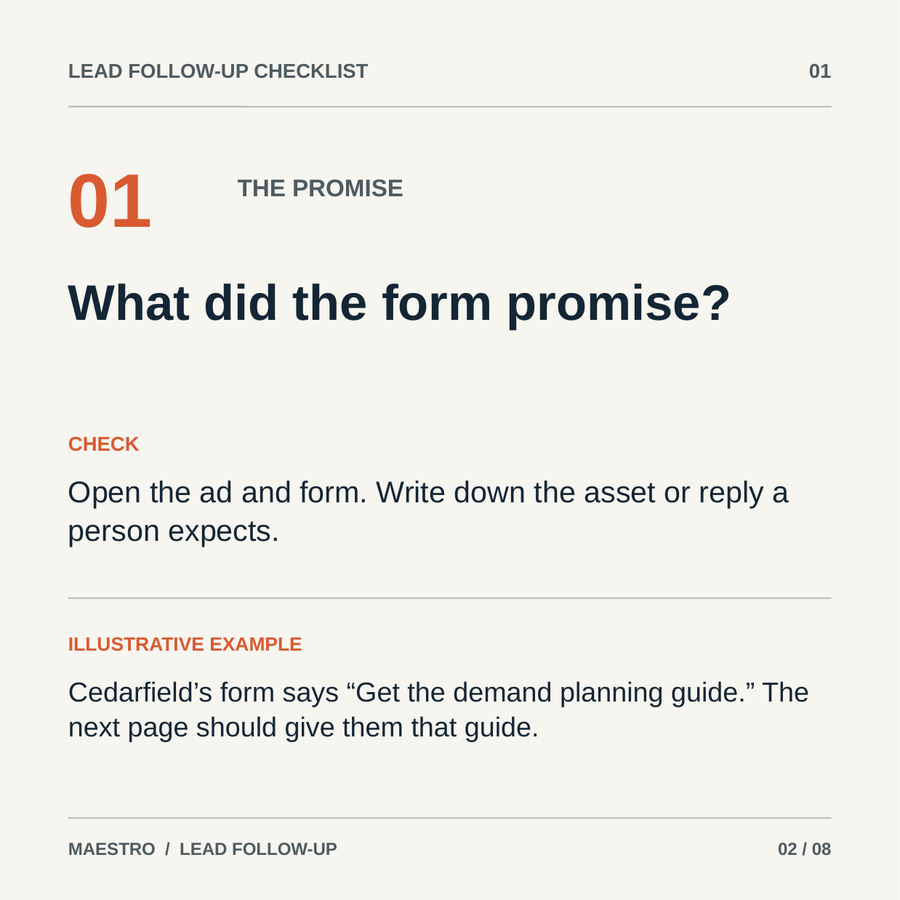
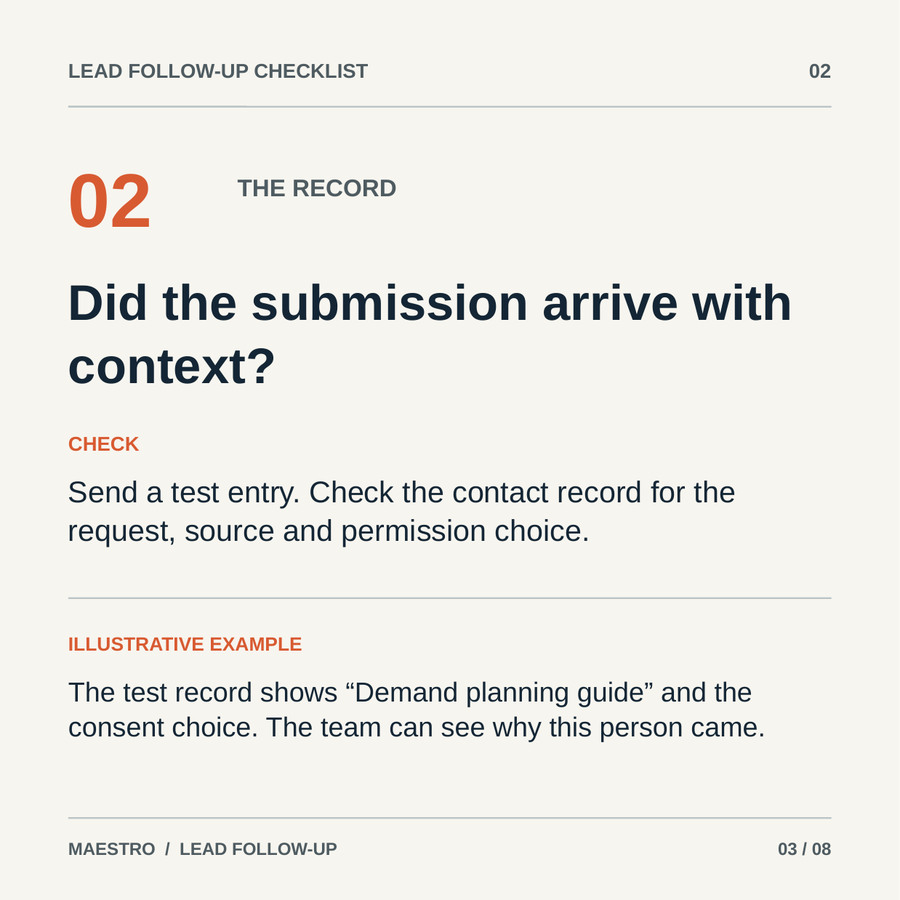
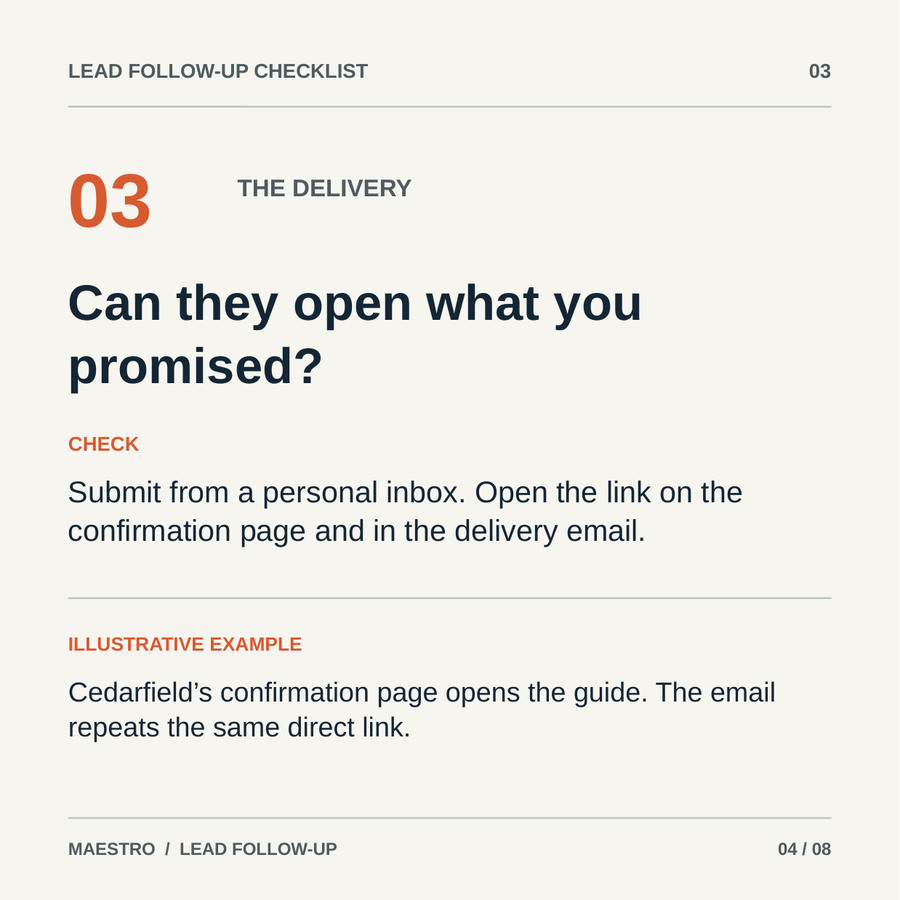
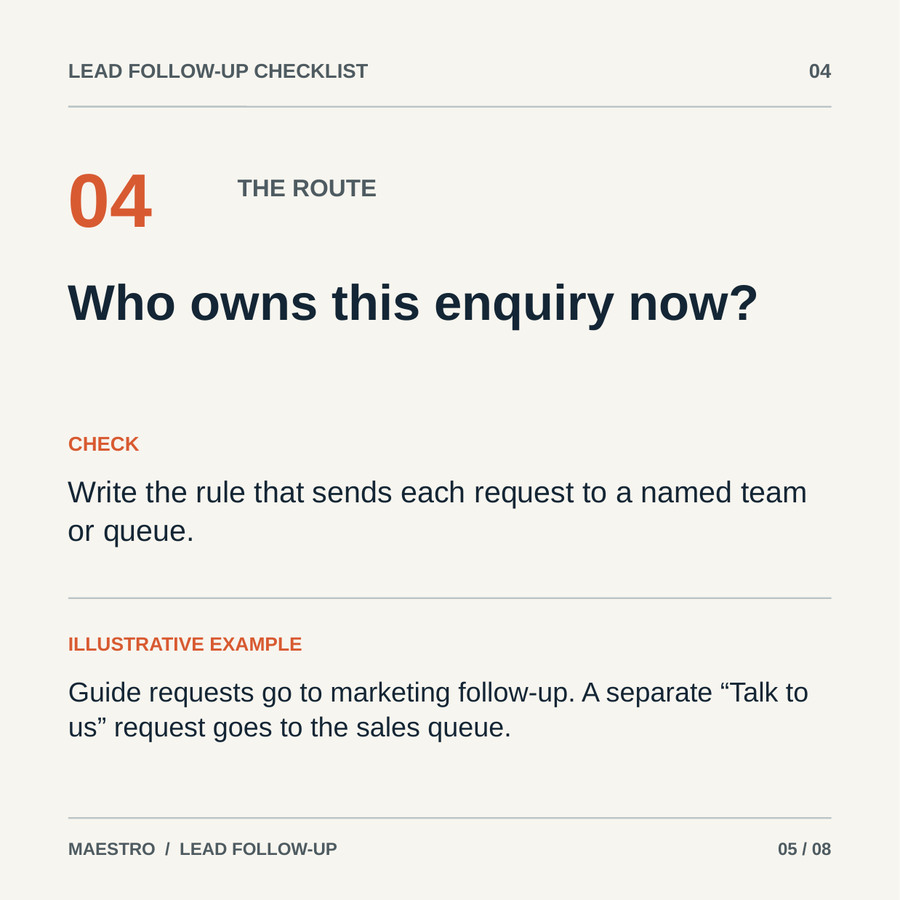
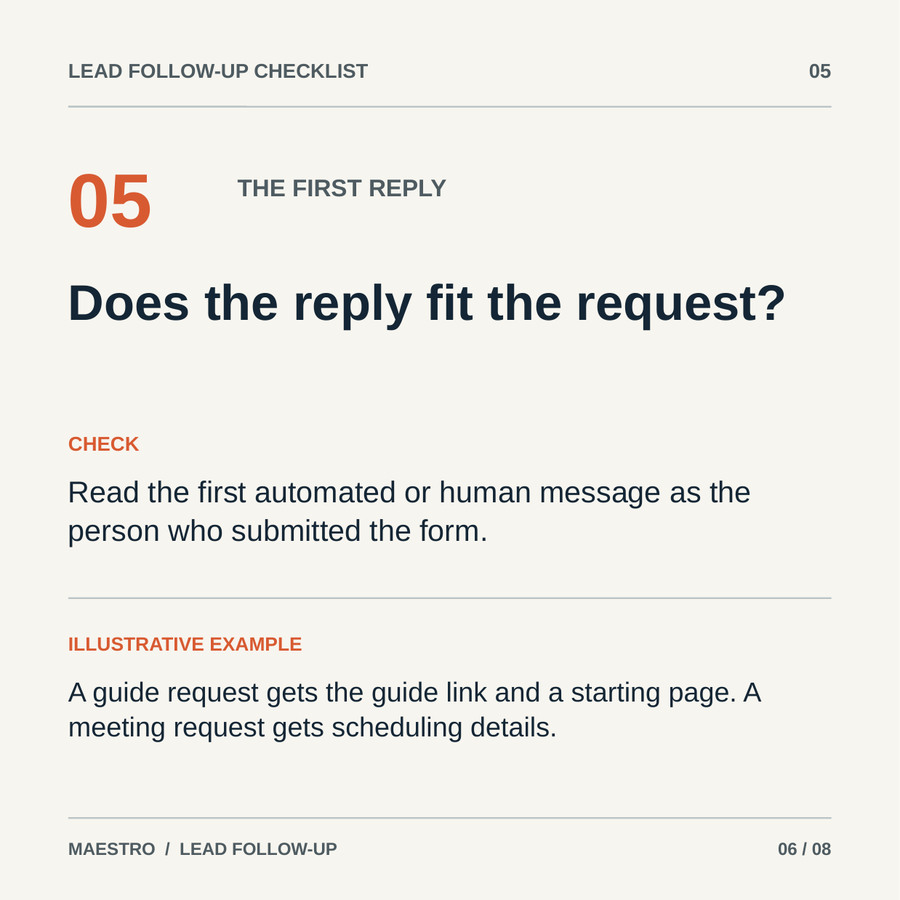
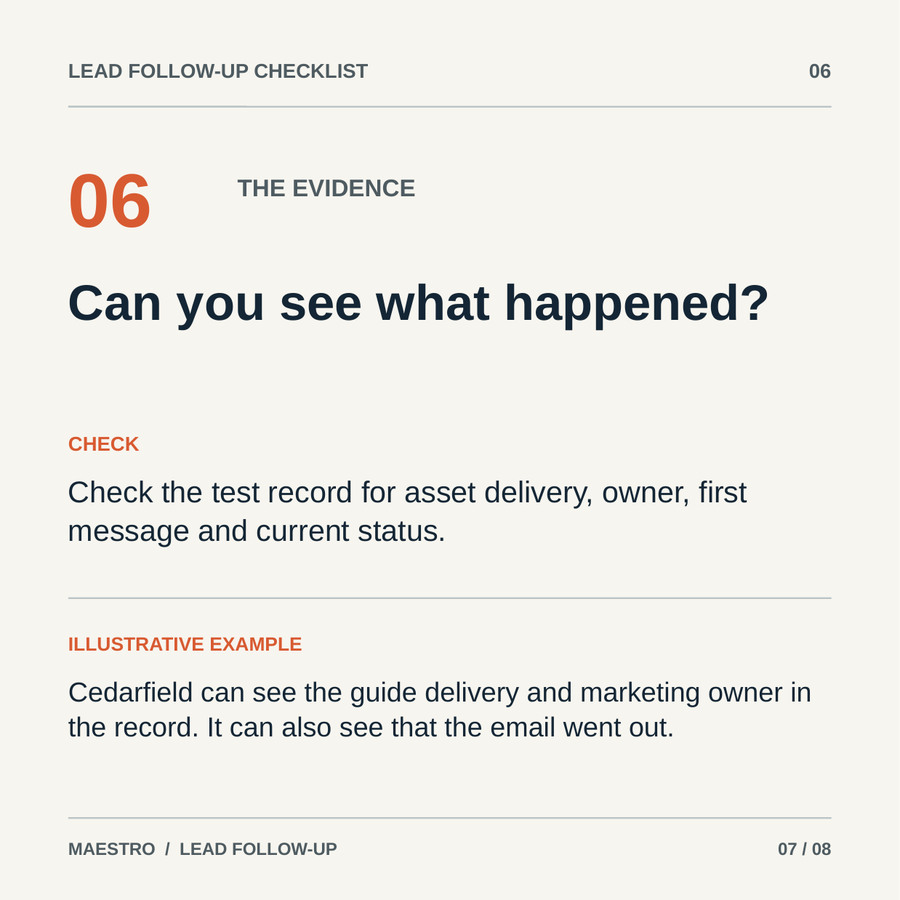
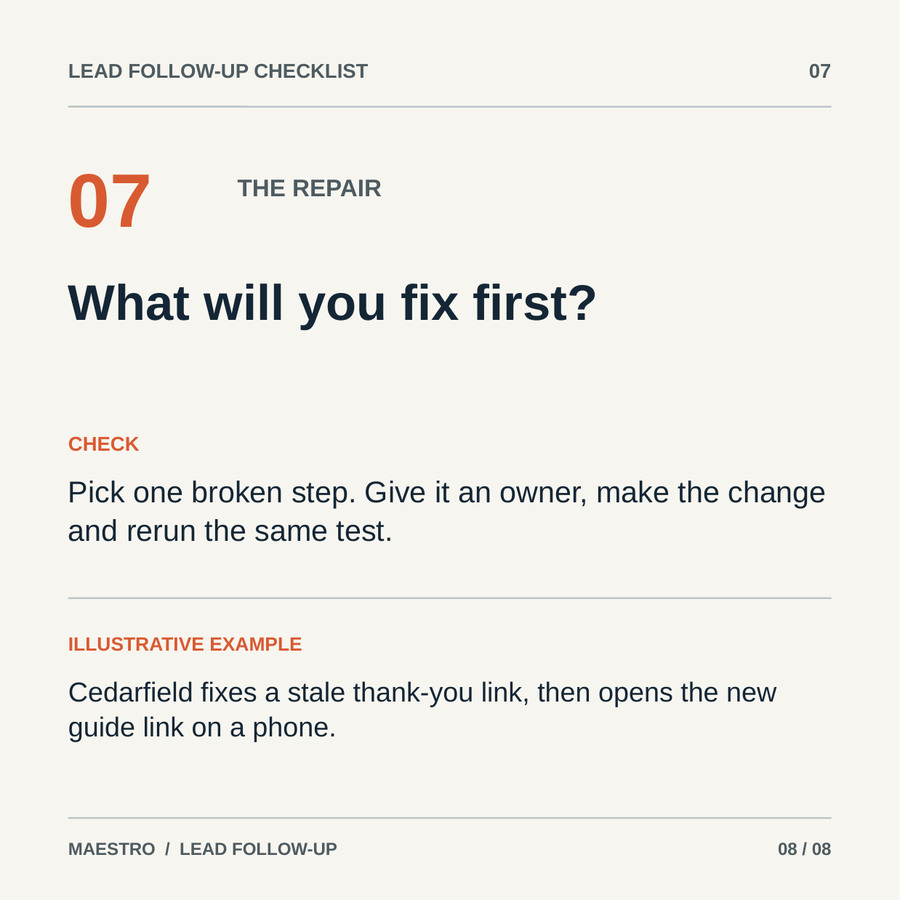
The eight square pages trace one inquiry from the form to the next message. Each has a question, one check and a Cedarfield illustration. The plan below lets you recreate the document in another presentation tool:
| Page | Page copy and reader action | Layout |
|---|---|---|
| 1, cover | “Lead follow-up checklist: Find where enquiries get lost.” “Trace one submission from the form to the next message.” | Large title and one route through the process. |
| 2, promise | “What did the form promise?” Open the ad and form; write down the asset or reply the person expects. | Question, check and a Cedarfield guide-request example. |
| 3, record | “Did the submission arrive with context?” Send a test entry and inspect request, source and permission choice. | Same layout with the test contact record. |
| 4, delivery | “Can they open what you promised?” Test the confirmation-page and email links from a personal inbox. | Show both delivery points. |
| 5, route | “Who owns this enquiry now?” Write the assignment rule for each request. | Compare guide request and “Talk to us” request. |
| 6, first reply | “Does the reply fit the request?” Read the first message as the person who submitted the form. | Pair request type with fitting response. |
| 7, evidence | “Can you see what happened?” Inspect delivery, owner, first message and status in the record. | One record with four visible checks. |
| 8, repair | “What will you fix first?” Pick one broken step, give it an owner and rerun the test. | A stale-link repair example. |
Pages 2–4 already help a reader check the form promise, lead record and asset delivery. The worksheet proposes a Lead Gen Form after page 4; routing, reply and repair follow in the full document. Confirm that preview setting in Campaign Manager. If the document is free, page 8 gives the next action.
Replace Cedarfield's details with your real process, then export a PDF. Inspect every page at phone width, including the smallest labels. If you gate the document, upload the PDF and make the complete file available from the form confirmation. LinkedIn's guide says document links become active after download, so print any essential URL in full on the page.
If you prefer another business or document type, use one of the eight standalone prompts. Each includes the reference sequence, inputs, missing-information rules and a full page-copy request. The prompt will leave a visible placeholder for missing evidence rather than write a fake number.
Set up the ad and prove delivery
LinkedIn's Help Center lists five objectives for Document Ads: Brand Awareness, Engagement, Lead Generation, Website Visits and Website Conversions. If you want form submissions, plan the PDF and Lead Gen Form together. Confirm the exact delivery flow in Campaign Manager before launch.
LinkedIn's specifications allow PDF, PPT, PPTX, DOC and DOCX generally; Lead Generation accepts PDF only. Limits are 100 MB, 300 pages and one million words. Keep page sizes uniform. Video and animation render as static images.
The introductory text can be longer, but LinkedIn recommends staying under 150 characters to avoid truncation on most devices. The corresponding recommendation for the headline is 70 characters. Write to what a person can see in the feed, not to the file-size maximum.
For the fictional checklist, the proposed intro is: “Where do your enquiries get lost? Trace one form submission through delivery, ownership and the first reply with this eight-page checklist.” The headline is “Lead follow-up checklist.” The 139-character intro stays within the recommendation; still check its feed preview. Page 2 must start answering the question.
Before launch, replace the example PDF with your own hosted export. Submit the form on desktop and phone. Check that the privacy link works and the confirmation names the right file: “Your checklist is ready. Open the PDF below, then start with one recent form submission.” Open the PDF URL without an editor login.
Then check the lead record. It should contain the campaign and document name, the request and an assigned owner. If the lead reaches a CRM, inspect its fields and duplicates there. The person who follows up should open both the document and the lead record so they know what the prospect saw.
Follow up on the request the person made
The first message should deliver the exact asset and point to a page. For the fictional checklist: “Here's the eight-page lead follow-up checklist you requested. Start on page 2 with the form promise, then use page 8 to choose your first repair.” Include the working PDF link and the sender's name.
If someone asked for a conversation, route that request to the named owner. If they requested only the checklist, send the resource and a relevant next step, such as a routing example or short self-audit. A download alone does not call for a sales alert.
Measure reading, lead capture and sales outcomes separately. Document views, percentage viewed and downloads show how people used the asset in LinkedIn. Form opens and submissions show whether the exchange worked. CRM acceptance, qualified conversations and pipeline tell you whether suitable buyers took a further step. In-feed metrics cannot tell you what someone read after downloading the PDF.
Use the pattern to choose a repair. If people view only a small part of the document, inspect the opening pages and their legibility. If forms submit but the link fails, fix delivery. If leads arrive without a clear owner, fix routing before changing the cover.
For a neighboring creative format, see our LinkedIn video ad examples. For a wider B2B paid-social plan, see Facebook ads for B2B. If you want another set of eyes on the ad, document and handoff together, request a Demand Gen Roast.
Copy an adaptation prompt
Each prompt is a complete, separate instruction. Copy the one closest to the document job you have: research findings, customer story, self-assessment, three-part explanation, survey charts, technical before/after, finance job guide, or long-report preview. Paste your evidence and business details into its input block. Review the generated claims, build the pages in the editable template, export the PDF and test the actual viewer experience.