
Facebook ads for B2B: 7 examples and a campaign plan
Facebook and Instagram can put a B2B offer in front of people who buy for work. The harder question is whether those people will care enough to respond, fit your business, and show up for a sales conversation.
Start with one buyer problem and an offer that helps with it. Decide how you will recognize a qualified lead before you launch. Then work backward from the sales conversations you need. If you count only forms submitted, a campaign can look good while your sales team spends its week calling people who never meant to talk.
Start with seven real ads from Asana, HubSpot, Notion, monday.com and Salesforce. Watch the videos, inspect the images, and use the breakdowns to choose an idea your team can make. Each example includes a complete prompt for adapting it to your business.
Then follow one fictional software campaign from ad to held meeting. The campaign brief and calculator connect your creative choice to the offer, lead qualification and sales follow-up. All figures for the fictional business are invented; they are not Meta benchmarks.
Should you run B2B Facebook ads now?
Meta is worth a test when you know who has the problem, can make an offer that means something to that person, and can follow up with leads. It is a stronger starting point when you can afford to learn from a test without needing every lead to buy immediately.
Before spending, answer these four questions:
- Who buys? Name a role, company type and situation. “B2B decision-makers” is too broad to write an ad for.
- What problem will the ad show? Pick a problem the buyer recognizes in a few seconds, such as overdue invoices that sit in a spreadsheet with no owner.
- What happens after someone responds? Choose the form or page, the qualifying questions, the owner of follow-up, and the next step.
- What result would justify continuing? Set an ad-spend ceiling per held qualified meeting or another sales outcome you can track. Leave room for sales, creative and other acquisition costs.
Wait and prepare if you cannot answer those yet. In particular, fix a broken handoff from lead to sales before buying more leads. If you sell to a short named-account list, first check whether the audience route you plan to use can reach those people. Meta's customer-list matching is based on the identifiers available to match; an uploaded list does not guarantee that every contact will be reached. Meta explains how customer-list audiences are matched.
For demand already searching for a product like yours, search ads may be the clearer first test. For a small list of precisely known roles and companies, compare LinkedIn's available targeting with Meta's list-matching route. A Meta campaign can still help, but the choice should follow the buyer and the job the ad needs to do.
B2B Facebook ad examples
These ads show different ways to explain a business product on Facebook and Instagram. We selected them for the decisions they demonstrate, not for reported results. The public ad records do not tell us their cost per lead or return on spend.
Choose an example based on what your buyer needs to understand. A customer story requires a real customer; a product demonstration requires something you can show. You can start with a single image when that is enough to explain the offer.
| What you need to explain | Example to study | What your team needs |
|---|---|---|
| How familiar tasks connect to your product | Asana's presenter and product overlays | A presenter and a readable demonstration |
| Why one daily problem deserves attention | HubSpot's follow-up story | A specific problem and the product step that addresses it |
| Who the product is for | monday.com's HR motion ad | One role, one consequence and one clear action |
| How someone uses the product in their work | Notion's expert interview | An approved customer interview and relevant screen footage |
| Whether to switch from an existing tool | monday.com's Airtable comparison | A fair, current comparison and a page that explains it |
| What someone will learn before speaking to sales | Salesforce's contact-center guide | The finished guide and a matching download page |
| What a broad capability looks like in practice | Salesforce's Live Nation example | An approved customer use case and one concrete task |
For the adaptations below, ClearLedger is a fictional example: accounts-receivable software for finance teams at B2B companies sending 100+ invoices a month. Its buyer needs to know who owns the next follow-up on overdue invoices. We use it to show how the same creative choices could work for another business.
Asana: open with the work your buyer already recognizes
Asana's partnership ad with creator Leah Shin opens with three familiar marketing tasks: campaign briefs, legal notes and stakeholder updates. You can understand who it is for before the product explanation starts. That matters when the person watching did not open Instagram to shop for project-management software.
The roughly 27-second video keeps the creator on screen while product views appear above her. Around 10 seconds, a board makes the explanation tangible: work has a place, approvals have a status, and someone can see what is blocked. Later overlays introduce named AI teammates. The closing asks the viewer to try Asana; the ad's destination is its AI Teammates product page.
The lesson is the order of explanation. Start with work the buyer knows, show the part that becomes easier to manage, then explain the product. A general opening about “transforming collaboration” would ask the viewer to do that translation themselves.
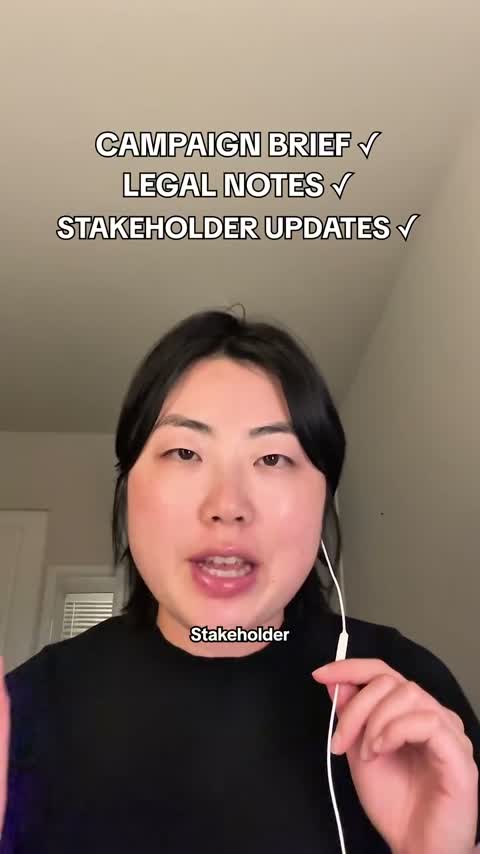
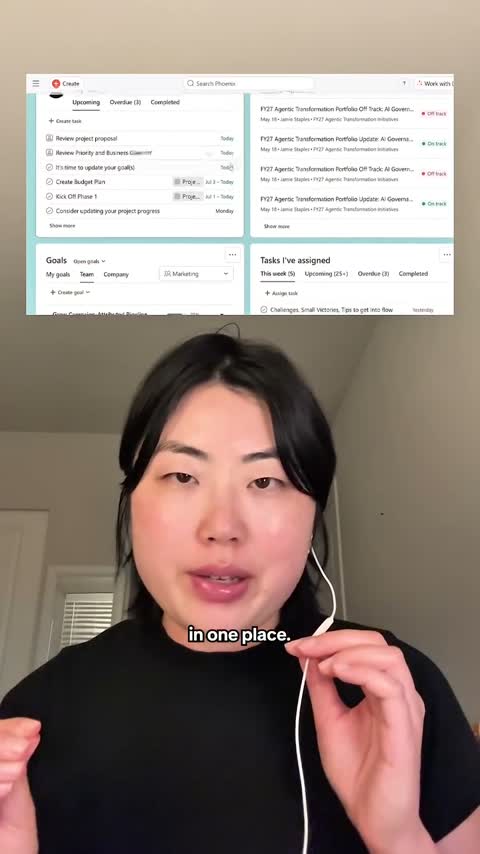
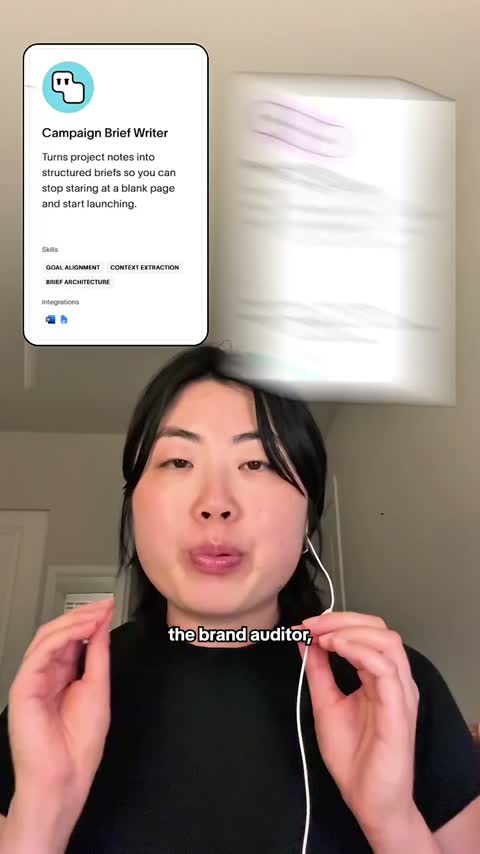
To adapt this for ClearLedger, open with “Invoice sent. Follow-up due. Who owns it?” Show one overdue row, then its owner and next action. Keep the same row on screen so the change is easy to follow. End by offering the invoice review and showing the sheet the buyer will receive.
You need a presenter, a clean demonstration account and a short screen recording. Keep the product crop large enough to read on a phone. The small interface overlays in this ad explain the general idea; a version intended to teach a specific click should zoom closer. Use a team member to explain their actual process, or an identified creator partnership. Never put a made-up customer experience into someone's mouth.
This format fits a product whose main benefit appears in a visible workflow. For a service, show the document or process you deliver. If the promise depends on a revenue result that the screen cannot demonstrate, it needs separate evidence. The public ad record shows the creative, not its lead quality or return on ad spend.
Make a task-to-product video for your business
This prompt includes the reference and a worked adaptation. Fill in the inputs, then paste it into your agent.
Write a recordable 20–30-second B2B video using the task-to-product structure below.

REFERENCE, supplied so you do not need to open the link:
Asana's public Meta partnership ad with creator Leah Shin is about 27 seconds. It opens with campaign briefs, legal notes and stakeholder updates written above the presenter. She describes chasing approvals across messages, documents and email. Around 10 seconds, product-board views show where work and approvals live. Later overlays introduce named AI teammates. The close asks the viewer to try Asana, with a Learn more ad button linking to its AI Teammates page.
Source: https://www.facebook.com/ads/library/?id=1660648119181191
This is an observed creative structure, not evidence of advertising performance. Do not copy the creator's appearance, voice, words or personal experience.

METHOD:
Start with 2–3 concrete tasks the buyer recognizes. Show one real work item moving through the product or service process. Explain only features that support that change. End with one deliverable or next action we can actually provide. Use a presenter plus readable screen or document shots. Do not fill the screen with a whole dashboard if one row explains the point.

FICTIONAL ADAPTATION FOR CONTEXT:
ClearLedger, fictional accounts-receivable software, could open with “Invoice sent. Follow-up due. Who owns it?” Show one overdue invoice row with no owner; assign an owner and next action; finish with a 30-minute invoice-process review and a preview of the owner-and-next-action sheet. This is a made-up creative plan, not a case study.

MY INPUTS:
- Product/service and what it actually does:
- Buyer and 2–3 tasks they handle:
- One concrete problem:
- Real feature or service step that resolves it:
- Available screen, document or physical demonstration:
- Offer and what the buyer receives:
- Destination and CTA:
- Presenter (employee, founder or disclosed partner):
- Claims or customer proof we can substantiate:
- Recording limits (time, equipment, material we cannot show):

If the problem, actual capability, demonstration or offer is missing, ask focused questions. Draft any independent parts, but label incomplete scenes; do not invent a feature, result, testimonial or firsthand experience. A presenter can explain a workflow without claiming to be a customer.

DELIVER:
1. Explain the audience, problem and offer in three sentences.
2. A timed script table: seconds, spoken words, on-screen text, exact shot or screen action, and source for each factual claim. Aim for a natural spoken read; time the word count and shorten if it will not fit.
3. Two alternative opening lines that name different tasks or consequences; keep the rest of the test comparable.
4. Exact primary text, headline and CTA, consistent with the destination.
5. A shot list, demo-data preparation list and phone-legibility checklist.
6. A claim check: supplied facts, clearly labeled assumptions, and claims requiring evidence.
7. One measurable hypothesis to test with qualified responses. Do not predict lift, CPL or revenue.

The result should let a teammate record the video without reading the reference article. Use plain sentences and concrete screen directions, not “make it engaging” or “add a compelling visual.”
HubSpot: make a missed follow-up visible before showing the CRM
HubSpot opens with creator Hannah Zhang explaining a familiar sales problem. She talks about losing deals through bad follow-ups while managing several stakeholders. A red X over a contract and the caption “Bad follow-ups kill good deals” tell a sound-off viewer what the problem is. Only after that does the video show contact records and deal cards in HubSpot Smart CRM.
The middle of the ad gives the viewer something to point at: a contact has a record, and a deal has a pipeline card. That makes “keep track of follow-ups” less abstract. The recorded headline is “Less Admin, More Selling,” which matches the shown workflow. The speaker's opening is her own experience, not proof that every buyer loses deals this way. The interface clips are brief and small; someone trying to learn exactly how the CRM works would still need a closer demo.
Borrow the sequence: person names a real work problem → one work item appears → the work item gets an owner or status → one next action. For ClearLedger, a finance lead could ask, “This invoice is overdue. Who sends the next follow-up?” Show a single demo invoice row with the owner field empty. Add an owner, due date and next action on that same row. End with the 30-minute review and a glimpse of the owner-and-next-action sheet.
To make it, record a real employee or a disclosed partner against a plain background. Use a demonstration account with invented invoice data. Capture the row twice, before and after the assignment, and zoom until it can be read on a phone. The presenter can explain the process without pretending to be a ClearLedger customer. This format fits a product or service whose value appears in a visible work item; it is a poor fit if the offer rests on a revenue result you cannot show or substantiate.
Make a person-led follow-up video
This prompt contains the source description and a worked fictional adaptation. Fill in your facts before you run it.
Create a recordable B2B Meta video ad built around one missed follow-up problem. Use the reference description below; the source link is optional for understanding it.

REFERENCE OBSERVED IN A PUBLIC AD
HubSpot ran a roughly 29-second vertical branded-content video with creator Hannah Zhang. She speaks to camera about losing track of sales follow-ups while managing stakeholders and timelines. A red X over a contract and the caption “Bad follow-ups kill good deals” make the opening legible without sound. Contact records and deal cards appear after the problem is clear. The ad then returns to the speaker and points to HubSpot Smart CRM. The accompanying ad text promises organized follow-up; its button says Learn more and links to a CRM page. The speaker's experience is hers, not measured typical performance. Source record: https://www.facebook.com/ads/library/?id=1445841037399662

WORKED FICTIONAL ADAPTATION
ClearLedger, a made-up accounts-receivable workflow product, could show a finance lead looking at one overdue invoice with no assigned next owner. The presenter says, “This invoice is overdue. Who sends the next follow-up?” A clean demo row then gains an owner, due date and next action. The final frame offers a 30-minute overdue-invoice review and shows the owner-and-next-action sheet the buyer would receive. The presenter must be a real ClearLedger employee or identified partner explaining a demo, not an invented customer reporting results.

MY INPUTS
- Product/service and what it actually does:
- Buyer role and company type:
- One recurring follow-up or handoff problem:
- One real interface/document/action that shows the problem becoming easier to manage:
- Offer and deliverable we can provide now:
- Presenter and their true relationship to the business:
- Available demo footage, mock data and screen-recording tools:
- Destination URL or page/form description:
- Claims, customer stories and numbers we can substantiate:
- Restrictions, including private data we must hide:

METHOD
Open on one specific missed handoff in the first three seconds. Show the presenter naming the issue in ordinary words. Keep a single work item on screen while its owner and next action change; avoid a whole unreadable dashboard. Place the offer after the work item is understood. Add captions that carry the message with sound off. Use a phone-sized crop for the product shot and tell the editor exactly where to zoom. Do not reuse HubSpot's footage, creator identity, wording or logo in the new ad.

DELIVER
1. Three sentences identifying the buyer, problem and offer.
2. A 25–30-second storyboard table with time, spoken words, on-screen words, exact shot, screen action and claim source. Keep the spoken words short enough for the time.
3. Exact primary text, headline and offer CTA that match the destination.
4. A shot list including presenter framing, demo row, clean sample data, captions and 9:16 safe areas.
5. Two different opening problems to test while holding offer and audience constant. Explain what each test asks.
6. A claim check separating supplied facts, fictional demonstration and statements needing approval or proof.
7. A measurement note that looks at qualified responses and held meetings, without promising cost or lift.

If the actual capability, presenter relationship or offer is missing, ask focused questions and leave those scenes marked pending. Complete any independent planning work. Never invent a customer loss, revenue increase, testimonial, feature or firsthand experience.
monday.com: name the HR problem in five seconds
One monday.com HR ad is barely longer than a scroll. A worried recruiter sits at a laptop. Large pink text says, “Don't lose strong candidates to slow hiring.” A white action pill says, “Build your HR agents.” A second version changes the crop for a taller placement. The ad body talks about recruiting work; its destination is an HR AI-agents page.
The creative is easy to sort: HR person, slow hiring, recruiting tool. It does not explain how the AI agents work or show that hiring improved. That is fine for a five-second problem-and-action ad, but the destination has to answer the next question. The visible clip does not support a spoken-script analysis; the on-screen words carry the message.
ClearLedger could make a similarly short card for finance leads. Frame one: a hand hovers over an overdue invoice row with no owner. Text: “Overdue invoice. No next owner.” Frame two: the owner and next-action fields fill in. Text: “Map your handoff in 30 minutes.” The destination must actually offer that review. This is a concept to test, not a claim that software reduces overdue balances.
Keep the first line large enough to read at thumbnail size. Make separate 4:5 and 9:16 compositions, because a taller crop can hide the owner field or the offer. Record the screen change as a simple animation if it is clearer than filming a worried person. Test whether people from fitting companies respond, since a quick motion card can attract curiosity from the wrong audience as easily as the right one.
Make a five-second role-and-problem ad
This prompt contains the source description and a worked fictional adaptation. Fill in your facts before you run it.
Create a five-second B2B motion ad that names a role, a costly delay and one next action. The reference is fully described here.

REFERENCE OBSERVED IN A PUBLIC AD
monday.com ran two short versions of the same HR ad, about 5.1 seconds each, in different vertical crops. The frame shows a worried recruiter at a laptop. Large pink text says “Don't lose strong candidates to slow hiring,” and a white on-image button says “Build your HR agents.” The ad body asks whether the viewer is tired of losing top talent, while the destination is an HR AI-agents page. The creative identifies the job and the consequence quickly; the public record does not show whether hiring got faster or the ad converted. There is no reliable spoken transcript, so do not write a voiceover “heard” in the ad. Source record: https://www.facebook.com/ads/library/?id=2484682258601889

WORKED FICTIONAL ADAPTATION
For made-up ClearLedger, show a finance lead looking at an overdue invoice row with a blank owner field. Large on-screen copy: “Don't let overdue invoices sit without an owner.” Final line: “Map the handoff in 30 minutes.” Destination: a real request form for an overdue-invoice review that produces an owner-and-next-action sheet. This is an ad concept, not evidence that the product reduces overdue balances.

MY INPUTS
- Buyer role and company type:
- Specific delay and consequence the buyer already recognizes:
- Product or service action that addresses it:
- Offer and deliverable available now:
- Person, object, screen or document we can photograph:
- Destination and its matching headline:
- Brand colors/type and placement sizes:
- Any claim that requires evidence:

METHOD
Do the entire explanation in two readable text states. The first names the delay in the buyer's language; the second gives one action or offer. Use a real object or screen that supports the text. Keep the main words in a safe area that survives 4:5 and 9:16 crops. Do not depend on a voiceover. Make the first frame understandable even if the viewer only sees a thumbnail. Avoid promising a business outcome the product has not proved.

DELIVER
1. A five-second timeline with exact on-screen copy and what moves in each second. A viewer should be able to read each line during its screen time.
2. A simple 4:5 layout and a 9:16 layout, including safe areas and the order in which each text block appears.
3. Exact primary text, headline, CTA and destination match.
4. A source-asset list: subject photo/screen, brand mark, typeface, background and the offer page.
5. One alternative testing a different buyer problem while keeping the offer and audience constant.
6. A phone-size legibility check and a claim/rights check.

If the buyer, delay, deliverable or destination is unknown, ask only for those missing facts. Leave the corresponding scene pending. Do not invent a named customer, time saved, conversion result or feature. The monday.com ad is an example of message structure, not proof of performance.
Notion: let a named expert explain one job in context
The Notion video identifies Dr Jamie Phillips as a former Chief Medical Officer. He describes clinical-governance knowledge sharing and the busy tasks that keep him from care work. The edit alternates his interview with a Notion document and AI interface. His role gives the viewer a reason to care about information being accessible to a team; the product screen shows where that information lives.
Notice how little of the broad product pitch he needs to carry. The separate ad body lists agents, dashboards, integrations and other capabilities. The spoken story stays with his work. We cannot attribute every feature in the body to his experience, and the public record does not verify any care outcome. A few screen moments are dense; a video made to teach a particular step would need a tighter crop or an annotated still.
For ClearLedger, this format would fit a real finance-operations practitioner who can explain why invoice ownership breaks down. Let that person describe one situation they have actually seen. Show a demo row moving from “follow-up needed” to a named owner and date. If there is no consenting customer, make the speaker an identified employee or expert explaining a method. The role should be stated accurately on screen.
Ask the speaker, “What happens when an invoice becomes overdue but nobody owns the next message?” rather than feeding them a result to repeat. Film one answer, one document or interface cutaway, and a final explanation of what the review produces. Check the transcript against the source recording before publishing quotes. Do not use a customer title, logo or firsthand story without that person's approval.
Plan a real-practitioner story
This prompt contains the source description and a worked fictional adaptation. Fill in your facts before you run it.
Plan a B2B Meta video in which a real practitioner explains one work problem in their own setting. Use the observed reference and its limits below.

REFERENCE OBSERVED IN A PUBLIC AD
Notion ran an approximately 33-second square video identifying Dr Jamie Phillips as a former Chief Medical Officer. Interview footage alternates with Notion document and AI interface views. He discusses clinical-governance knowledge sharing, making information accessible, and spending less time on busy tasks. The separate ad body lists many Notion AI features; the video does not show him personally endorsing every item in that list. The public record shows a Sign up button but did not return a destination URL for this video. The record does not establish product outcomes or advertising performance. An automatic transcript contains errors, so describe the seen scenes and verified captions rather than inventing exact speech. Source record: https://www.facebook.com/ads/library/?id=1069499388814060

WORKED FICTIONAL ADAPTATION
ClearLedger could interview a real finance-operations specialist about why overdue invoice ownership becomes unclear. A demo document shows a row moving from “follow-up needed” to a named owner and date. The speaker could explain the method they use. If ClearLedger has no consenting customer, keep the speaker identified as an employee or expert and the demo clearly labeled; do not turn it into a customer testimonial.

MY INPUTS
- Product/service and verified capability:
- Named speaker, real role and relationship to the business:
- Permission to use their name, image and words:
- One work situation they can honestly describe:
- Actual document, interface or process to show:
- Offer and destination that exist now:
- Approved customer claim, if any, with source:
- Filming constraints and private information to remove:

METHOD
Start with the speaker's real job and one task they handle. Let them name one problem, then cut to a document or interface that illustrates the exact step. Return to the speaker for what changes in their work. Keep all product claims tied to what the footage actually shows. Cut feature lists that the speaker cannot explain. End with a matching offer rather than a generic claim. Keep captions readable on a phone; edit for a natural voice, not a corporate script.

DELIVER
1. An interview question list that elicits the real example without feeding a claim to the speaker.
2. A 30–35-second scene plan: time, speaker thought, supporting shot, caption and claim source. Mark any line needing speaker confirmation.
3. Two opening options: one names the work problem; the other starts with the document. Say which buyer each serves.
4. Exact primary text, headline, CTA and destination match.
5. A b-roll and permission checklist, including readable product detail and anonymized data.
6. A reviewer checklist distinguishing what the speaker said, what the product view shows and what the ad body claims.

If no real speaker or permission exists, do not fabricate a testimonial. Return an employee-led demonstration plan with the speaker relationship stated plainly and list the owner decisions still needed. If no actual capability or destination exists, mark that part pending. Do not invent medical, financial or revenue outcomes.
monday.com versus Airtable: match the ad to a buyer comparing options
The black monday.com image asks “Thinking of switching?” above the monday.com and Airtable marks. “Compare now” sits at the bottom. The accompanying copy says the comparison covers automations, ease of use, scale and AI, and the recorded destination is a monday.com-versus-Airtable page. The platform button says Sign up, which is less specific than the graphic's invitation.
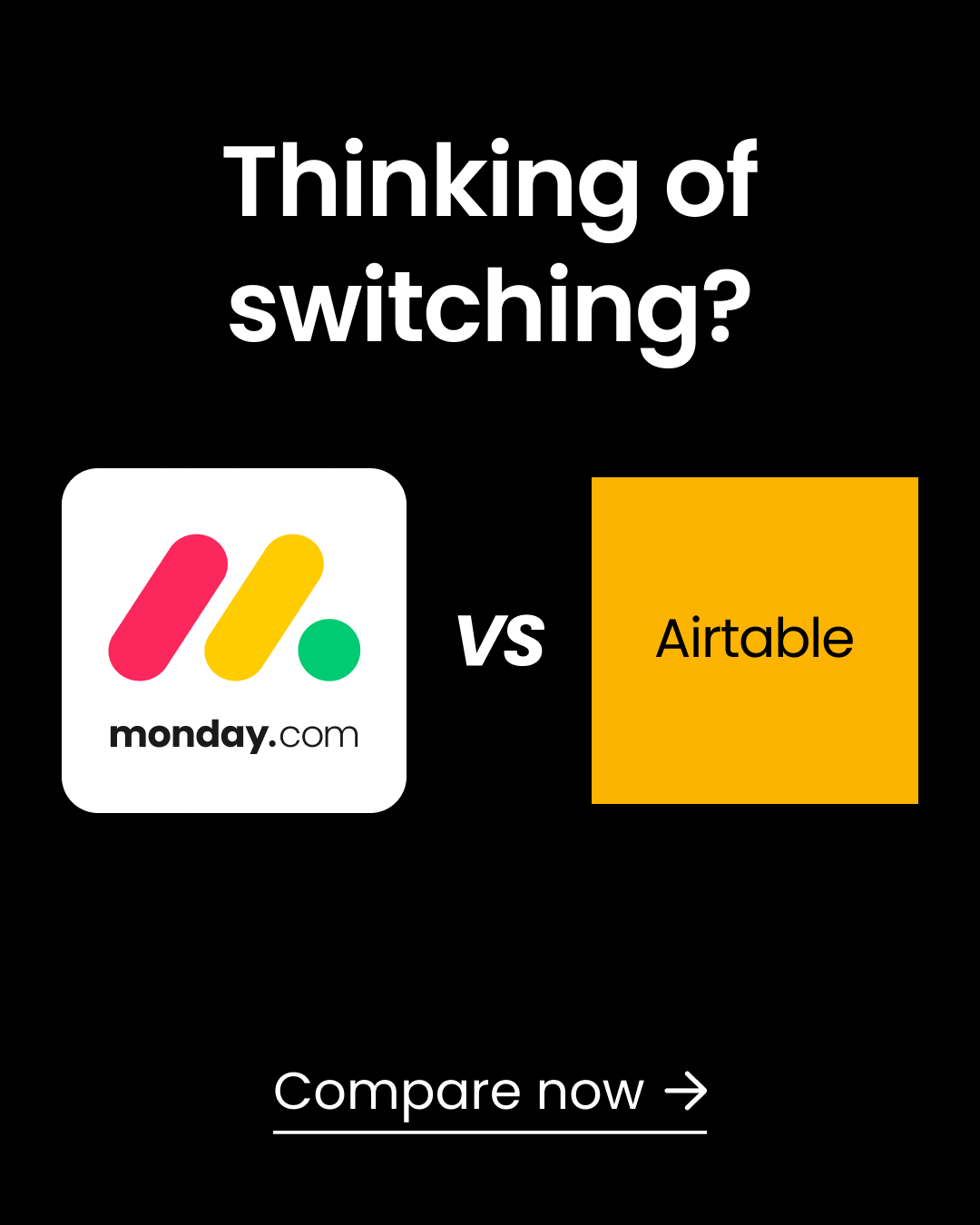
The ad addresses someone already considering a move. It does not tell the reader which tool wins or show evidence for any comparison criterion. That work belongs on the destination page. If the page merely says “we're better,” the clean ad has sent the buyer to a dead end.
ClearLedger could adapt the question without naming a software rival: “Still assigning overdue invoices in a spreadsheet?” The destination would compare a spreadsheet queue with a dedicated workflow on four buyer questions: who owns the next action, how a manager sees stuck invoices, how follow-up history is recorded, and what setup costs. A sample invoice row should show each option. ClearLedger must verify its own capability before making that page; the fictional example cannot establish it. If it names another vendor, the criteria and claims need current evidence for both sides.
Design the image with one readable question and two plain choices. Use a 4:5 and a Story version. Build the comparison page before buying traffic, and date any feature or price checks. Measure whether fitting buyers request a review after reading the comparison. The public ad offers a model for matching a question to a destination, not a performance benchmark.
Build a comparison ad and page
This prompt contains the source description and a worked fictional adaptation. Fill in your facts before you run it.
Plan a B2B Meta comparison ad for buyers who are already considering a change. The reference is described here so the task works without opening a link.

REFERENCE OBSERVED IN A PUBLIC AD
monday.com ran a tall static ad on a black background. Large white type asks “Thinking of switching?” Its logo sits beside Airtable's, with “vs” between them and “Compare now” at the bottom. The ad body says the comparison covers automations, ease of use, scale and AI. The button says Sign up, but the recorded destination is a monday.com-versus-Airtable comparison page. A second variant is sized for Story placement. The creative names a live alternative and offers comparison information; it does not prove that monday.com wins on any criterion. Source record: https://www.facebook.com/ads/library/?id=1066220179486628

WORKED FICTIONAL ADAPTATION
ClearLedger could ask “Still assigning overdue invoices in a spreadsheet?” and offer an honest comparison of a spreadsheet queue with a dedicated owner-and-next-action workflow. The page would compare setup effort, visibility of the next owner, follow-up history and cost, using a completed sample row for each option. If ClearLedger wants to name a competing software brand, it must inspect that product, verify every comparison and maintain the page when features change. No competitor logo or superiority claim should appear by assumption.

MY INPUTS
- Product and its verified workflow:
- Current alternative buyers actually use (spreadsheet, process or named product):
- Buyer stage and question they are trying to answer:
- Three or four comparison criteria that matter to that buyer:
- Evidence for each side, including tested features, prices or limitations:
- Destination comparison page and its current status:
- Rights to use any third-party mark, or a plan to use plain names only:
- Placement sizes and brand materials:

METHOD
Use a comparison only when the buyer is deciding between real options. Make the visual readable in a feed: one question, two choices, one invitation to compare. The landing page must answer the promised criteria in a table with sources, date checked and honest tradeoffs. If it does not exist yet, design it before the ad. Do not turn an unresolved comparison into “we beat them.” Keep the in-image invitation and the actual button aligned with the destination even if the platform button wording differs.

DELIVER
1. A one-sentence buyer question and why the comparison belongs at this stage.
2. Exact in-image copy and a 4:5 and 9:16 layout specification, including safe areas.
3. Exact primary text, headline, CTA and destination-page heading.
4. A four-row comparison-table outline with the evidence needed for both sides and the date each fact should be checked.
5. A completed sample row using supplied facts; if none are supplied, mark it pending rather than inventing a verdict.
6. A fact/rights review, including trademark presentation and any price or feature claim that can change.
7. A measurement note about qualified comparison-page requests or meetings. Do not predict performance.

If the alternative, criteria, evidence or destination is missing, ask focused questions and complete only the parts that do not require those facts. You may propose criteria, but label them as proposed. Do not invent a competitor weakness, customer preference or measured switching rate.
Salesforce: show the guide a buyer would receive
The Salesforce ad puts a guide cover in the image. Its main line says “Less friction, more resolution”; the depicted cover says “Smarter Contact Centers Start with Connected Data.” Service-team imagery makes the subject clear, and the recorded button says Download. The destination is a contact-center guide page. The square variation keeps the same offer.
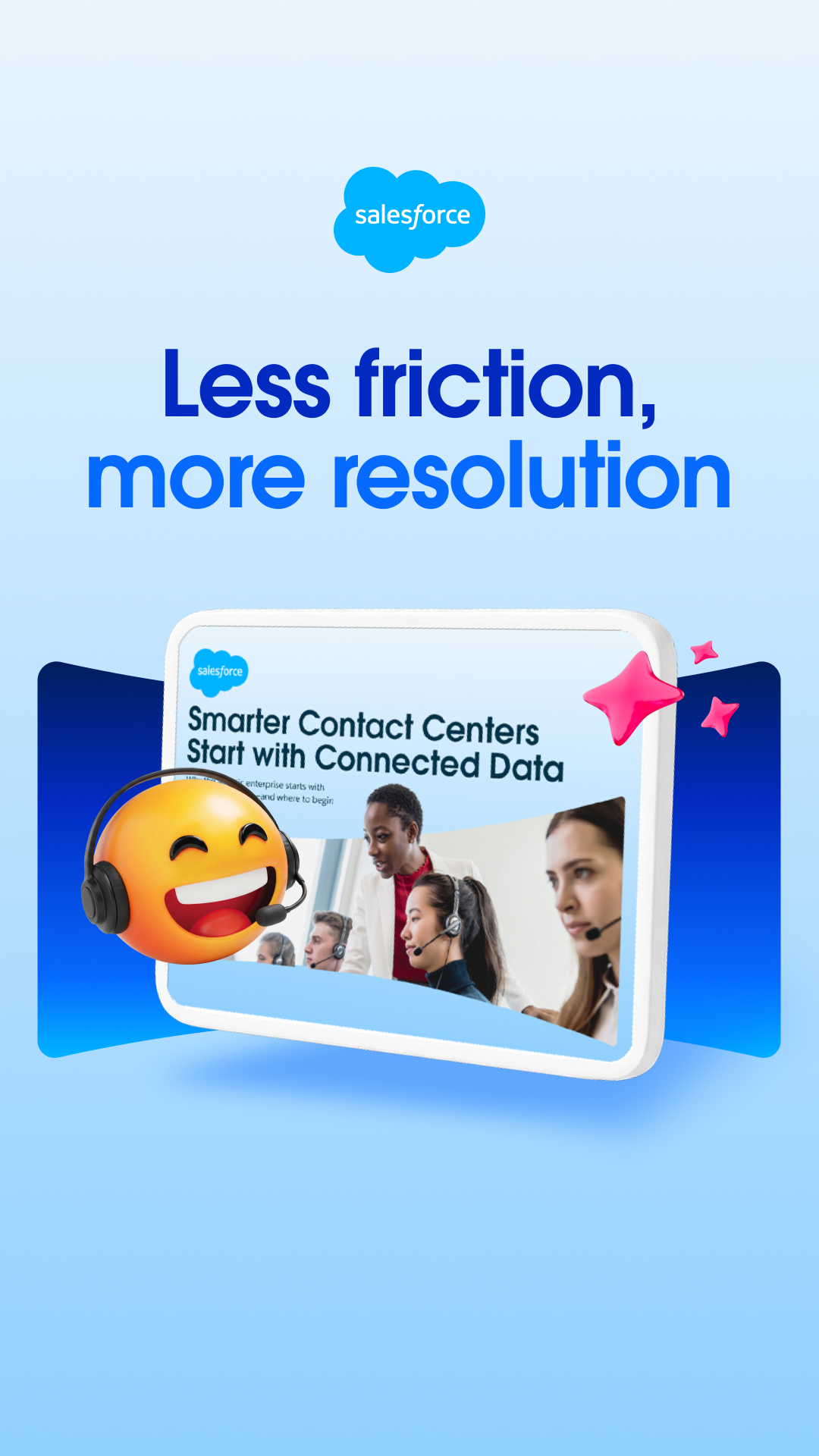
This is a lower-commitment offer than a sales meeting. The buyer can see the kind of resource before clicking. The ad does not show the guide's full contents or prove “more resolution.” A campaign borrowing this idea has to deliver a real document that helps the buyer do something, not merely a PDF cover and an email capture form.
For ClearLedger, the candidate resource is an overdue-invoice handoff worksheet. Show a filled sample row with invoice stage, owner, next action, due date and follow-up status. The headline should say what the finance lead can do with it: “Find the next owner for every overdue invoice.” The form should deliver an editable copy immediately and say what, if anything, sales will send next. The worksheet and delivery flow must exist before the ad runs.
To make the worksheet ad, build the sheet first. Ask someone unfamiliar with it to fill a row for a different company, then repair confusing fields. Make a cover and a magnified preview; test the download on a phone. A square image can show the cover and sample row. A tall image can add a short caption naming the buyer. Count qualified worksheet users and later meetings separately. An email address alone does not show that a downloader is ready to speak with sales.
Make an educational-resource ad
This prompt contains the source description and a worked fictional adaptation. Fill in your facts before you run it.
Design a B2B Meta ad for an educational resource that the buyer can actually use before speaking to sales. The observed reference and a fictional adaptation are below.

REFERENCE OBSERVED IN A PUBLIC AD
Salesforce ran a tall image ad for a Contact Center Guide. The large headline says “Less friction, more resolution.” A pictured guide cover reads “Smarter Contact Centers Start with Connected Data,” with service-team imagery beside it. The ad title offers the new guide, the button says Download, and the recorded destination is a Salesforce guide page. Square versions carry the same message. The creative shows a concrete resource rather than asking immediately for a demo. “More resolution” is the advertiser's claim in the graphic, not a measured outcome verified by the public record. Source record: https://www.facebook.com/ads/library/?id=4032064863766233

WORKED FICTIONAL ADAPTATION
ClearLedger could offer an overdue-invoice handoff worksheet with columns for invoice stage, current owner, next action, due date and follow-up status. A thumbnail would show one filled row, so the buyer can judge whether the sheet is worth opening. The headline could read “Find the next owner for every overdue invoice.” This campaign should wait until the real worksheet, delivery page and follow-up email exist. Do not advertise a mock cover as a finished download.

MY INPUTS
- Buyer role, company type and current work problem:
- Resource title, exact format, length and real contents:
- One page or row we can preview publicly:
- What task the reader can complete with the resource:
- Product/service connection, if any:
- Download or access URL and how it is delivered:
- Form fields, consent language and follow-up plan:
- Claims and numbers with evidence:
- Design assets and placement sizes:

METHOD
Show the resource itself, not only a symbolic stock image. Put a readable title and a preview of its contents in the visual. Write the ad around the first task the buyer can do after opening it. If you use a form, tell the buyer what arrives and when. Keep the download page consistent with the ad. If the resource is an editable sheet, test a real copy outside the page before launching.

DELIVER
1. A one-paragraph resource promise stating who it helps and what they can complete with it.
2. A cover and preview layout for 4:5 and 1:1 placements; specify exact words, type hierarchy and phone legibility.
3. Exact primary text, headline and CTA matching the actual destination.
4. A delivery-page outline with preview, contents, format, access action and clear post-submit message.
5. A sample first follow-up email that refers to the resource and offers an optional next step without pretending the reader requested a sales call.
6. A resource test: download/open it, fill one row for a different fictional company, and list any ambiguous field or broken instruction.
7. A claim ledger separating the resource's contents from product claims and unproven outcome claims.

If the resource is not complete, say “asset required before launch” and produce a production checklist instead of a publishable ad. If the destination or delivery is missing, leave the CTA pending. Never invent guide contents, results or a completed download.
Salesforce and Live Nation: answer one question to show the use case
The square Salesforce ad shows a fan looking at her phone. A message asks, “Are backpacks allowed?” and a reply points to the bag policy. Salesforce and Live Nation marks sit under a line about getting answers without missing a beat. The body says Agentforce answers questions about bags, parking and show times across 120 North American venues.
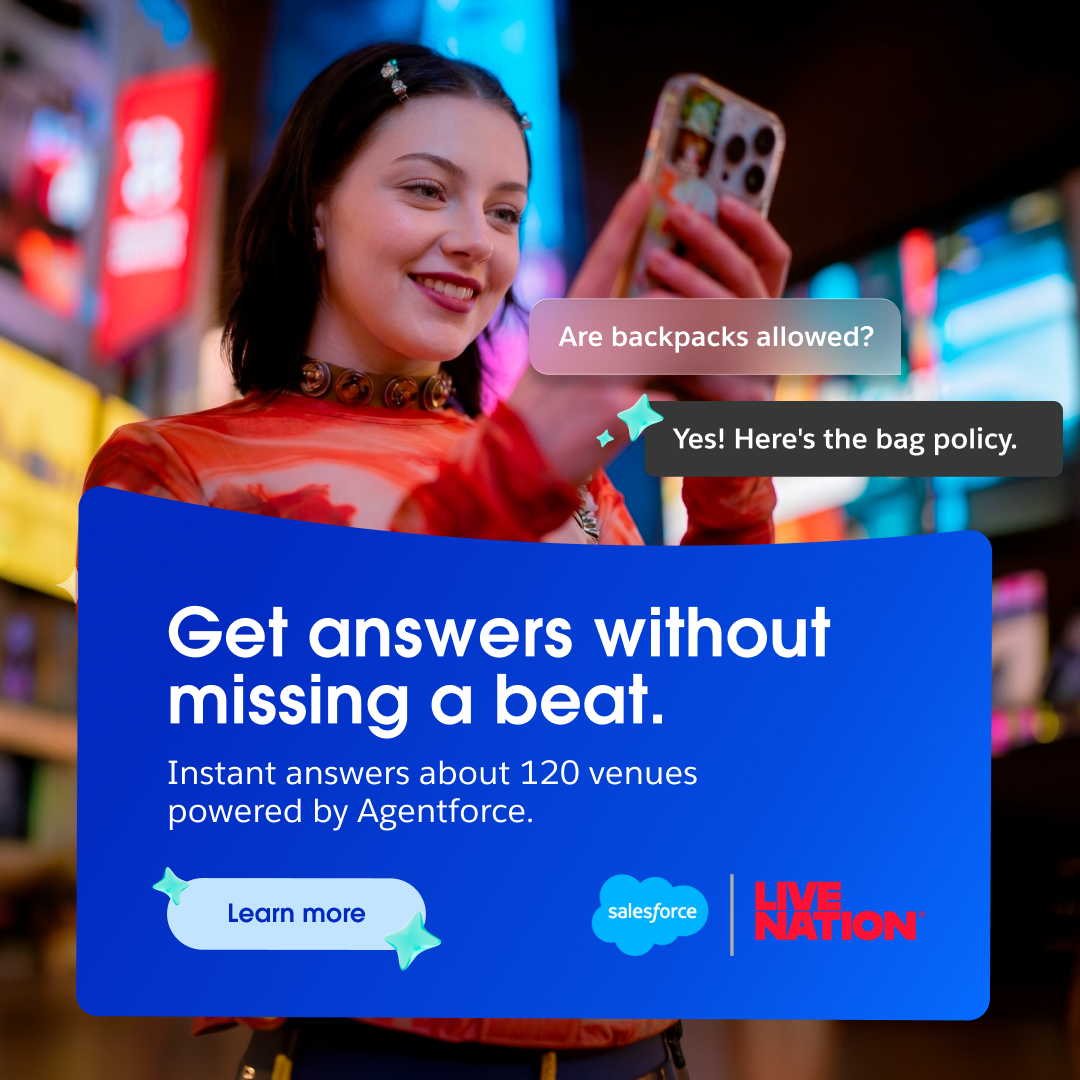
The single backpack question makes an abstract AI-service claim easy to picture. The named customer makes the situation specific, but “120 venues” is Salesforce's claim in its ad, not a deployment count verified by the public record. The image itself cannot show whether the answer was accurate for a particular venue or whether service costs changed.
ClearLedger could use a finance question instead: “Who owns the next follow-up on invoice 1042?” A clearly labeled demo answer could show “Morgan in AR; next email due Thursday,” beside the invoice row that contains those fields. That would explain the workflow without pretending to be a real customer story. If ClearLedger later has a customer who approves a named example, it can use the customer's actual question, permission and checked facts.
Before making the image, verify that the product can show the answer, create anonymous demo data, and decide where the click goes. Place the question above the answer in a phone-readable square composition. Make the buyer's work context visible so it does not look like a consumer chatbot. This pattern fits a product that answers a recurring operational question; it should not carry a customer logo, scale number or speed claim without evidence.
Show one buyer question and answer
This prompt contains the source description and a worked fictional adaptation. Fill in your facts before you run it.
Create a B2B Meta ad that makes one product use case concrete through a real question and answer. Use the observed reference and respect its evidence limits.

REFERENCE OBSERVED IN A PUBLIC AD
Salesforce ran a square static ad with Salesforce and Live Nation marks. A fan looks at her phone. A message asks, “Are backpacks allowed?” and a reply points to the bag policy. The headline says “Get answers without missing a beat.” The ad body says Agentforce answers fan questions about bag policies, parking and show times across 120 North American venues. The pictured question helps a buyer imagine the use case. The 120-venue statement is Salesforce's advertiser claim; the public ad record does not independently audit it. The API returned a tracking destination whose final page was not resolved. Source record: https://www.facebook.com/ads/library/?id=1025567766894244

WORKED FICTIONAL ADAPTATION
ClearLedger could show a finance lead asking, “Who owns the next follow-up on invoice 1042?” A clearly labeled demo screen answers, “Morgan in AR; next email due Thursday.” The point is to make ownership visible in one row. If no verified customer is willing to be named, show a fictional demonstration with made-up invoice data and no customer mark. Do not call it a client result or imply that ClearLedger has shipped that exact feature unless the owner verifies it.

MY INPUTS
- Product/service and exact capability that answers the question:
- Buyer role and one real recurring question:
- Accurate answer or screen state the product can show:
- Customer name, permission and approved story, if a customer will appear:
- Source for any scale, speed, outcome or adoption number:
- Demo data and privacy restrictions:
- Destination and offer:
- Logo, photograph and illustration rights:

METHOD
Start with a question the buyer has heard at work. Put the answer next to a visible interface, document or process. Keep the question short enough for a phone screen. A named customer can add credibility only when the customer approved the story and the claim is verified. Otherwise use an honest product demonstration labeled as such. Avoid a vague “AI can do anything” headline. The destination should let the buyer inspect how this one question is answered.

DELIVER
1. The exact question, accurate answer and why the answer matters to this buyer.
2. A square composition: subject, question bubble, answer bubble, product proof and CTA, with reading order and text sizes.
3. Exact primary text, headline and destination heading.
4. A variant for a different buyer question using the same verified capability.
5. A proof inventory: which claims are observed in the interface, which come from a customer, and which lack evidence.
6. A production list with demo-data setup, anonymization, permissions, design and mobile checks.
7. A downstream measurement question about qualified responses, without predicting results.

If the capability, answer, customer approval or destination is missing, mark it pending. Substitute a clearly fictional demo for an unapproved customer story only when the product owner confirms the capability. Never invent a named client, quote, deployment count, response speed, product feature or business result.
A B2B Facebook ads campaign you can adapt
Here is the running example. ClearLedger is fictional. It sells accounts-receivable workflow software to B2B companies that send at least 100 invoices a month. The buyer is a finance lead who has to chase overdue invoices across a spreadsheet, an inbox and an accounting system.
The campaign asks that buyer to request a 30-minute overdue-invoice review. The review promises three concrete things: a map of where invoices become stuck, one way to assign the next action, and a sample follow-up sequence. It does not promise to recover money or replace a finance system in 30 minutes.
| Decision | ClearLedger's example | What to write for your business |
|---|---|---|
| Buyer | Finance lead at a B2B company sending 100+ invoices monthly | Role, company type, and a sign of fit |
| Problem | Overdue invoices have no clear next owner | One recurring work problem |
| Offer | 30-minute overdue-invoice review | The specific result of responding |
| Ad | Show a three-row invoice queue with owner and next action | A visual or short demonstration of the problem and fix |
| Destination | Instant form with work email, invoice volume, handoff problem and review timing | A form or page that matches the promise |
| Sales handoff | A ClearLedger sales lead replies within one business day with review times and an agenda | Who follows up, when, and what they say |
| Success | Held reviews with finance leads at fitting companies who have an overdue-invoice handoff problem | A sales outcome the team can verify |
This is the campaign in one line: a finance lead sees an overdue-invoice problem, requests a review, answers fit questions and gets a clear next step. Keep fit and attendance separate. A qualified person who has not booked or did not attend is still different from a lead whose company cannot use the product. Each step has an owner and a count.

Pick the offer for the buyer's next decision
The invoice review fits someone who knows their process is causing trouble and wants help finding where. A person who is only collecting ideas may want a worksheet first. Someone actively comparing software may prefer a demonstration. Choose what the buyer is ready to do, then measure that response honestly.
| Buyer situation | Offer to test | What must happen next |
|---|---|---|
| “I know this is messy, but I have not worked out why.” | A worksheet showing how to assign overdue-invoice follow-up | Deliver the worksheet immediately. Ask whether they want help applying it; a download alone is not a meeting request. |
| “We keep missing handoffs. I want to fix the process.” | The 30-minute review used in this example | Confirm the problem, book the review and deliver the promised sheet. |
| “We need software and are comparing ways to do this.” | A demonstration of assigning an owner and tracking the next action | Show the relevant workflow, answer implementation questions and agree a next step. |
| “I can try this myself without a long setup.” | A trial, if your product really supports that experience | Help the buyer complete the first valuable task. Track activation and paid conversion as well as signups. |
These are different tests. A worksheet campaign will usually need a longer follow-up path than a direct review request. Give it its own lead group and measurement window. Do not mix its downloads with review requests and call the combined total sales-ready leads.
Choose the result Meta should look for
For this review offer, ClearLedger would use the Leads objective and examine Instant forms, which let someone request the review without leaving the app.
At launch, it needs a record of which leads fit and what happened to them. A CRM is the system sales uses to keep those records. Until that system reliably sends qualified-lead outcomes back to Meta, ClearLedger would use an available goal for lead submissions and check quality in its CRM.
Once that connection works, it can consider Meta's maximize number of qualified leads goal for instant forms. Meta describes that goal and its CRM connection; availability and labels need checking in the live account.
If ClearLedger uses a landing page instead, it should choose the website conversion location and track a completed review request on that page. A page view would measure visitors, not requests. Write the objective, destination and tracked result in the brief before building the ads.
For B2B SaaS, compare trial activation with qualified demos
A trial is a strong starting offer when a buyer can complete a meaningful task without a sales call. A demo fits when the buyer needs help evaluating setup, integrations, security, or a workflow involving several teams. Choose the path your product and team can deliver, then measure the work after the initial conversion.
The same signup count can hide very different results. A trial user who opens an empty workspace has not necessarily reached value. A booked demo has not necessarily happened. Define those later steps before comparing acquisition costs.
| Decision | Self-serve trial | Sales-led demo |
|---|---|---|
| Promise in the ad | Complete one product task yourself | See how the product handles your specific workflow |
| Destination | Signup followed by onboarding for that task | Product explanation and a demo request or booking flow |
| First conversion | Account or trial created | Demo requested |
| Next meaningful outcome | A specific activation action recorded in product data | A held demo with a company that meets the agreed fit criteria |
| Commercial outcome | Paid customer from the same signup cohort | Customer from the same request cohort |
| Main failure to investigate | Signups stall before the first valuable task | Requests fail qualification, booking, or attendance |
| Operational owner | Product or onboarding owner | Sales owner |
Use a concrete activation definition. For the fictional ClearLedger product in this guide, a trial could count as activated when the user imports a sample overdue-invoice queue and assigns an owner and next action to one invoice. Opening the homepage would not satisfy that definition. This is an example measurement choice, not a claim about a real product or a universal SaaS activation event.
Two fictional tests with the same spend
The following figures are invented teaching inputs. They show why a cheap first conversion should not decide the offer.
| Same-cohort result | Trial path | Demo path |
|---|---|---|
| Media spend | $3,000 | $3,000 |
| First conversions | 120 signups | 30 demo requests |
| First-conversion cost | $25 per signup | $100 per request |
| Intermediate outcomes | 36 activated trials | 12 held qualified demos |
| Intermediate-outcome cost | $83.33 per activated trial | $250 per held qualified demo |
| Customers after the agreed observation window | 6 | 6 |
| Media cost per customer | $500 | $500 |
The trial has the cheaper first conversion. Both paths reach the same media cost per customer in this fictional example. The business still needs to compare onboarding costs, sales costs, customer fit, and retention before deciding which offer to expand.
A trial ad could show a demo invoice gaining an owner and a next action, then invite the viewer to try that task. A demo ad could show the same workflow and invite a finance lead to see how it would fit their handoff process. Keep the product claim consistent. Change the requested next step and its delivery path deliberately.
For creative structure, return to the Asana example earlier in this guide to study a task followed by a product view. The public ad demonstrates that explanation sequence; it does not prove a trial conversion rate. Use the Salesforce guide example when the buyer first needs an educational resource, and measure resource use separately from a sales request.
Write the measurement contract before choosing an optimization event
For each path, record the event definition, the system that records it, the owner, and a test record showing the event arrives. Your internal activation or qualification rule must stay understandable even when the ad platform uses a different event label.
Meta's Conversions API for CRM page describes using CRM data to optimize lead ads. It separately directs website actions, including purchases and website forms, to Conversions API for web. A trial campaign should therefore verify its own website or product event path instead of borrowing the instant-form setup by default. Confirm available objectives, conversion locations, and performance goals in the account before launch.
Keep a trial cohort open for its agreed activation and payment windows. Keep a demo cohort open for its agreed booking, attendance, and sales windows. Record pending outcomes alongside completed ones. Never divide this week's spend by customers from last month's leads and call that the current campaign's acquisition cost.
Download the trial-versus-demo worksheet and its standalone instructions. It contains the two fictional examples and blank rows for your own cohorts. The worksheet instructions explain each formula and the treatment of missing values. Replace every example assumption before using it to make a spending decision. If customers are still pending, report the current count and observation deadline; do not count a possible future customer as won.
For each completed cohort, calculate media cost per customer as spend divided by customers. Add acquisition costs outside media before comparing with your total acquisition-cost target. When the customer count is zero, report the spend and zero customers; the cost per customer is not calculable. When the count is unknown, keep it unknown.
If signups are cheap but activation stalls, inspect onboarding and the task promised in the ad. If demos are qualified but rarely held, inspect scheduling and follow-up. If either path produces customers whose fit or retention disappoints, revisit the buyer and offer before raising spend. The Meta reporting template can help keep stage counts and observation windows visible; Maestro's B2B Meta service page explains the delivery scope to discuss if your team needs support.
Choose an audience you can actually explain
An audience is a way to start delivery, not proof that only your ideal buyers will see the ad. The exact options depend on the campaign and account. Check the current controls in Ads Manager before putting an audience into a launch brief.
Start with people who already know you
If you have relevant site visitors or people who engaged with your content, consider a campaign for those prospects. The ad can continue a conversation they already started. ClearLedger could show its invoice-review offer to people who visited an article about overdue invoices. For customer acquisition, exclude existing customers from that delivery.
An eligible list of interested prospects can be another audience to examine. Meta says a customer-list Custom Audience is made by matching supplied identifiers, such as email and phone, to Meta profiles. More matching information may help, but coverage is not guaranteed. Check the rules for using your data and inspect the audience size before relying on a list. Meta's customer-list explanation.
Try a customer-based lookalike when the source is sound
If ClearLedger has enough eligible customers to make a source audience, it can test a lookalike built from customers who actually fit the product. The customer list supplies a model of whom to find; ClearLedger would exclude those existing customers from the acquisition campaign. A list of all newsletter subscribers would answer a different question. The lookalike is a starting signal, so the offer and lead-quality data still matter.
In AdConversion's B2B Meta walkthrough, the presenter recommends starting with good CRM data and warns that business email addresses may match less often than a marketer expects. This reflects agency experience; check match quality and lead quality in your own account.
Agency walkthrough of CRM-based audiences, creative concepts and lead-form questions. Load the video if you want to inspect the examples behind the discussion.
Use broader delivery only if the buyer pool is broad enough
ClearLedger might sell to thousands of companies across several industries. In that case, a broader test paired with finance-specific creative could make sense. The ad itself should plainly say who it is for: “Finance teams sending 100+ invoices a month.” If ClearLedger instead sells only to 80 named enterprises, broad delivery is a poor fit for the task.
Meta says its Advantage+ audience can use your audience suggestions and then search more widely. It also describes controls such as location, minimum age, language and custom-audience exclusions. Do not treat an interest, customer list or job-related suggestion as a hard boundary unless the actual campaign control says it is. Read Meta's current description of Advantage+ audience.
Meta announced B2B job-title and business-decision-maker segments in a 2022 product post. That dated announcement is evidence those options were introduced then, not a promise that your 2026 account has the same menu or that a segment reaches only confirmed buyers. Verify current availability in your account.
| Your situation | Sensible first audience to examine | Check before launch |
|---|---|---|
| Existing demand and enough engaged prospects | Prospect retargeting; exclude current customers for acquisition | Size, exclusions, and whether the ad continues what they viewed |
| Strong eligible customer data | Customer-based lookalike to find new buyers; exclude the source customers from delivery | Source quality and actual matching |
| Broad buyer pool; no eligible customer list yet | Broader delivery with buyer-specific creative | Whether leads fit, and how far suggestions can expand |
| A short named-account list | Check whether you have eligible contacts to match; otherwise consider a channel with account-level reach | List eligibility and match coverage before planning around it |
You do not need four audience tests on day one. Pick the route with the clearest reason to work, and record why you chose it.
Give the buyer a reason to stop scrolling
A B2B Meta ad has to make sense to someone who was opening Facebook or Instagram for another reason. Show the work problem quickly. Then show what the buyer gets by responding.
ClearLedger could test these two different creative ideas for the same offer:
- The messy queue. A short video opens on three overdue invoices in a spreadsheet. Each has a due date, but the “next owner” cell is blank. The narrator says, “If your finance team has to ask who follows up on an overdue invoice, the queue is already slowing you down.” The video fills in an owner and next action, then offers the 30-minute review.
- The review sheet. A static image shows the three columns the buyer will leave with: stuck stage, owner, next action. The headline says, “Find where your overdue invoices get stuck.” The body offers a review of the buyer's current handoff.
The first idea helps a viewer recognize the problem. The second makes the deliverable visible. Test which one attracts companies that fit and attend meetings. A button-color change would tell you much less.
For a 20-second video, a recording plan could be:
| Time | What appears | What the viewer learns |
|---|---|---|
| 0–4 seconds | Spreadsheet with three overdue invoices and empty owner cells | The problem is specific |
| 4–10 seconds | One invoice opens; the team searches email for the last follow-up | The delay is a handoff problem |
| 10–16 seconds | The same row gains an owner, due date and next action | The review's method is easy to picture |
| 16–20 seconds | “Book a 30-minute overdue-invoice review” and three deliverables | The response has a clear payoff |
This is a fictional demonstration concept, not footage of a real ClearLedger customer. If you use a real workflow, remove personal information and get permission for anything recognizable. Make the text legible in the placements you intend to buy; a spreadsheet that looks fine on a desktop can become unreadable in a phone-sized Story.
AdConversion's creative section at about 5 minutes makes a practical point: change the concept and the message, then check whether the design supports them. Watch it for the distinction between a real concept test and a tiny cosmetic edit. The ClearLedger concepts above show how to apply that advice to one offer.
An editable layout for the review offer
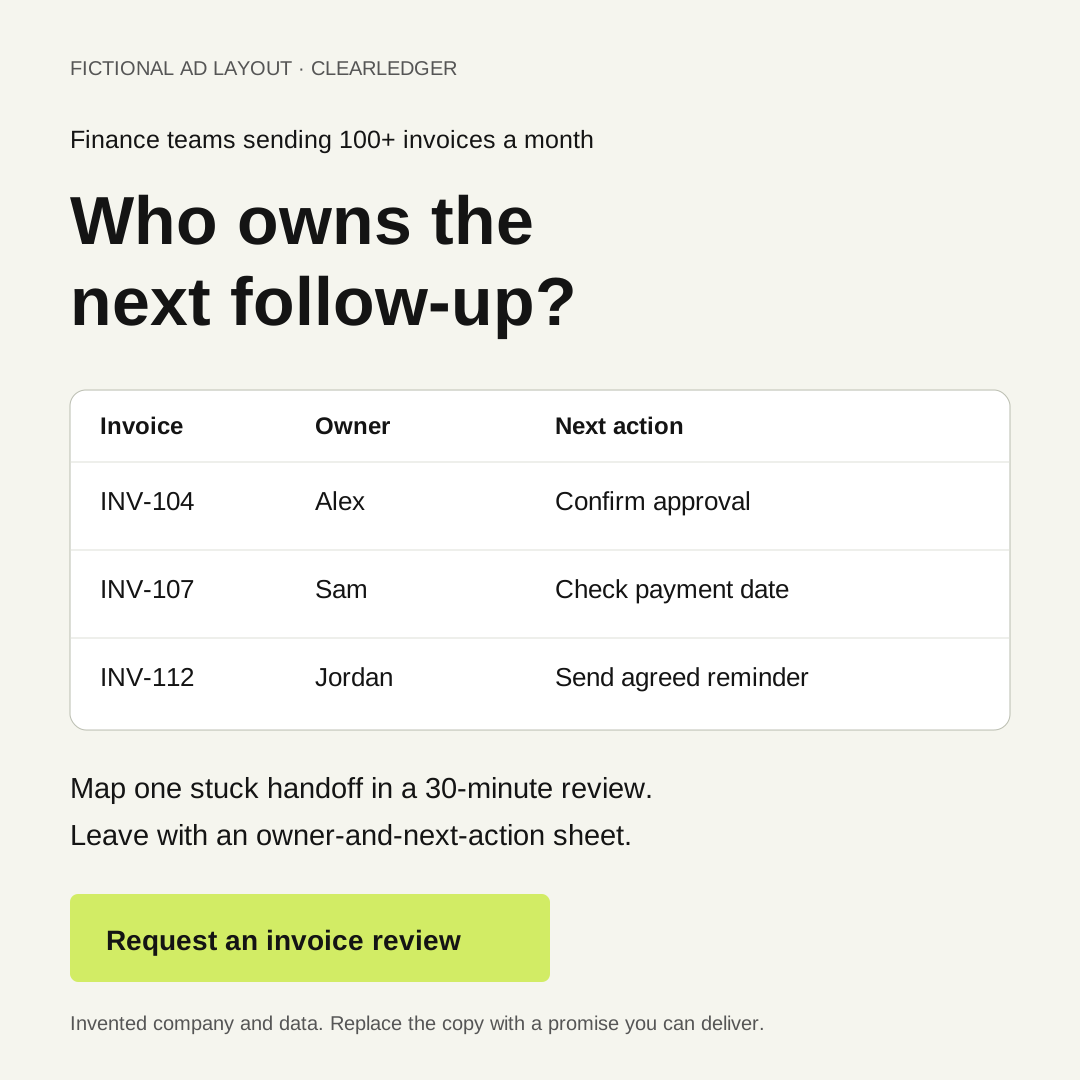
Download the editable SVG layout
Use this as a starting layout in an SVG editor, or rebuild it in Canva with text boxes, a three-row table and one button. Replace the buyer line, problem, sample rows and offer. The fictional label is part of this teaching example; your finished ad should use your own brand and clearly identify any demonstration data.
Keep one job for each part of the image: the first line identifies the buyer, the headline names the problem, the table shows what changes, and the final line offers the review. If your product cannot assign an owner or your team cannot deliver the review, change that promise before using the layout.
Sample ad copy
Primary text: Sending 100+ invoices each month? When an invoice becomes overdue, does your team know who owns the next follow-up? Bring your current process to a 30-minute review. We'll map one stuck handoff and leave you with an owner-and-next-action sheet you can use.
Headline: Find where overdue invoices get stuck
Offer call to action: Request review
The opening calls out a situation. The promise names what happens in the review. Use “Request review” in the creative or form, then choose the closest available button in Ads Manager. ClearLedger would still need to verify that it can deliver the review before running the ad.
Lead form or landing page?
Use a lead form when you can state the offer in the ad and a short form, and when your follow-up can quickly confirm intent. Use a landing page when the buyer needs more explanation, proof or qualification before requesting the next step. The page or form has to make the same promise as the ad.
For ClearLedger, a native lead form could ask:
- Name, work email, company and role.
- Rough monthly invoice volume: fewer than 100, 100–500, or more than 500.
- How overdue invoices are assigned today: spreadsheet, accounting tool, dedicated workflow, or other.
- What they need to fix: unclear next owner, late follow-up, inconsistent messages, or no current problem.
- Whether the person wants to review their current process in the next few weeks.
Only ask what changes the next action. Invoice volume and role help the team judge company fit. “Unclear next owner” or “late follow-up” identifies a problem the review can address. The process answer helps prepare it. The timing answer distinguishes a current meeting request from someone gathering ideas. A question with no use in qualification or follow-up is extra work for the buyer.
The form's confirmation should repeat the promise and say what happens next:
Thanks. A ClearLedger sales lead will email you within one business day with review times and a short agenda. Please do not send customer or invoice details in this form.
The handoff needs a real owner and a way to contact the lead. If your team cannot promise one business day, state the timing it can reliably meet.
A landing page for this offer would show an example of the owner-and-next-action sheet, explain the three review steps, say who the review is for, and show the form. It should answer the reasonable question, “What will I have after half an hour?” If the ad promises a worksheet and the landing page asks for a generic demo, the campaign has changed the deal halfway through.
At about 8:30 in AdConversion's video, the presenter demonstrates lead-form qualification fields and argues for deliberate questions to reduce forgotten or poor-fit submissions. That is one agency's experience. Compare your own form and page on held qualified meetings, because a form can increase submissions without improving sales outcomes.
Follow up so a lead becomes a meeting
The sales handoff is part of the ad campaign. Before launch, decide what happens to a form submission from an ideal company, a poor-fit company, and someone who asked for the review but did not book.
For ClearLedger, the CRM could use these states:
- New request: form arrived with source campaign and answers.
- Fit and need checked: company is B2B, likely has 100+ invoices monthly, the person owns or influences the process, and the answer names an overdue-invoice handoff problem ClearLedger can address.
- Review booked: the buyer picked a time or replied to scheduling.
- Review held: the conversation happened.
- Next step or closed reason: a product conversation was agreed, or the reason it stopped was recorded.
The ClearLedger sales lead would reply within one business day:
You asked for the overdue-invoice review and mentioned that the next owner is often unclear. We'll map one stuck handoff and leave you with a next-action sheet. Here are three times. Please bring an example with customer details removed.
If sales opens with a generic platform pitch, the follow-up no longer delivers what the buyer requested.
When there is enough data and an appropriate integration, you can pass later lead-quality outcomes back to Meta rather than training only on submitted forms. Meta describes its Conversions API for CRM as a way to connect CRM data to lead-ad optimization. Its short setup video explains the connection options. Treat Meta's reported improvements as platform claims, and confirm the integration and event definitions in your own account before depending on them.
Meta explains ways to connect later CRM outcomes to lead-ad measurement. Check the current setup options in your account.
Work backward from held qualified meetings
Do the math before you choose a spend. Here is an invented 30-day ClearLedger scenario. It is deliberately round so you can check every step.
| Input or result | Fictional value | Calculation |
|---|---|---|
| Ad spend | $4,000 | Planning input |
| Cost per submitted lead | $100 | Planning input, not a benchmark |
| Submitted leads | 40 | $4,000 ÷ $100 |
| Fit-and-need rate | 50% | Planning input |
| Qualified leads | 20 | 40 × 50% |
| Booking rate among qualified leads | 50% | Planning input |
| Meetings booked | 10 | 20 × 50% |
| Show rate | 80% | Planning input |
| Held qualified meetings | 8 | 10 × 80% |
| Ad spend per held qualified meeting | $500 | $4,000 ÷ 8; media only |
The $500 figure counts ad spend only. It leaves out the cost of making ads, handling leads and selling. ClearLedger should compare that media cost with an ad-spend allowance that leaves room for those other costs.
Enter your own spend and rates in the calculator. It shows each step, so you can see whether your assumptions leave you with 20 meetings or two. If you are checking the arithmetic yourself:
- Expected held meetings = (spend ÷ cost per lead) × qualified share × booking rate × show rate.
- Ad spend per held meeting = spend ÷ expected held meetings.
Use percentages as decimals, such as 0.5 for 50%. Label unknown rates as assumptions and make finding the real rates a goal of the test. Zero cost per lead or zero expected meetings cannot produce a valid cost per meeting; the calculator explains that rather than showing a misleading zero.
Estimate ad spend per held qualified meeting
Enter your own assumptions. The figures are planning estimates; no Meta benchmark is built in. You can also load the fictional ClearLedger example: $4,000 spend, $100 cost per lead, 50% qualified, 50% booked and 80% held.
Enter all five inputs, then select Calculate.
- Leads spend ÷ cost per lead
- —
- Qualified leads leads × qualified share
- —
- Booked meetings qualified leads × booked share
- —
- Held qualified meetings booked meetings × held share
- —
- Ad spend per held qualified meeting ad spend ÷ held qualified meetings
- —
This covers ad spend only. Add sales and production costs when judging total acquisition cost. These are expected values, so the estimate may show part of a lead or meeting. Your CRM records the actual counts. If the held estimate is zero, ad spend per held meeting is not calculable.
For a separate fictional economics check, suppose ClearLedger's target total acquisition cost is $4,000 per new customer. This includes advertising and the other costs of winning that customer. It expects $1,000 per customer in sales time, creative and other acquisition costs outside media. That leaves $3,000 of ad spend per customer.
If 20% of held qualified meetings become customers, its ad-spend ceiling is $600 per held meeting ($3,000 × 20%). The example's $500 media cost is under that ceiling; its implied fully loaded cost is $3,500 per customer ($500 ÷ 20% + $1,000).
If only four meetings were held from the same $4,000 spend, media cost would rise to $1,000 per meeting and miss the ceiling. Every input here is invented. Use your own cost structure and sales history, or keep the threshold as an unproven scenario.
Check these before the campaign goes live
- Ask someone outside the campaign team to read the ad and tell you who it is for, what happens after a click, and what they will get. Rewrite anything they have to guess.
- Open the actual form or landing page on a phone. Submit a test lead and confirm that the promised next step appears.
- Check the current audience settings, expansion behavior, locations and exclusions in the account you will use.
- Confirm that a test lead reaches the right person with the source campaign and qualification answers attached.
- Have that person send the first follow-up. It should refer to the review or resource the buyer requested.
- Record the definitions of qualified, booked and held in the CRM, with a clear owner for each status.
- Put the spend, test window, assumptions, non-media costs and ad-spend ceiling per held meeting in the brief. Set a date to read the sales outcomes together.
ClearLedger would hold its launch if the review has no owner or if a submitted form disappears before sales sees it. More ad variations will not repair either problem.
What to change after the first test
Look at the full chain. A low cost per lead tells you only that people submit the form.
| You see | Look at first | Possible next test |
|---|---|---|
| Few people respond | Offer, problem in the opening, and whether the visual is legible | Show the deliverable earlier or test a different problem statement |
| Many leads, few fit | Who the ad calls out, audience expansion, and qualifying questions | Make company/process fit clearer in the ad and form |
| Good-fit leads, few bookings | Form confirmation and the first reply | Let people book immediately or make the follow-up match the promised review |
| Bookings, few held meetings | Scheduling delay and reminder process | Shorten the wait and send a specific agenda |
| Held meetings, no next steps | Offer-to-product fit and the actual sales conversation | Review whether the campaign attracts buyers with a problem you solve |
Change one major idea at a time when you can. Keep enough of the campaign stable to learn what changed. On a small test, numbers will move around; a handful of leads cannot prove that one audience always wins. Keep the actual lead examples and sales notes beside the spreadsheet.
Give each group of leads time to become an outcome
Group leads by the period and campaign that produced them. Keep the ad spend and the resulting meetings in the same group. Dividing this week's spend by meetings from last month's leads hides whether the current campaign worked.
For the fictional ClearLedger test, suppose the team agrees to spend no more than $4,000 over 30 days. It reviews delivery and lead handling each week, stops buying at the agreed cap, then follows that same group for another 14 days to see which reviews happen. The extra 14 days is an example planning choice; use the delay your own booking process normally needs. Later opportunities and customers remain attached to the original group.
Revisit the economics when those sales decisions are known. If ClearLedger assumed 20% of held reviews become customers and the actual rate is 10%, its $3,000 media allowance per customer supports only $300 per held review. The $500 result would then miss the ceiling. Affordable meetings are an early signal; actual customer acquisition cost decides whether the campaign pays back.
At the review date, count held meetings, booked-but-not-held meetings and leads still waiting for a reply separately. For example, $4,000 spent with four held reviews and four upcoming reviews is $1,000 per held review so far. If all four upcoming reviews happen, the figure would become $500. Report those as current and possible outcomes; do not count the upcoming reviews as held.
Use these choices when you review the test:
- Continue cautiously when the leads fit, the completed follow-up window supports your cost ceiling, and the sales conversations confirm the problem you intended to attract. Use a small promising test to justify another test with an agreed spend cap.
- Revise when one step is failing and the lead records show a plausible repair. If good-fit people do not book, fix scheduling and follow-up before changing the audience.
- Stop new spend when the agreed cap is reached, tracking or follow-up breaks, or repeated leads cannot use the product. Finish the promised follow-up; stopping ads does not mean abandoning people who responded.
- Mark the result inconclusive when too few leads have reached a decision or important inputs are missing. State what is unknown and set another explicit spend cap only if learning that answer is worth the cost.
If there are zero held meetings, report zero meetings and the spend used. Cost per held meeting is not calculable. Do not turn an empty denominator into a reassuring zero cost.
A launch brief you can copy
Use this before opening Ads Manager. The filled column is ClearLedger's invented campaign; the blank column is for your team.
| Field | Filled example | Your campaign |
|---|---|---|
| Buyer and company | Finance lead at B2B company with 100+ invoices/month | [Role, company, sign of fit] |
| Problem | Overdue invoices have no next owner; buyers report an unclear handoff or late follow-up | [One specific need you can confirm] |
| Offer and deliverable | 30-minute review; stuck-stage map, next-action sheet and sample follow-up sequence | [What happens; what they leave with] |
| Audience route | Test eligible customer-based lookalike, subject to match and account checks | [Route and why] |
| Exclusions/controls | Existing customers; serviceable locations | [Check actual controls] |
| Ad concept A | Messy invoice queue to assigned owner | [What appears and first line] |
| Ad concept B | Preview of the review sheet | [Different explanation, not color change] |
| Objective, location and goal | Leads objective; Instant forms; start with lead submissions while CRM quality events are unproven | [Choose actual available settings; say what will be counted] |
| Destination | Instant form asking for role, volume, handoff problem and timing | [Form or page and reason] |
| Qualification | B2B company with 100+ invoices/month; finance owner/influencer; unclear owner or late follow-up | [Observable fit and need rules] |
| Follow-up | ClearLedger sales lead emails within one business day with three review times and agenda | [Owner, reliable timing, message] |
| Outcome | Held review with a qualified company and a live handoff problem | [CRM status and definition] |
| Test economics | $4,000 fictional media spend; $600 media ceiling per held meeting after non-media costs | [Your spend, cost allowances, threshold and source of assumptions] |
| Decision date and follow-up window | Weekly operational review; stop new spend at $4,000 or day 30; follow the same leads for 14 more days | [Spend cap, buying window, normal booking delay and review date] |
Replace ClearLedger's spend, non-media cost allowance and close-rate assumption with your own numbers before setting a threshold.
Copyable prompt: turn your business inputs into a campaign plan
The prompt below contains the method and a complete fictional reference, so it works when pasted into a fresh agent chat. The linked Meta documentation is for checking platform details; the agent should not pretend to have read a source it cannot open.
Copy the B2B Meta campaign-planning prompt
Paste this into an agent and replace the bracketed inputs with your business facts.
Create a practical B2B Facebook/Instagram ads test plan from my inputs.

Method to use:
1. Start with one buyer and one specific work problem. Choose an offer that fits their next decision: a resource to understand the problem, a review to diagnose it, a demo to evaluate the product, or a trial if they can reach value themselves. Explain the choice. A resource download alone is not a meeting request. Describe the deliverable in a sentence.
2. Choose an audience route from eligible engaged prospects, a lookalike using eligible customers as the source, or broader delivery if the buyer pool is large enough. For acquisition, exclude existing customers from delivery. A customer source list and the people served the ad are different groups. Treat audience suggestions as possible expansion, not guaranteed exclusive reach. Flag any account-specific control for verification in Ads Manager.
3. Write two genuinely different ad concepts. For each, specify the first frame or image, exact first line, what changes on screen, what the viewer gets, and the call to action. Do not invent a customer result.
4. Choose the destination for the offer: lead form or landing page for a review/demo; immediate resource delivery for a download; signup and onboarding for a self-serve trial. Say why. Ask only questions needed for fit, delivery or follow-up. Choose the campaign objective, conversion location and performance goal to match that action. Flag live-account settings for verification; do not apply lead-form settings automatically to a trial.
5. Define the path for the chosen offer. Sales-led review/demo: submitted → fit and need checked → booked → held → customer. Resource: requested → delivered → task completed where measurable → optional sales request; never count a download as a meeting request. Self-serve trial: signup → a specific activation action → paid customer. Define each event, owner, data source, response/support timing and first message. Keep unfinished outcomes separate from failed outcomes.
6. Model the chosen path using only my own inputs and show every formula. Sales-led: (spend ÷ cost per lead) × fit-and-need rate × booking rate × show rate = held qualified meetings. Trial: (spend ÷ cost per signup) × activation rate × activation-to-paid rate = customers. Resource: model cost per download and measurable completion first; add optional-sales and customer rates only when supplied. Do not assume a resource-to-sales rate. For any path, media cost per outcome = spend ÷ outcomes. Media allowance per customer = target total acquisition cost - non-media acquisition costs per customer. An intermediate-outcome ceiling is that allowance × the supplied outcome-to-customer rate; without the rate, label the ceiling unknown. Never silently substitute a meeting funnel for a trial or resource. If any required input is missing, ask for it instead of supplying an industry benchmark. Zero denominator means cannot calculate; non-media costs at or above the target leave no media allowance.
7. Give a launch checklist and continue/revise/stop/inconclusive rules for the chosen path. Keep spend and outcomes from the same acquisition period together, allow the agreed follow-up or trial-maturation window, and show pending outcomes separately. Stop new spending at the agreed cap. Ask for missing timing or spending limits instead of choosing them silently. Diagnose the stages actually used: fit/booking/attendance for a review, delivery/use/optional-sales for a resource, signup/activation/payment for a trial.

Platform references to check if available:
- Meta says customer-list audiences match supplied identifiers to Meta profiles; matching is not guaranteed: https://www.facebook.com/business/help/341425252616329
- Meta says Advantage+ audience suggestions can expand beyond the suggested profile, while listed controls include location and exclusions: https://www.facebook.com/business/ads/meta-advantage-plus/audience
- Meta describes a qualified-leads performance goal for instant forms connected to CRM data: https://www.facebook.com/business/generate-leads/conversions-api-for-crm
The summaries above are enough to understand the example. The links are for checking current details. If you cannot open them, say so and mark current account options for human verification. Do not claim to have checked them.

Reference example to understand the level of specificity, NOT to copy as my facts:
- Product and buyer: fictional ClearLedger sells accounts-receivable workflow software to finance leads at B2B companies sending 100+ invoices monthly. Its buyer loses the next owner of overdue invoices between a spreadsheet and inbox.
- Offer: a 30-minute overdue-invoice review that produces a stuck-stage map, next-action sheet and sample follow-up sequence.
- Creative: one ad shows an overdue row with a blank owner field, then fills in an owner and next action. A second previews the sheet.
- Settings: Leads objective, Instant forms and an available lead-submission goal until qualified-lead CRM events work.
- Form: name, work email, company, role, monthly invoice-volume band, current assignment process, handoff problem and near-term review interest.
- Follow-up: a ClearLedger sales lead replies within one business day with review times and an agenda.
- Qualification and outcome: the person works at a fitting B2B company, owns or influences finance, and reports an unclear next owner or late follow-up. Success means a held review with that person.
- Invented funnel: $4,000 media spend ÷ $100 per lead = 40 leads. At 50% fit-and-need, 50% booking and 80% show rates, that means 20 qualified → 10 booked → 8 held → $500 media cost per held qualified meeting.
- Invented ceiling: ($4,000 fully loaded acquisition-cost target - $1,000 non-media acquisition cost per customer) × 20% close rate from held meetings = $600 maximum media spend per held meeting.
These numbers are examples, not expected performance.

My business inputs:
- Product/service and what it actually does: [fill in]
- Buyer role, company type and signs of fit: [fill in]
- Specific problem the buyer recognizes and answer that would confirm the need: [fill in]
- Offer we can truly deliver and what the buyer leaves with: [fill in]
- Eligible customer/visitor/engagement data we have permission to use: [fill in or none]
- Named-account-only market or broad buyer pool: [fill in]
- Geography and any other required restrictions: [fill in]
- Form, landing page, resource-delivery or trial-onboarding assets we can make: [fill in]
- Sales, resource-support or onboarding owner and reliable response time: [fill in]
- Spend cap, buying window, normal time to our chosen outcome, and review date: [fill in or unknown]
- Costs and conversion rates for our chosen path, with sources: review (lead/fit/book/show); trial (signup/activation/paid); resource (download/use/optional sales): [fill in relevant values or unknown]
- Target total acquisition cost, non-media costs per customer, and chosen-outcome-to-customer rate with sources: [fill in or unknown]

Output:
A. A three-sentence test/wait recommendation with the missing facts that could change it.
B. A completed campaign brief with buyer, problem, offer, audience route, exclusions/controls to verify, objective, conversion location, performance goal, destination, fit-and-need qualification and outcome.
C. Two ad concepts with exact copy and 20-second video or static layout instructions that our team can produce.
D. The form or landing-page copy, confirmation and first follow-up message.
E. A table for the chosen outcome path, with inputs, formulas, intermediate counts, cost per relevant outcome, total customer-acquisition-cost check when calculable, and invalid/unknown states.
F. A launch checklist and decision tree for failure at each stage of the chosen path.

Never invent a product feature, testimonial, result, personal experience, Meta account setting or platform benchmark. Distinguish our supplied facts from assumptions and recommendations. If a missing business fact makes a claim or launch choice unsafe, ask a focused question and mark that part pending while completing the rest.
The plan is ready when a colleague could make the ad, build the destination, route a lead and judge the result without asking what “high quality” means.
Common questions
Do Facebook ads work for B2B SaaS?
They can, if the software solves a problem you can show clearly and you measure what happens after the lead. ClearLedger is a SaaS example. A product with a long sales cycle may use a review, diagnostic or concrete resource before a demo. Pick the offer based on buyer readiness, then track whether those responses become conversations with companies that fit. Do not infer success from cheap form submissions.
Can you target job titles and companies on Meta?
Some B2B-related segments have been offered, and customer lists can be matched to Meta profiles. Availability and delivery depend on the current account, campaign setup and match data. Meta's 2022 B2B targeting announcement is here; its current audience description explains when suggestions may expand. If exact account reach is essential, check coverage and controls before launching.
How much should a B2B Meta test cost?
Set spend from your own economics, the number of meetings you would need to learn from, and the amount you can risk. Work through the calculator with your own assumptions, then decide whether the possible learning is worth that spend. The $4,000 example above is arithmetic, not a recommendation.
Should we optimize for leads or qualified leads?
Define qualification and record it first. If enough downstream outcomes and the right CRM connection are available, test sending those outcomes to Meta. Meta describes that capability here. For a new campaign with little data, you still need a human-readable CRM record of who fit, booked and attended. That record is what lets you tell a lead-quality problem from a follow-up problem.
If you need ideas for recording ads that explain a B2B product, see our LinkedIn video ad examples. The examples show ways to make a problem visible; they are LinkedIn ads and do not establish Meta performance. For more planning guides, browse Maestro resources.
If you want a second opinion on your campaign plan, see Maestro's Free Demand Gen Roast.