
B2B Ad Examples
Datadog: start with the problem your reader is trying to solve
Read the ad copy
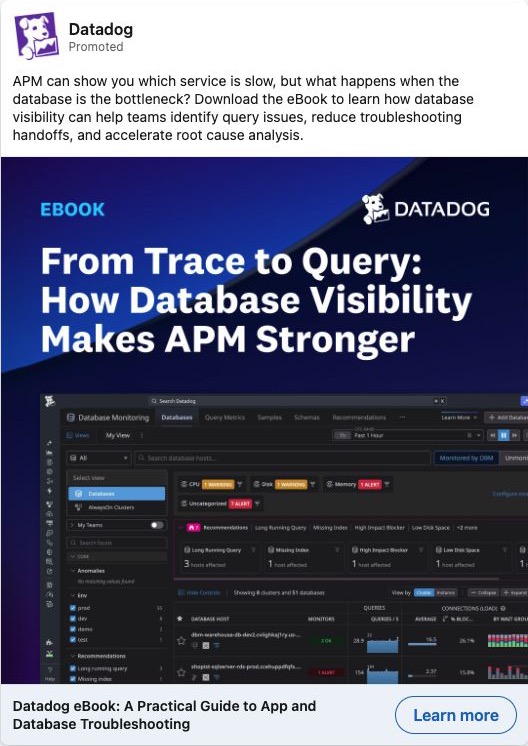
APM can show you which service is slow, but what happens when the database is the bottleneck? Download the eBook to learn how database visibility can help teams identify query issues, reduce troubleshooting handoffs, and accelerate root cause analysis.
Transcribed from the original post. Claims and offers belong to the advertiser; current availability and results are not verified.
Datadog sells monitoring software. This ad starts with a precise problem for someone troubleshooting a slow application: the application monitor can identify a slow service, but the database may be causing the delay.
The offer follows that problem. Instead of asking the reader to book a general sales call, the ad offers a guide to investigating the database. The creative shows the ebook title beside a product screen, so the reader can see the subject before clicking.
The landing page repeats that subject and lists the tasks it promises to cover. It asks the reader to complete a form for the ebook. We checked that page, not the delivered ebook.
To adapt this approach, write down a question your buyer asks while doing their job. Build a resource that helps answer it. Then make the ad about that question. A page titled “Our guide to better operations” gives the buyer much less to work with than a page explaining how to locate one recurring fault.
Before making the ad:
- Choose a problem your resource actually addresses.
- Show a real page, diagram or tool from the resource.
- State what someone will receive and whether they need to complete a form.
- Repeat the same promise on the destination page.
Gong: show the time commitment before the click
Read the ad copy
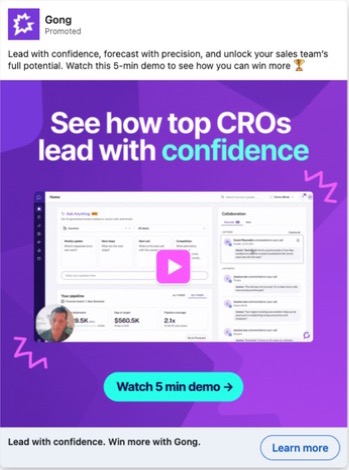
Lead with confidence, forecast with precision, and unlock your sales team’s full potential. Watch this 5-min demo to see how you can win more 🏆.
Transcribed from the original post. Claims and offers belong to the advertiser; current availability and results are not verified.
Gong invites the reader to watch a five-minute demo. It shows a product screen, a small presenter image and a play icon. The animated file is the invitation to the demo; it is not the five-minute recording itself.
That time limit gives the reader something specific to consider. They can decide whether to spend five minutes looking at the product. A vague “Learn more” invitation does not tell them what comes next.
For your own ad, select one product task that can be shown in a short recording. Put the real duration in the creative and preview the screen the viewer will see. Confirm that the destination delivers the promised recording. If it requires a form, say so; if it asks for a meeting instead, the ad should make that commitment clear.
Quickbase: show who the product is for
Read the ad copy
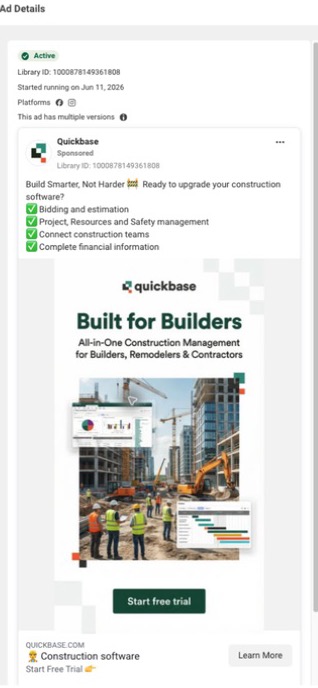
Build Smarter, Not Harder 🚧 Ready to upgrade your construction software? ✅ Bidding and estimation; ✅ Project, Resources and Safety management; ✅ Connect construction teams; ✅ Complete financial information.
Transcribed from the original post. Claims and offers belong to the advertiser; current availability and results are not verified.
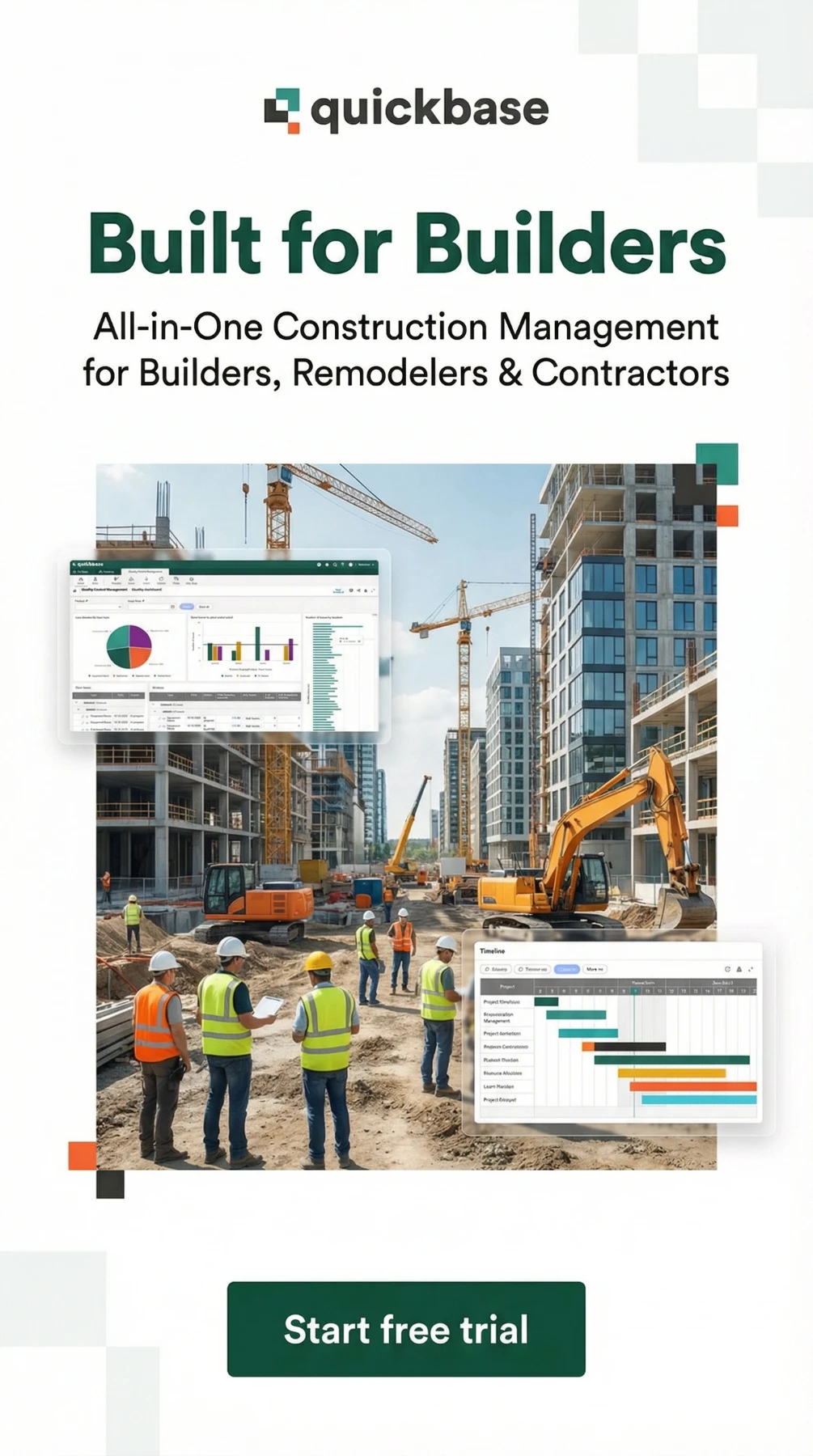
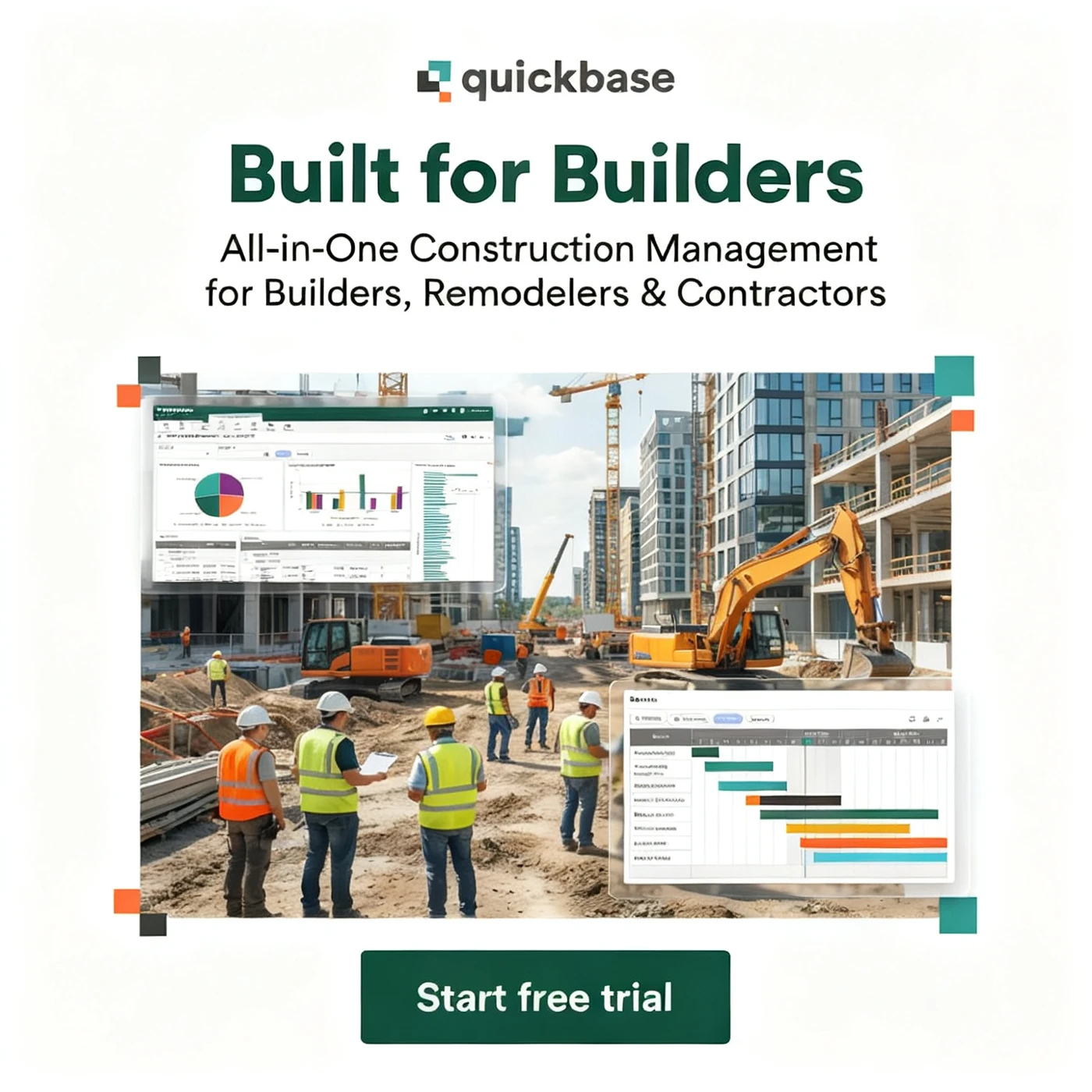
The two “Built for Builders” creatives put the audience in the headline. The next line names builders, remodelers and contractors. A construction scene, dashboard and schedule graphic give the software a work setting.
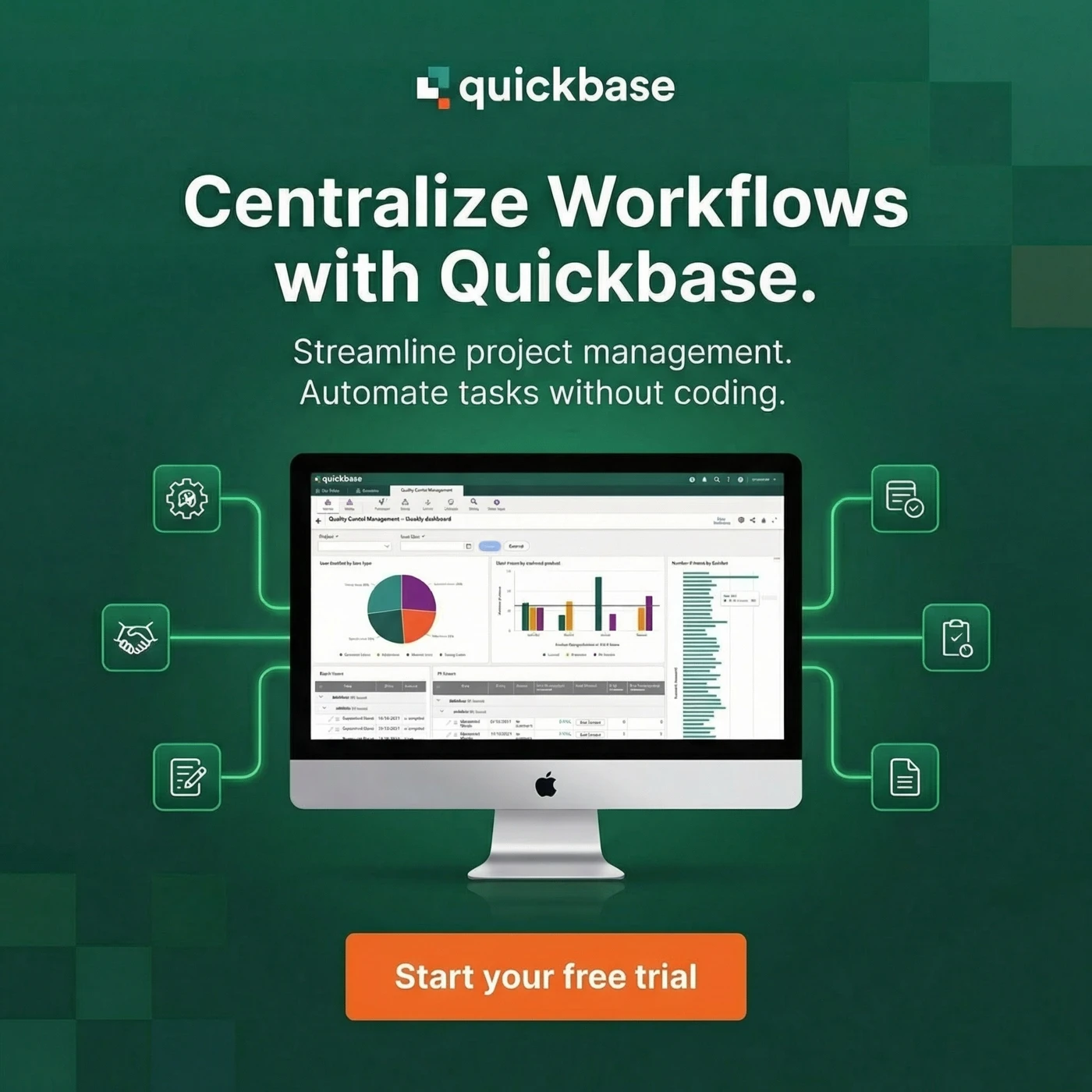
A third variant switches to a broader message: “Centralize Workflows with Quickbase.” That version shows a monitor and surrounding icons, but removes the construction scene. The comparison helps explain what industry-specific creative changes: the audience, work setting and examples become more explicit.
The construction landing page continues the same theme and offers a free-trial form. Keep that connection in your own campaign: if the ad names an industry, explain the product through that industry's work on the landing page too.
Use a genuine product screen when adapting this layout. Show enough detail to explain the task, then provide a larger view if readers need to inspect it. Decorative dashboard shapes cannot demonstrate what the software does.
Intuit Accountants: offer the method behind a customer story
Read the ad copy
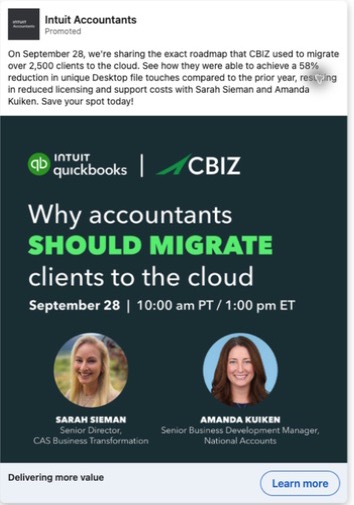
On September 28, we're sharing the exact roadmap that CBIZ used to migrate over 2,500 clients to the cloud. See how they were able to achieve a 58% reduction in unique Desktop file touches compared to the prior year, resulting in reduced licensing and support costs with Sarah Sieman and Amanda Kuiken. Save your spot today!
Transcribed from the original post. Claims and offers belong to the advertiser; current availability and results are not verified.
This event creative names the question: why accountants should migrate clients to the cloud. It shows the date, time, two speakers and their roles, with QuickBooks and CBIZ branding.
The accompanying archived copy promises the roadmap CBIZ used to migrate more than 2,500 clients. That is more specific than an invitation to “hear from industry experts.” It tells an accounting firm what experience the speakers bring and what the session intends to explain.
This is a dated ad example, not a current registration recommendation. Its figures are advertiser claims. The lesson is the offer structure: name a project your audience may face, explain what the speakers have done, and promise the method rather than a broad discussion.
If you have a customer story, ask which part would help another buyer make a decision: choosing a system, preparing a migration, training a team or measuring a change. Build the session around that part. Include the date and timezone where people can find them without reading the entire post.
Atlassian: show the question, then show the answer in the product
Read the ad copy
Connecting your features to your company strategy shouldn't feel like a guessing game. The new Tree view in Jira Product Discovery gives you a single, nested view of your entire product hierarchy. Now, leaders get the top-down alignment they need, and teams get the bottom-up context to build with confidence. Watch Thibaut Nyssens demonstrate how to connect every idea to your goals using Tree view. 👇
Transcribed from the original post. Claims and offers belong to the advertiser; current availability and results are not verified.
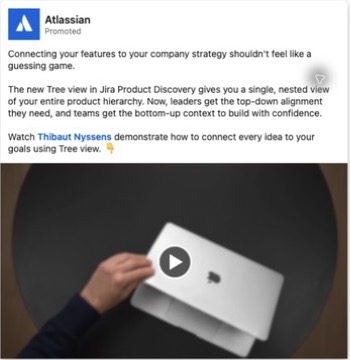
Jira Product Discovery helps product teams organize ideas and decide what to build. In this ad, Atlassian introduces a Tree view that connects individual work to larger goals.
The video names a familiar conversation: leadership asks why the team is building something. Around 30 seconds, that question appears as a message on screen. A simple diagram then shows how a goal connects to opportunities and solutions. Later, the video shows the actual interface and how to create the view.
That sequence gives the feature a reason to exist. The viewer sees the question before learning which menu to click.
To borrow it, choose one question your buyer has to answer at work. Show the question, explain what information is missing, and record the product helping someone answer it. Keep the demonstration on that task. A tour of every menu makes it harder to understand the point.
This is a 98-second walkthrough. If your production brief calls for a shorter version, choose one section to demonstrate rather than speaking faster through the entire script. A reasonable test would bring the completed view forward, then show how to make it. That is a proposed editing choice, not a claim that it would outperform the original.
Siemens: make an unfamiliar product visible
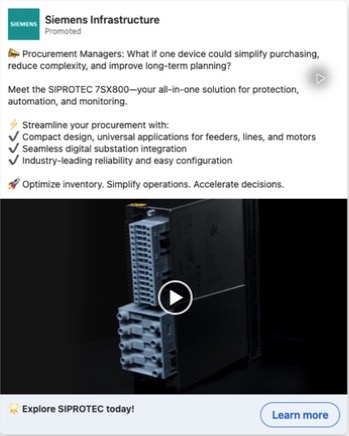
Read the ad copy
📣 Procurement Managers: What if one device could simplify purchasing, reduce complexity, and improve long-term planning? Meet the SIPROTEC 7SX800—your all-in-one solution for protection, automation, and monitoring. ⚡ Streamline your procurement with: ✔️ Compact design, universal applications for feeders, lines, and motors; ✔️ Seamless digital substation integration; ✔️ Industry-leading reliability and easy configuration. 🚀 Optimize inventory. Simplify operations. Accelerate decisions.
Transcribed from the original post. Claims and offers belong to the advertiser; current availability and results are not verified.
Siemens' SIPROTEC 7SX800 is electrical protection equipment. The ad pairs close views of the device with short lists of the applications Siemens says it supports.
The product close-ups make the hardware easy to inspect. Around 3 seconds, the video names the device. Around 15 seconds, the text lists uses including feeders, capacitor banks and small or medium-sized motors. Later frames show additional applications beside another angle of the hardware.
For an industrial buyer, the appearance and connection points are part of understanding the product. The text gives the footage context. Neither a generic factory video nor a long paragraph of specifications would do both jobs as directly.
You can use this structure for equipment, components or business supplies. Film the parts the buyer needs to inspect, identify the job each view explains, and keep the text beside the relevant footage. Do not use a list of capabilities as a substitute for showing the feature when it can be demonstrated safely.
The footage illustrates the advertised product and its stated applications. It does not establish reliability or savings. Those claims need their own evidence.
Intuit Enterprise Suite: connect the customer story to a screen
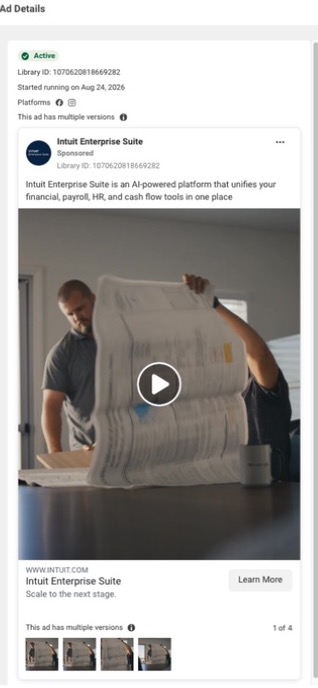
Read the ad copy
Intuit Enterprise Suite is an AI-powered platform that unifies your financial, payroll, HR, and cash flow tools in one place.
Transcribed from the original post. Claims and offers belong to the advertiser; current availability and results are not verified.
Intuit's Meta video features Chad Shaules, identified as CEO of Cornerstone Development Company. The opening places him in a construction business, including a shot of a large plan sheet.
The on-screen captions describe the time spent keeping construction management and accounting separate. Product screens appear alongside captions about bringing them together. Around 12 seconds, the viewer sees the software alongside that claim. Around 18 seconds, another screen supports the financial part of the explanation.
The product screens help the viewer understand the task the customer is describing.
For your version, ask a customer to describe one task before and after using the product. Record the matching workflow and place it beside the relevant part of their account. Preserve their meaning when editing; do not turn a limited statement into a wider result.
You need a willing customer, permission to use the account and footage that supports what they say. If you do not have those, make a product demonstration in your own voice rather than inventing a testimonial.
Stripe: show what the partnership lets someone do
Read the ad copy
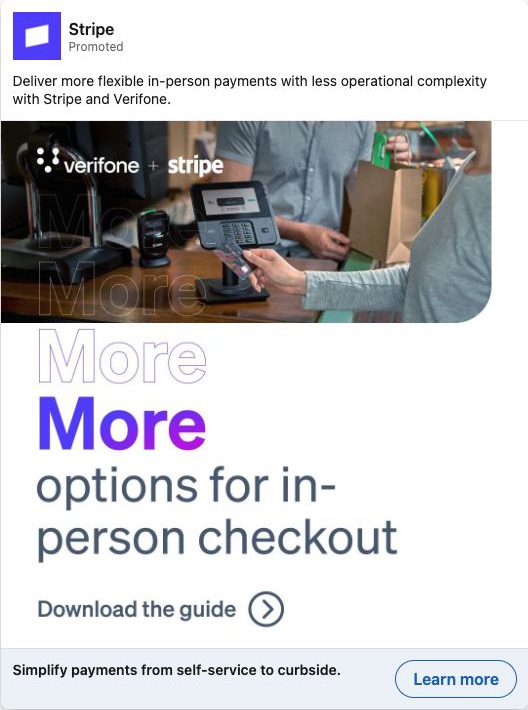
Deliver more flexible in-person payments with less operational complexity with Stripe and Verifone.
Transcribed from the original post. Claims and offers belong to the advertiser; current availability and results are not verified.
Stripe's ad puts a payment terminal and an in-person checkout at the centre of the creative. Verifone and Stripe both appear, but the picture gives the partnership a practical setting.
The message is about more options for in-person checkout. The creative invites readers to download a guide, while the button below says “Learn more.” The opening copy also connects the two companies to flexible in-person payments.
The checkout explains where the partnership matters. A buyer can picture using the two products together.
If you are advertising an integration, show the handoff between the products or the task the combination makes possible. Name the situation clearly. Your destination should explain that same task and supply the guide, demo or next step promised in the creative.
Dropbox: put the customer and the claim in the same image
Read the ad copy
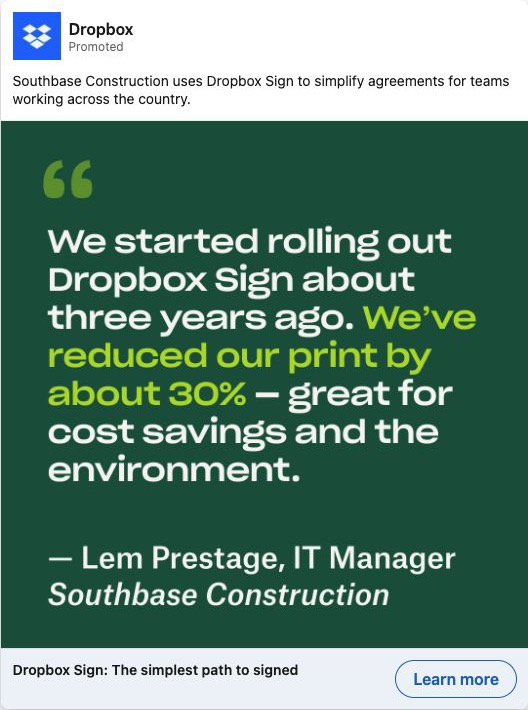
Southbase Construction uses Dropbox Sign to simplify agreements for teams working across the country.
Transcribed from the original post. Claims and offers belong to the advertiser; current availability and results are not verified.
Dropbox's ad promotes Dropbox Sign through Southbase Construction. The opening explains the job: simplifying agreements for teams across the country.
The creative contains a quote attributed to Lem Prestage, IT Manager at Southbase Construction. It says the company reduced its printing by about 30%. The qualification “about” and the named source are part of the statement; they should stay with it when the example is discussed.
The layout makes one point easy to find. It highlights the print reduction inside a longer quote, with the speaker and company below. That is more specific than an unattributed claim that the software saves time and money.
To make something similar, start with an actual customer statement you have permission to use. Choose the part that explains a change a buyer would care about. Include enough context to understand it, and keep the attribution visible. If a result needs conditions or a time period to be understood accurately, include them rather than cropping them away.
Ramp: make the offer and its conditions clear
Read the ad copy
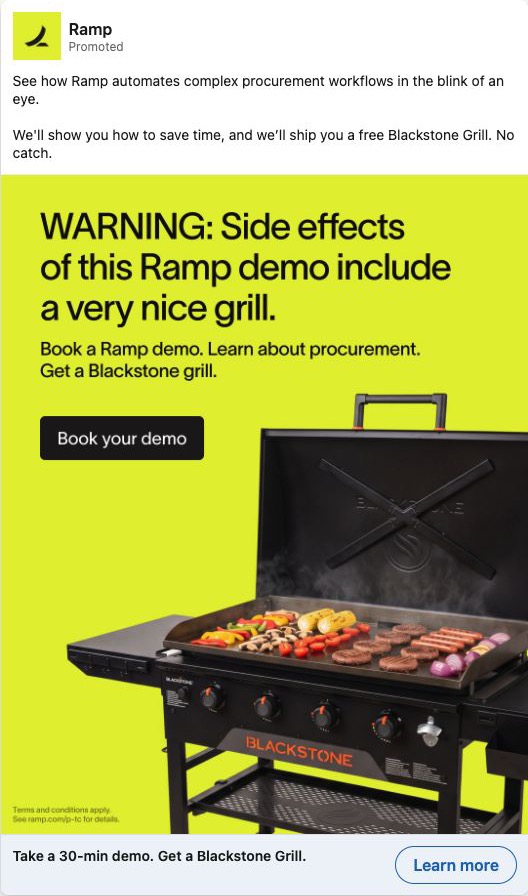
See how Ramp automates complex procurement workflows in the blink of an eye. We'll show you how to save time, and we’ll ship you a free Blackstone Grill. No catch.
Transcribed from the original post. Claims and offers belong to the advertiser; current availability and results are not verified.
Ramp's bright yellow creative offers a Blackstone grill in exchange for taking a procurement demo. The headline below the image names the time commitment: 30 minutes.
The image gives the incentive much more space than the software. That makes the offer obvious, but it also raises a question for anyone adapting it: are people interested in the product, the incentive, or both?
If you test an incentive, define who qualifies and what a qualified buyer will learn from the demo. Keep the conditions close to the offer and carry them onto the booking page. The original creative includes small terms text; the offer should not be described as unconditional just because the body says “No catch.”
You can borrow the clarity of the commitment without copying the gift. A specific agenda and meeting length can explain what a buyer is agreeing to. Treat this as a historical creative example, not a current offer to claim.
Canva: explain the balance your buyer is trying to keep
Read the ad copy
Every franchise is unique - different neighborhoods, different communities, different local flavor. But the brand? That doesn't need to change. That's what Canva Enterprise solves: Brand Kits, locked templates, and approval workflows keep every location on-brand, while franchisees design their own marketing in minutes - no design skills required. Take F45 Training. With Canva Enterprise's Brand Kit and locked templates, design turnaround for their 2,000+ franchise studios dropped from 10 days to under 24 hours. "Canva has proven to be a game-changer for F45. It provides our franchisees with a creative outlet to produce professional designs that align with our brand standards." - Global Director of Franchise Systems and Operations, F45 Training. Read more here - https://lnkd.in/gqswYD7p.
Transcribed from the original post. Claims and offers belong to the advertiser; current availability and results are not verified.
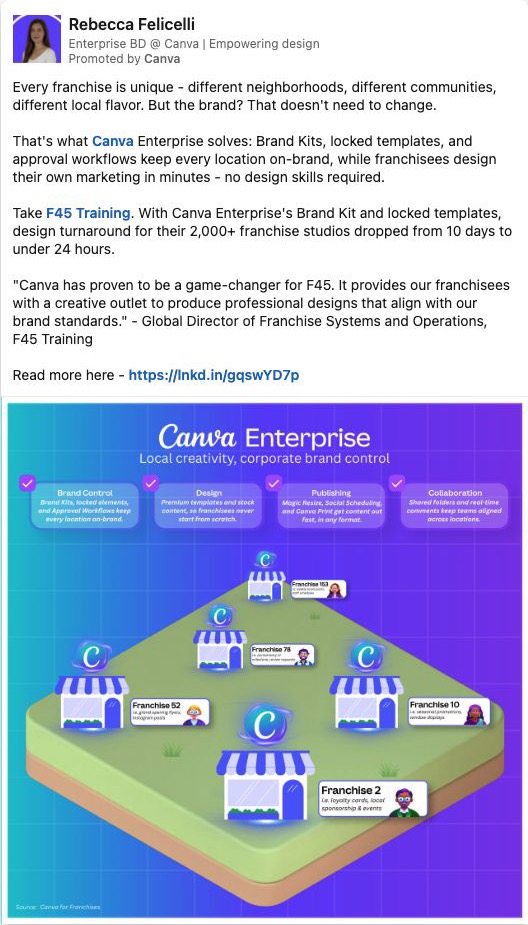
Rebecca Felicelli's post, promoted by Canva, starts with a franchise problem: each location serves a different community, but the brand still needs to stay consistent.
The graphic puts local stores beneath shared brand controls. The post names Brand Kits, locked templates and approval workflows. Those details explain what “local creativity, corporate brand control” means in practice.
The author also cites an F45 customer example. Those results are claims in the post; our breakdown does not independently verify the customer outcome.
This approach fits a common problem: a central team needs control while local teams need to get work done quickly. Name both needs, then show the specific controls and actions that let people work within them. A diagram can explain the relationship more quickly than a list of abstract benefits.
When adapting it, build the diagram from your actual workflow. Show who creates, who approves and which parts are shared. Readers should be able to point to the part that solves their concern.
Autodesk: connect the screen to the work outside it
Read the ad copy
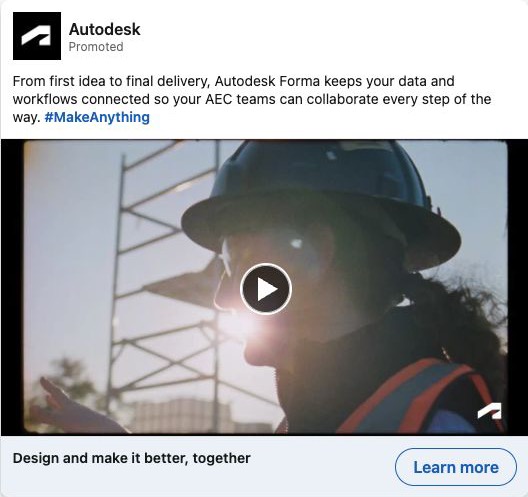
From first idea to final delivery, Autodesk Forma keeps your data and workflows connected so your AEC teams can collaborate every step of the way. #MakeAnything.
Transcribed from the original post. Claims and offers belong to the advertiser; current availability and results are not verified.
Read the ad copy
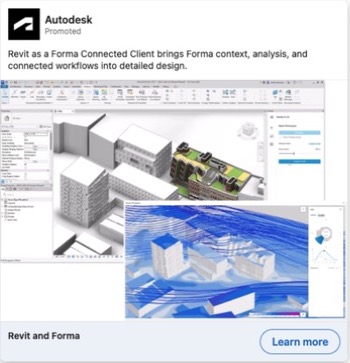
Revit as a Forma Connected Client brings Forma context, analysis, and connected workflows into detailed design.
Transcribed from the original post. Claims and offers belong to the advertiser; current availability and results are not verified.
Autodesk's six-second Forma ad moves through a construction worker, a tablet and design model, then a building. It gives the software a physical setting quickly.
A separate Autodesk ad takes a closer view. Its still image shows a Revit model beside Forma analysis, including a wind visualization. This version asks the reader to inspect the interface rather than follow a short montage.
These are two different jobs for creative. The short video connects the product to the work it supports. The screenshot gives a more specific view of the software. A reader's familiarity with the product can help you decide which explanation to test first; the public ads do not tell us how Autodesk targeted either version.
For your own product, collect both the task result and the product view. Then choose the one that best answers the buyer's immediate question. If the interface detail is the point, enlarge or crop the relevant area accurately. A full desktop squeezed into a small mobile ad can become impossible to read.
Ramp: put the customer problem beside the product detail
Read the ad copy
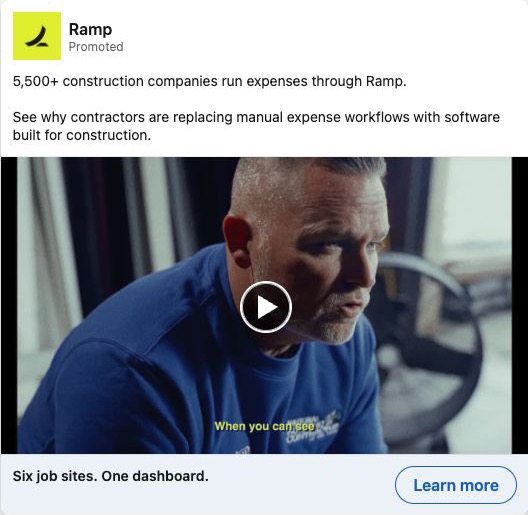
5,500+ construction companies run expenses through Ramp. See why contractors are replacing manual expense workflows with software built for construction.
Transcribed from the original post. Claims and offers belong to the advertiser; current availability and results are not verified.
Ramp's construction video fits several cuts into about six seconds: a person on camera, a budget screen showing jobs and spending, then outdoor shots of someone holding a camera and someone wearing a party hat. It closes with Ramp for construction.
The budget screen is the clearest product detail. The other shots make this a fast montage, so a reader gets a glimpse of the software rather than a demonstration they can follow.
The accompanying post addresses construction companies replacing manual expense tracking. That gives the brief clip a specific business context. The software is not shown as a generic dashboard: the rows refer to jobs and budgets, the work the audience has to manage.
To adapt it, choose a single customer concern that one screen can help explain. Record the person and the screen, then edit them together around that point. A six-second version needs a narrow idea. If you need to explain several steps, make a longer walkthrough instead of hiding them behind quick cuts.
Keep any customer statement in its original context. A product screen can illustrate the story; it does not independently prove the customer's results.
Canva: tell people what they will learn in the webinar
Read the ad copy
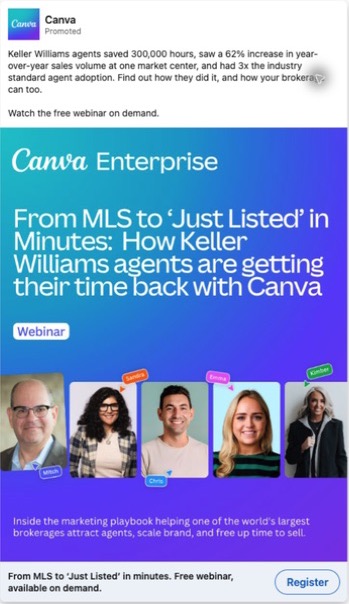
Keller Williams agents saved 300,000 hours, saw a 62% increase in year-over-year sales volume at one market center, and had 3x the industry standard agent adoption. Find out how they did it, and how your brokerage can too. Watch the free webinar on demand.
Transcribed from the original post. Claims and offers belong to the advertiser; current availability and results are not verified.
Canva's Keller Williams webinar creative promises to go from MLS to “Just Listed” in minutes. For a real-estate marketer, the title points to a recognizable job: turning listing information into marketing material.
The card includes five speakers with first-name labels and explains the broader subject as a marketing playbook. It gives readers a topic and people to expect, rather than relying on the word “webinar” to make the offer interesting.
When planning your own webinar ad, write the title around the task the audience wants to complete. Then choose speakers who can show the work. If the promise is to produce an asset, the session should include a demonstration and something participants can follow.
Keep an on-demand offer separate from a dated live event. If the ad says the recording is available now, the next page should make the recording and any registration requirement clear. This example illustrates the creative; check current availability before relying on the original offer.
Choose an approach you can make
| What you need to explain | Start with | Material you need | Avoid this approach when |
|---|---|---|---|
| How a product handles a task | Atlassian's walkthrough | A working product and a recordable example | The feature is not ready to demonstrate |
| Why a customer changed how they work | Intuit's customer video | A willing customer, permission and matching footage | You would have to invent the customer's experience |
| How to solve one recurring problem | Datadog's ebook offer | A resource that answers the specific question | The resource is a broad brochure with little practical help |
| What someone will see before booking a meeting | Gong's short-demo invitation | A real recording with an accurate duration | The destination only offers a sales call |
| Why an industry should care | Quickbase's construction creative | A relevant task, language and product view | The only industry-specific detail would be a stock photo |
| What two products do together | Stripe's partnership creative | A concrete combined use case | You can show two logos but cannot explain the combined offer |
| Which applications a physical product serves | Siemens' product video | Accurate product footage and supported uses | The footage would imply capabilities you cannot support |
| What a session will teach | Intuit's webinar or Canva's webinar | A focused topic and speakers who can show the work | The event promise is only a broad discussion |
Turn an example into a brief
Download the editable brief and open the worked example. The example shows proposed ads for the brief itself, so you can compare the promise with the actual resource.
- Open the blank file in a text editor, document editor or your agent. Fill in the buyer, problem and offer first.
- Choose one reference ad from this page. Describe the part you want to borrow and the material your team can actually produce.
- Add sources and permissions for each claim. Write “unknown” where something still needs an answer.
- Complete the scene or layout table. Give the producer the actual files, not just a description of what you wish you had.
- Check the CTA against the destination. State any form, meeting or account requirement clearly.
- Use the review prompt below to find gaps. Repair them before calling the brief ready to produce.
The worked example includes proposed LinkedIn, Meta and search versions of one offer. It keeps the offer consistent and changes the presentation. It also leaves the unpublished destination and unassigned producer open; a completed-looking document should not hide those decisions.
Worked example: advertise this brief
Suppose we wanted to promote the two brief files on this page. The buyer is a B2B marketer who has found an ad they like but needs to tell a designer what to make. The offer is the blank brief plus a completed example.
This is a proposed campaign, not one we have run. The files provide the material to show; we have no campaign results to claim.
| Channel | Proposed copy | What to show |
|---|---|---|
| LinkedIn static ad | “Found an ad you like. What do you send your designer?” Then: “Use this editable brief to specify the buyer, offer, proof and scenes. A worked example shows how to fill it in.” | Enlarge one completed section so the buyer can read what they would fill in. |
| Meta video | “Turn an ad example into a brief your producer can work from. Download the blank file and worked example.” | Record the actual files: show a completed section, the four planning headings, then the download controls. |
| Search ad | Headline: “B2B Ad Brief Template”. Description: “Set out the buyer, offer, proof and scenes. Download an editable brief and worked example.” | Send the visitor directly to the brief section. Confirm platform limits when setting up the campaign. |
All three versions promise the same files. The presentation changes: LinkedIn gives the reader a section to inspect, Meta shows the document in use, and search names the template someone is looking for.
For the proposed 15-second video, the production sequence is:
- 0–4 seconds: show a completed section with “Found an ad you like. What do you send your designer?”
- 4–10 seconds: move through the buyer, offer, proof and scene headings. Keep the text large enough to read on a phone.
- 10–15 seconds: show the actual download controls with “Download the blank brief + worked example.”
If the text cannot be read at that pace, simplify the shot or extend it. Before launch, someone still needs to own production, verify the published downloads and decide how to measure the campaign. A download-link click would show interest in the file; it would not prove the person completed a brief or launched an ad.
Ask your agent to build the brief
Turn your offer into an ad production brief
Paste your brief below the prompt. Download text
Help me turn one B2B offer into a production brief and proposed ad copy. Write for a marketer and producer using ordinary language. Do not invent product capabilities, customer statements, performance numbers, permissions, completed assets or a live destination.

REFERENCE MATERIAL (enough to use without opening the article)
Datadog LinkedIn ad, generic variant, source https://www.linkedin.com/ad-library/detail/1591512726.
Opening: “APM can show you which service is slow, but what happens when the database is the bottleneck?”
Creative: the ebook title “From Trace to Query: How Database Visibility Makes APM Stronger” above a real product-dashboard image. Headline: “Datadog eBook: A Practical Guide to App and Database Troubleshooting.” Button: “Learn more.” The destination describes database troubleshooting and asks for a form to receive the ebook. This is an observation of the offer and landing-page copy; the delivered ebook and campaign performance were not verified.
Pattern to adapt: name a specific work problem, show the resource that addresses it, and make the next step match the offer. Do not reuse Datadog branding, copied creative or its exact wording in the new ad.

Alternative reference: Gong ad https://www.linkedin.com/ad-library/detail/1225883163. The creative shows a product screen, small presenter inset and play icon with “Watch 5 min demo.” The saved GIF is a demo invitation, not the five-minute demo itself. Its destination behavior is unverified. Borrow the clear time commitment only when the supplied offer actually delivers it.

These are examples of structure. No profitability, targeting or conversion claim is supplied.

MY INPUTS
Paste a completed brief below, or answer these fields:
- Business/product and buyer role/company type.
- One task the buyer is trying to complete and where they get stuck.
- Actual offer; what the visitor receives; CTA; destination or “not built”; form, meeting, account or payment requirement; availability/eligibility.
- Evidence we can use: each claim, original source, what it establishes and permission. Say “none” if we have no customer proof.
- Available production material: product access, people, footage, real screens and resources; limits and producer.
- Requested channels and formats. Choose LinkedIn, Meta, search or a subset.
- Any existing opening, copy or scene plan.
- Unknowns and owners. If this is a hypothetical practice scenario, label it explicitly.

HOW TO WORK
1. Read the inputs before drafting. If the buyer problem, actual offer, supporting material or requested channels are missing, return “Information needed” with up to five focused questions and explain which output each answer enables. Stop before drafting final ad copy. In this questions-only response, do not repeat the reference examples or the full prompt. Do not fill gaps using the reference brand. Missing performance proof alone is not a reason to stop if a truthful product/resource demonstration is possible.
2. If the destination is not live or the producer is unassigned, you may make a clearly labeled proposed brief. Keep those items open; do not claim launch readiness. Ask for missing claim support instead of inventing it. If the input asks for an unsupported result claim, remove it from the proposed copy and identify the support needed.
3. Choose the reference structure that fits our actual offer, or explain why neither fits and propose a simpler structure from our supplied material. Keep the buyer problem, proof and next action connected.
4. Produce the brief: business/buyer; offer and post-click path; reference and what changes; claims/source/permission table; production assets; opening/explanation/proof/CTA; scene or layout table; only requested channel versions; preproduction review; measurement plan; handoff with owners and unknowns.
5. For video, give approximate scene durations, exact on-screen text, spoken words if any and the real asset needed. For static, give layout order and exact text. Do not prescribe a customer interview if no customer can participate. For search, label proposed copy and keep the destination's promise; do not imply a campaign exists or is approved.
6. Distinguish a download-link click from receiving a file, completing a brief and generating a business outcome. Do not invent tracking, attribution windows, budgets or numerical success thresholds.
7. End with ready to produce / revise / stop this approach, reasons and unresolved items. “Ready to produce” does not mean ready to launch. Include a short checklist for a producer to verify the final asset and destination.

OUTPUT STYLE
Use short paragraphs, numbered sequences and compact tables where they help the producer. Give concrete wording rather than generic advice such as “use a strong hook.” Preserve the meaning of the reference and my supplied facts; summarize only the part relevant to the chosen approach. Any fictional adaptation stays clearly labeled.

MY BRIEF OR ANSWERS:
[Paste here]
Paste your completed brief below the prompt. It includes the Datadog and Gong examples in words, their source links and their limits, so your agent does not need this article open. It asks for missing facts instead of inventing product claims or customer results.
Ask your agent to find the gaps
Find what would stop a producer or mislead a buyer
Paste your brief below the prompt. Download text
Review the B2B ad brief and proposed creative I paste below. Your job is to find the changes required before a producer can make it and before a buyer can understand the offer. Work only from the supplied material. A brief that sounds polished can still fail this task.

REQUIRED INPUT
Paste: the complete brief; proposed copy/scenes; source material supporting each claim and permission status; the actual resource/product material; destination copy or URL plus observed behavior; requested channels and production limits. If one is unavailable, label it unknown. A URL alone does not prove its contents. Do not claim to have opened files, run a browser, checked permissions or tested a download unless you actually did so.

REVIEW TASK
1. Identify the buyer, their task, the offer and the post-click requirement in one sentence each. If the supplied information cannot establish one, list the focused question needed.
2. Trace each factual claim/quotation to evidence. Separate a source statement from independently verified results. Reject invented numbers, fake customer stories, altered quotes and unsupported performance inferences. Do not demand numerical performance proof for a truthful description of a file or observed product action.
3. Follow the proposed ad from first frame/opening to CTA to destination. Name any changed promise, missing condition, unreadable detail or extra commitment the ad fails to explain.
4. Attempt the production handoff on paper: for every scene/layout area, identify its asset, exact text, voice and owner. Flag steps that require unavailable people, product access or footage. An unassigned owner is an open item, not a name to invent.
5. If there is a blank and worked brief, map the fields one for one. If a follow-on prompt uses them, check that the fields supply its required inputs. Do not count matching filenames as a completed reader task.
6. Review measurement: what event is observed, where it is recorded, the reporting window and attribution, and what the event cannot prove. Missing tracking stays missing. A download click is not a completed brief or sale.
7. Write only findings that change a reader or producer outcome. Each finding must give the exact location, consequence, smallest concrete repair and how to check the repair. Supply rewritten copy where the evidence permits it. Do not solve a missing fact with invented copy.

OUTPUT
- Decision: ready to produce / revise / stop this approach. Keep launch disposition separate.
- Blocking findings, then other improvements, each tied to its source location and repair check.
- Proposed repaired passages that use only supported facts.
- Missing inputs with owners if supplied, and what to test next.
If inputs are insufficient to judge the brief, say so and return questions plus the checks that can be completed. Do not issue a positive verdict from an outline alone. If the case is hypothetical, preserve that label.

MATERIAL TO REVIEW:
[Paste here]
Supply the proposed copy, scenes, supporting material and destination information with the brief. The review should tell you where the producer would get stuck, where the buyer could misunderstand the offer, and what to repair. Check those findings against the sources; an agent's confidence is not evidence.
What changes between LinkedIn, Meta and search ads?
Keep the offer consistent, then adapt how you explain it.
- LinkedIn: name the work problem in the opening copy, then show a product screen or person explaining it. When the post comes from a person, keep their identity visible.
- Meta: show the customer, their work setting and the product in use. On-screen captions help carry the explanation.
- Search: answer the query someone has typed. Keep the headline and destination focused on that request.
These are production choices to test, not claims that one format always wins. Public ad examples do not reveal an advertiser's full targeting, spend or campaign results.
For channel setup, use the separate guides to LinkedIn video ads, Thought Leader Ads and Facebook ads for B2B.
How do you know whether an example is worth borrowing?
Ask whether it helps explain a problem your buyer has, whether you can support its kind of claim, and whether you can deliver the promised next step. A famous brand's production budget does not make its approach feasible for your team.
You also cannot tell that an ad is profitable because it appears in an ad library or has been running for a long time. Use the creative as evidence of what the advertiser made. Judge your own version through the outcomes that matter to your business.
Do B2B ads have to be videos?
No. A customer quote, a specific resource offer or a product screenshot can work as a static creative. Video earns its place when movement, speech or a sequence helps explain the point. Atlassian's walkthrough benefits from showing the steps; Dropbox's quote card makes one attributed statement visible without a video.
Start with what the buyer needs to see. Then choose the format that makes it easiest to understand.